Control how long records are kept (retention) and what happens when a record type reaches capacity (eviction). These settings help you manage record storage, stay within your tenant's limits, and keep record data current.
When to use retention and eviction
Configure these settings when you want to:
Automatically clean up stale data — for example, delete alert records older than 90 days.
Cap a high-volume record type — prevent one record type from consuming your entire tenant allowance.
Keep a rolling window of data — evict the oldest records as new ones arrive, useful for metrics or ephemeral state.
Configure the record type
When editing a record type, you are presented with options to define retention and eviction settings.
Retention and eviction are not enabled by default – When the limit is reached an error is shown and new records are not created.
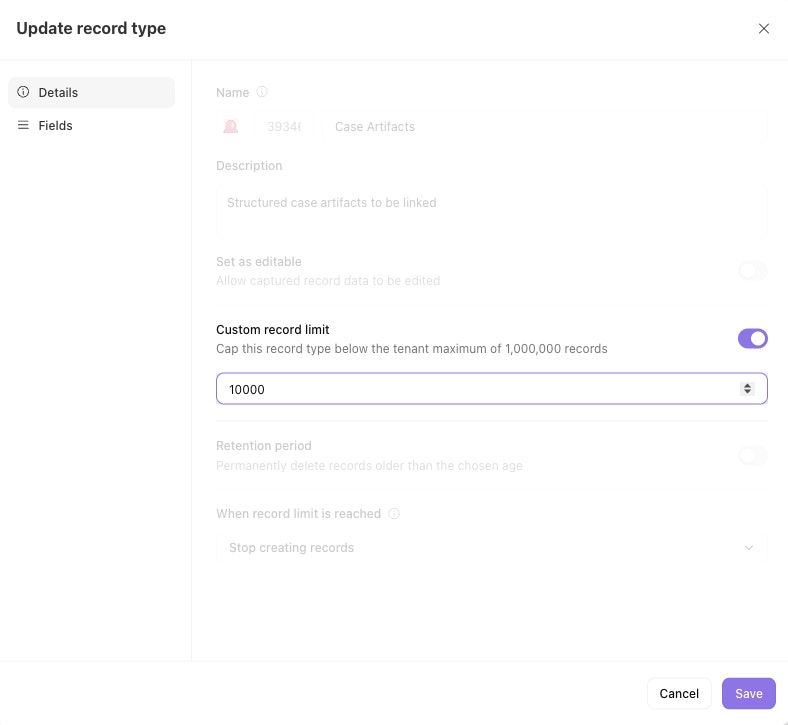
Custom record limit
Each record type has a maximum set by your tenant limit. To cap a specific record type below that maximum, turn on Custom record limit and enter a value (minimum of one).
Test and live records count toward the same limit.
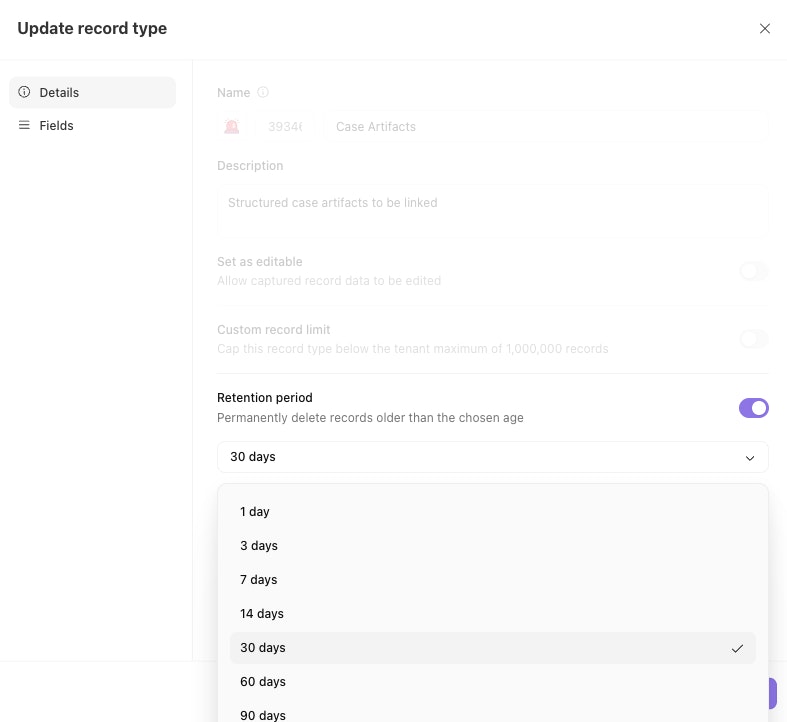
Retention period
Set a retention period to automatically delete records after the configured amount of time. Choose from retention durations between one day and 10 years.
ℹ️Info
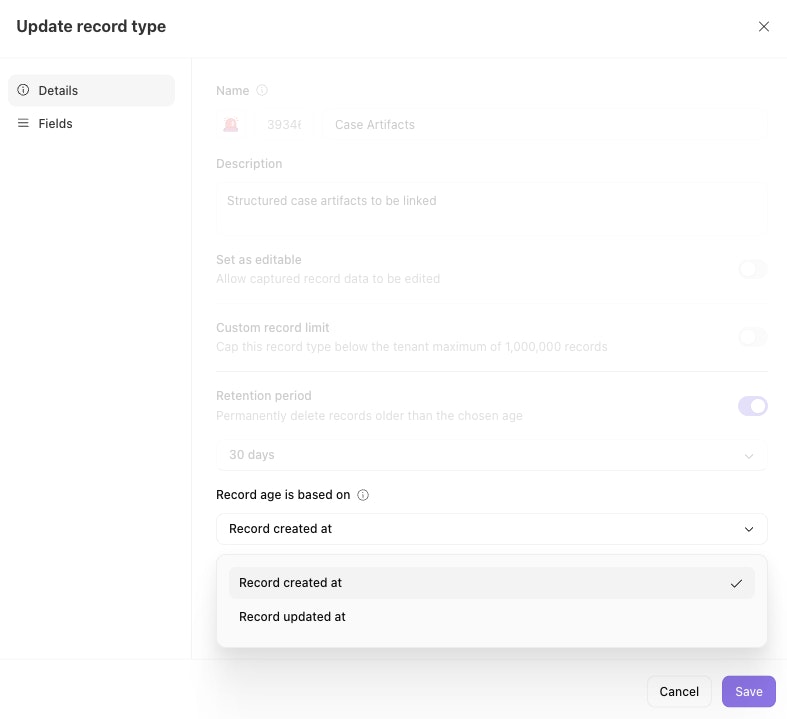
Record age is based on
This setting controls how the age of a record is evaluated for both time-based retention or eviction when the record limit is reached.
Created at — the time the record was first created.
Updated at — the most recent time any field on the record changed.
🪄Tip
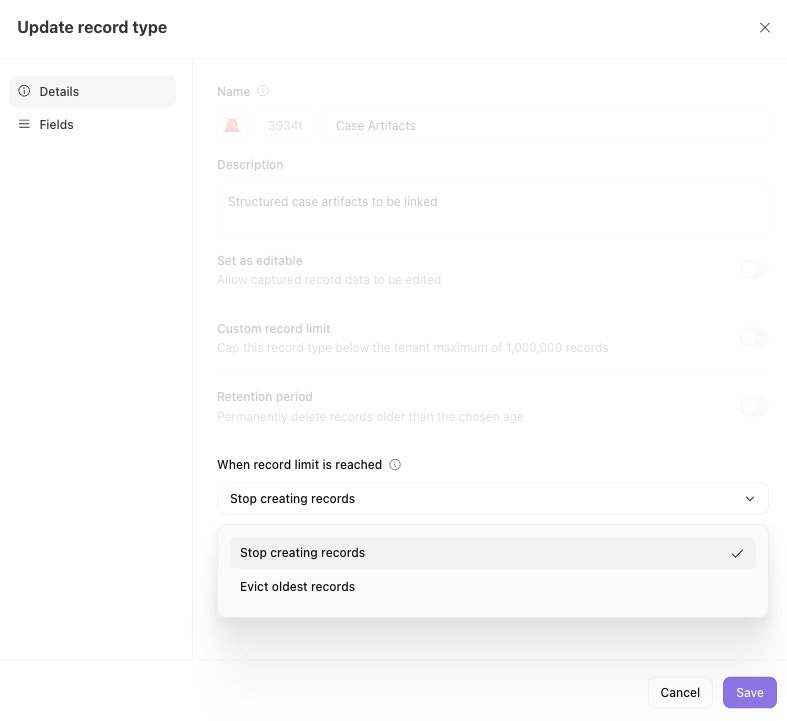
When record limit is reached
This setting controls what happens when a record type hits its limit:
Additional considerations
Test and live records are collectively considered against the record type's limit
Test and live records are both retained and evicted together
Deleted or evicted records cannot be recovered
When a parent record is deleted, child records remain but their link to the parent is removed.
Best practices
Start with "Send warnings" before enabling eviction. This gives you visibility into how quickly a record type fills up before you commit to automatic deletion.
Use "Updated at" for living data. If records represent ongoing state (inventory, configurations), basing age on the last update keeps active records from being evicted.
Set custom limits or shorter retention on high-volume record types. This prevents a single noisy record type from consuming your tenant's entire record allowance.
Pair retention periods with eviction thoughtfully. If both are configured, whichever threshold is hit first triggers deletion.