Cases
Cases are a collaborative interface where you can organize information, comment, take action, and report on progress all in real-time.
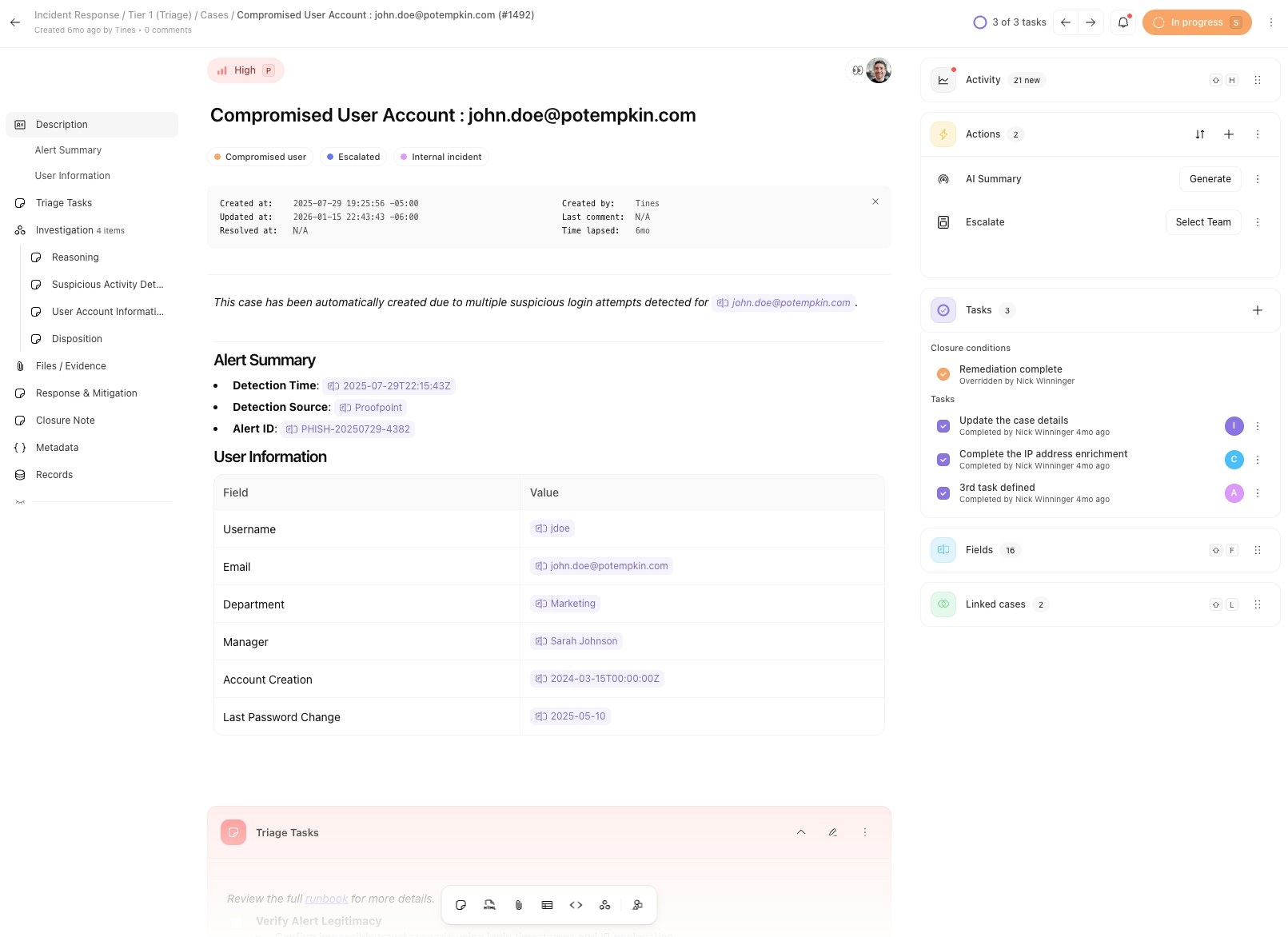
Here are just a few ways our customers use cases:
Triage suspicious alerts or SIEM events using playbook or SOP
Evaluate IOCs and manage observables with detailed evidence
Investigate AWS issues via CLI
Deallocate and delete stale virtual machines in Azure
Whether you're running down a security incident, managing a support request, triaging a flood of alerts, or coordinating an operational task, cases can flex to your needs.
Getting started with cases
Cases can be opened manually with a few clicks inside Tines Stories, or automatically by a story automation.
We recommend starting with a case template and building out content from there.
Use case notifications and the action template library to interact with your case content.
Components of a case
Within the case structure are various components to display and interact with case data. This article lists major case components and provides a summary of how they work.
Working with records and dashboards
Records
When you need to capture, transform, or reference structured data within your story, use a record. When linked to a specific case a record can provide helpful context.
Dashboards
You can then visualize that data from records and cases in a single view with dashboards. These views help you monitor what's happening across workflows within your team.
Trying out cases
Cases are an add-on feature for paid plans. By purchasing cases, you also gain access to records and dashboards.
Click here↗ to start a one-time, 45-day trial.
Learning more about cases
Continue reading to learn more about cases:
Also be sure to explore some examples of case automations in our library, and take a look at our latest case product updates.