

Spotlight
In the previous edition, we introduced Apps, a customizable, interactive front end for your Tines workflows. This month, get to know Apps a little better.
Once your app is live, monitor performance and catch issues early in the analytics tab. Track total and unique views, endpoint invocations, success and failure rates, and route breakdowns.
We built more version control for clean app iterations. You can now save restore points while making changes and unpublish an app and return it to a draft state.
Apps can also be embedded as case actions, giving your team a dynamic workspace that stays active inside the case. Query data, explore results, and take action for as long as the investigation needs, all without leaving the case.
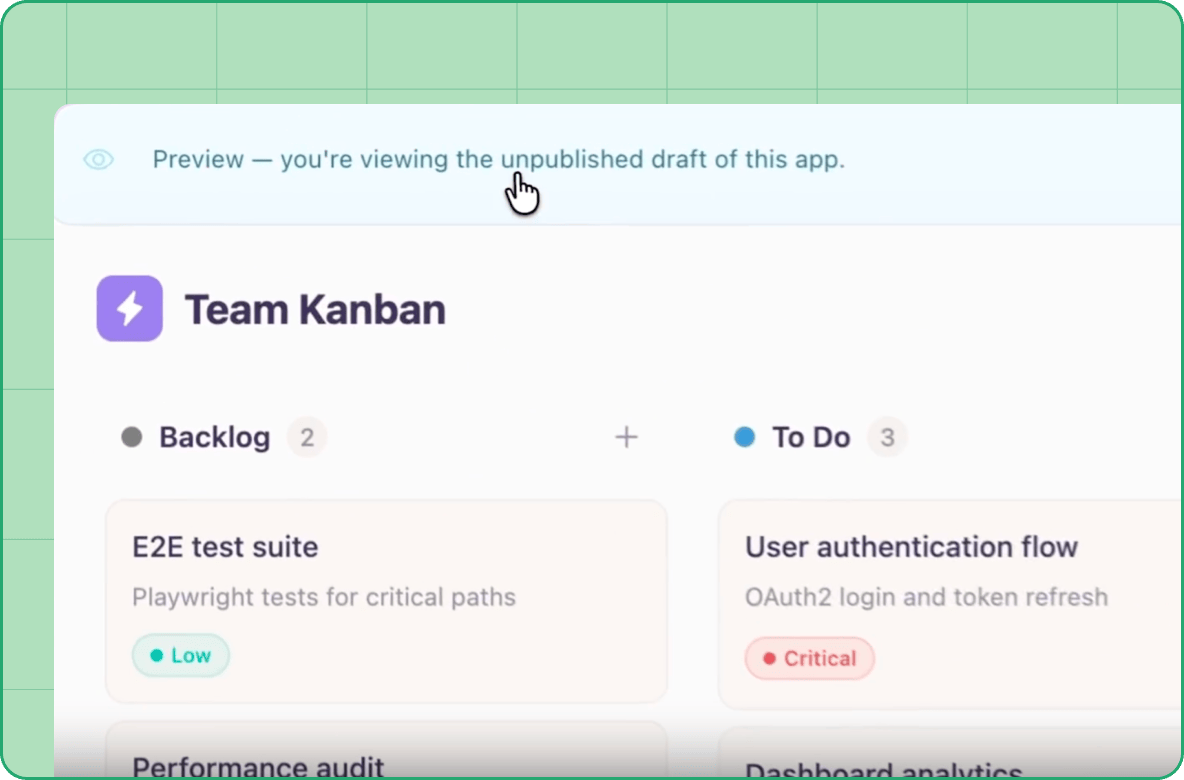
Interactive surfaces for your whole team
Your feedback shaped a dedicated sprint on holistically improving dashboards and charts this month. A few highlights:
Accessible color styles now support users with color vision differences
The new record type schema explorer opens your field structure directly inside the chart configurator, no tab switching needed
You can now control legend visibility within each chart
Check out the charting improvements roundup here.
The data behind those visualizations got upgrades too. Organize your record library as it grows with folders and icons for record types.
Previously, aggregating records meant fetching everything first. Now “Query” mode in the record action returns grouped results in a single event.
Search more easily across text and fixed value fields with new content search operators, and large text fields now support up to 100,000 characters, up from 15,000.
Build with ease and joy
We are constantly improving setup functions so you can get to building faster.
Newly invited users are welcomed with an AI guided start. Now you can describe what you want to build, opt to browse the story library, or skip straight to building in the storyboard. You can also duplicate a story directly from the storyboard and continue building on what is already working.
Automate smarter with AI that knows your context
Workbench skills give your AI the right context on demand. Package your team’s specialized knowledge into skills, and Workbench dynamically loads them when the task calls for it.
Beyond improved context, AI in Tines is becoming more accessible. You can now make an AI agent chat public to anyone with a link where a Tines login is no longer required. Access is controlled in admin settings.
Track AI usage and costs via the REST API for a full breakdown of token counts, credits and billed cost by model, provider, team or day.
Running your own Anthropic or Bedrock provider? Tunnel support routes those requests through a Tines tunnel, with custom certificate authority support for Anthropic providers. Claude Fable 5 is now available with data retention enabled.
Connect your systems and tools
Connect your AI tools and allow them to directly author stories. The new Tines MCP server provides a native interface for Claude, ChatGPT, Microsoft Copilot, Cursor, or any MCP-compatible client to start building in Tines.
When building an MCP server with OAuth access controls, leverage an OAuth passthrough so connecting users supply their own credentials for selected tools.
Control guardrails across your platform
Story syncing now supports a manually triggered development-to-production publishing flow. When removing a sync connection, you can choose whether to keep or remove the synced stories on the destination.
Manage Cases more programmatically. The Case status API covers case statuses end to end, and the Cases template API adds list, export, and import endpoints for interacting with your case templates.
Audience corner
For admins
Tenant-wide control over personal teams is this month’s standout. As a tenant owner, you can now disable personal teams across your entire organization, so every story lives on a shared, role-controlled surface. This enables clear ownership, more auditable workflows, and reduces ungoverned spaces.
For self-hosted teams
Custom Python runtimes for Run Script are now supported in self-hosted deployments. Manage your own packages, include pre-installed dependencies, and place any files you need alongside your scripts.
Community highlights
Our Builder Connect event brings Tines builders across security, IT, and operations together to share real-world workflows, learn from peers, and earn ISC2 CPE credits. New dates and locations are live and open for registration.
On the horizon
We shipped our Tines MCP server this month, enabling you to programmatically interact with the Tines platform. This is just the beginning of what AI-native interfaces in Tines can do. More in this space soon.
There’s more on our What’s New page, including every release from this month. Your feedback shapes what we build next. Drop us a note in the Tines Slack community!