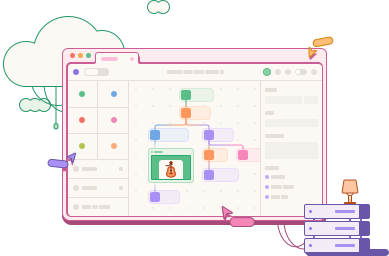
Storyboard
A drag-and-drop builder where your workflows come to life
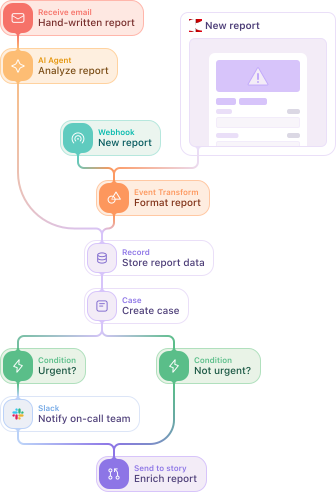
The actions
Actions are the building blocks of your workflows. Simply place and connect them on the storyboard, and you’re ready to run.
Webhook
Kicks off a workflow when something happens in an external system.
HTTP request
Send or receive data from another system at any point in your workflow.
Receive email
Use an incoming email to initiate a workflow, or as a data source to bring into your processes.
Send email
Share information or outcomes from your workflow via email.
AI Agent
Enable agents for reasoning and execution; create agents for user interaction.
Event Transform
Structure and manipulate data at any point in your workflow.
Condition
Make decisions based on the data in your workflow before continuing.
Send to story
Reuse a workflow by nesting it within other workflows.
Connect anything
If it offers an API, Tines Stories connects with it. From mainstream solutions to niche and internal tools, Tines Stories is an integrator across your entire stack.










Better workflows through AI
Build powerful workflows more efficiently, and run them better than ever before. Unmatched simplicity means your whole team can leverage the power of AI.
Automatic mode
Transform complex data with the power of generated code and the ease of a prompt. Our accessible approach to data transformation empowers your whole team to build effective workflows.
Workbench
Create flows with Workbench for stories, at the speed of conversation using natural language. Our AI-chat interface allows users to build, understand, and optimize workflows directly on the storyboard.
AI Agent
Build agents within workflows to securely interact with your systems and data. We never train, log, inspect, or store data that enters or exits the language model.

I was impressed by how fast it was to drag and drop actions and configure them. It was significantly faster than writing the same thing in Python. That speed was the biggest thing for me.
Andrew Katz
Senior Information Security Engineer
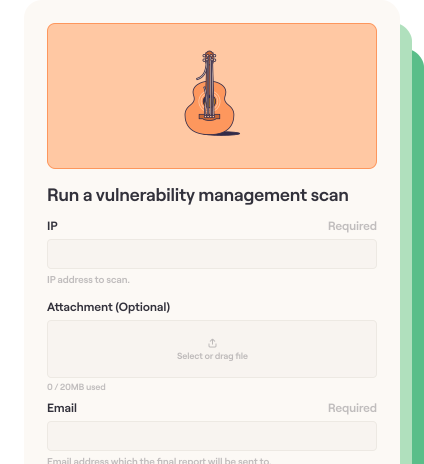
Create interactions outside of the storyboard through pages. Use them to gather context, confirm information, or add transparency to workflow outputs. Control and pause workflows through human confirmation or interactions.
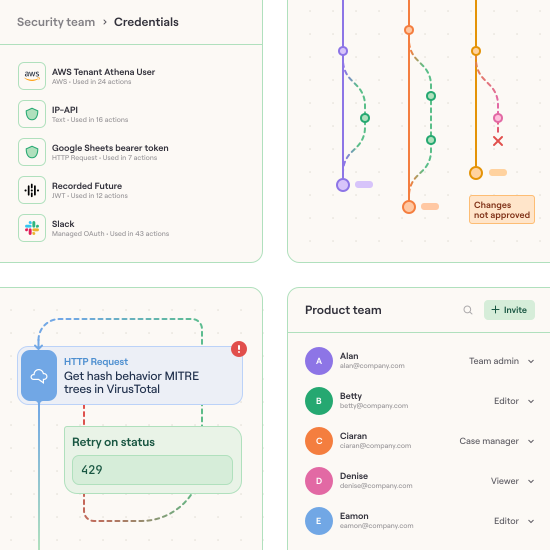
Built-in safeguards like credential management, roles, change control, error handling, smart retries, and so much more at the action or workflow level, mean your team is always in the loop. If external tools behave unexpectedly, any member can go into the workflow and fix the issue.
Run on any environment
Tines Stories supports every tech stack, wherever it’s hosted. We offer self-hosted deployments or hybrid deployments through our tunnels with controls defined by you.