How to use case notifications
A case notification is generated whenever a case is created or updated. These notifications can be used to trigger a story, where the notification event includes the change details.
🪄Tip
Configuring a case notification
Case notifications work in tandem with a webhook action from your story board.
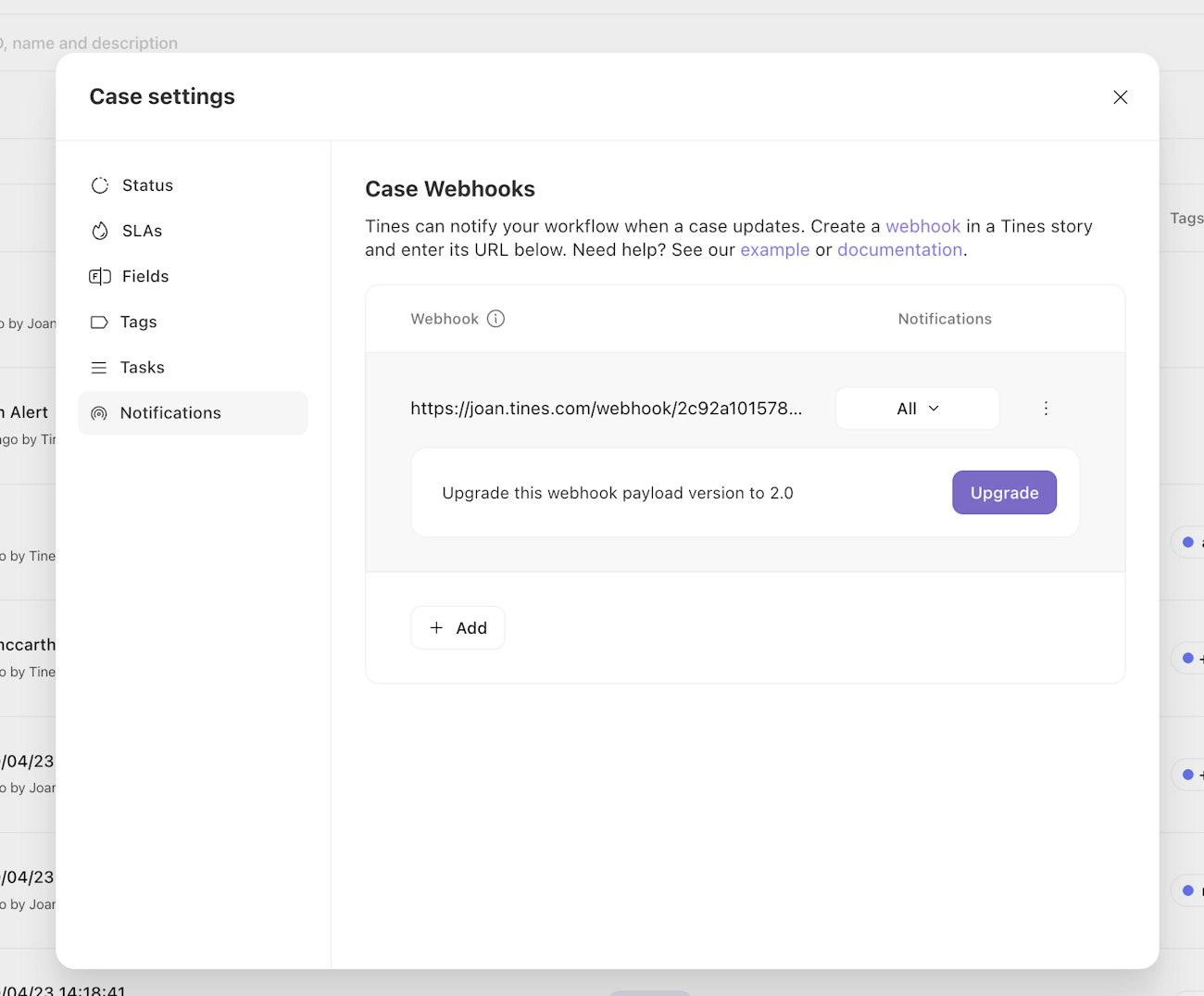
To establish a subscription, you must create a webhook action in a story, and then paste the URL to that webhook in your team's case settings.
Creating a webhook subscription
Create a webhook action in the target story
Copy the webhooks URL (e.g.
http://<tenant>.tines.com/webhooks/<path>/<secret>)Navigate to the desired Team
Navigate to
Cases>Case settings>Notificationsand click theAddbuttonPaste the webhook URL into the input and save
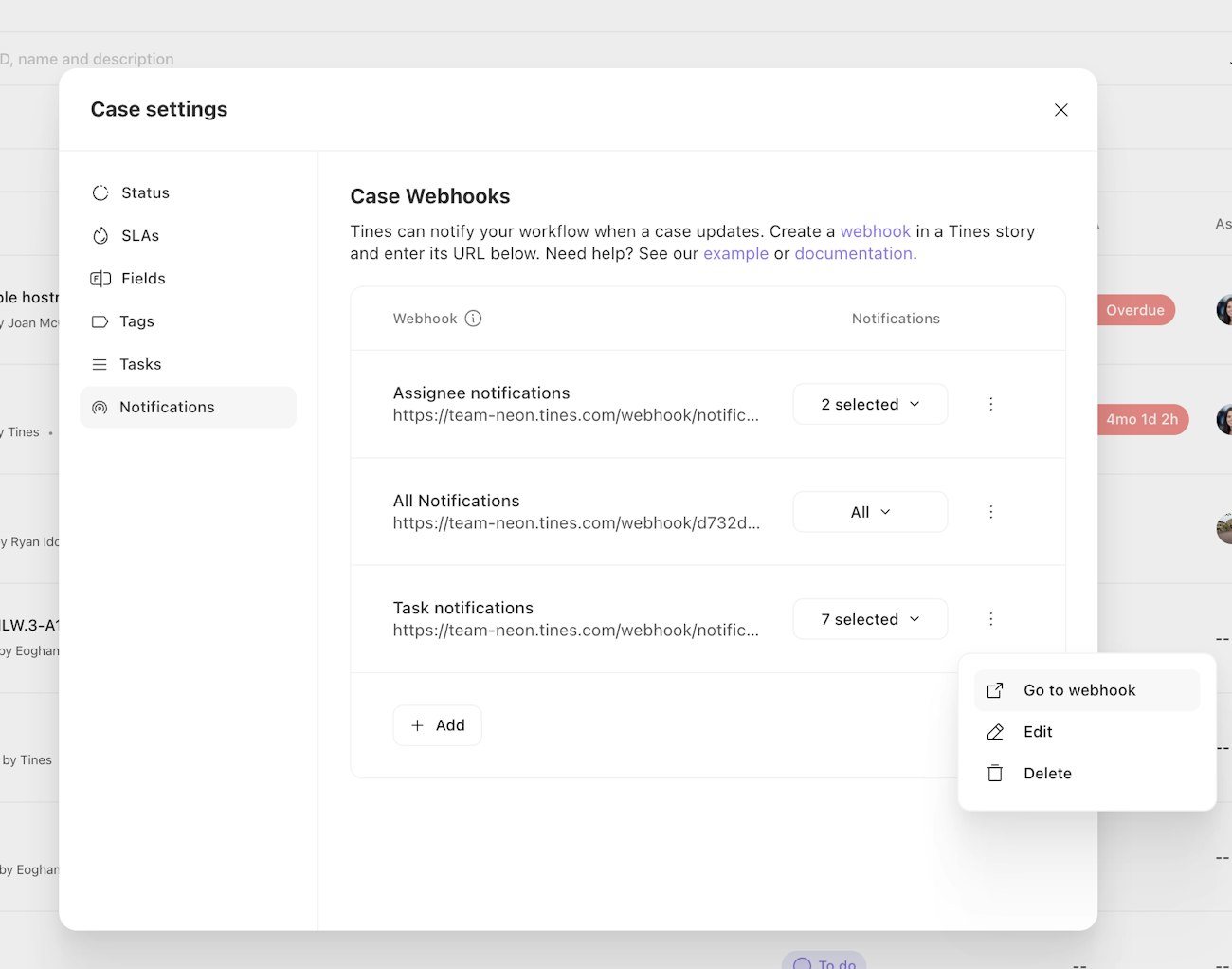
Newly created webhooks recieve all case notifications, however, you can configure which notifications the webhook receives from the dropdown.
Viewing the webhook subscription
Select the Go to webhook option from the more options dropdown to take you to the story that contains the webhook action.
Receiving case notifications
Now that your webhook subscription is configured, configured case updates will be sent to that webhook. If subsequent actions are linked to the webhook, they will be run every time a case change occurs.
💡Note
Notification triggers
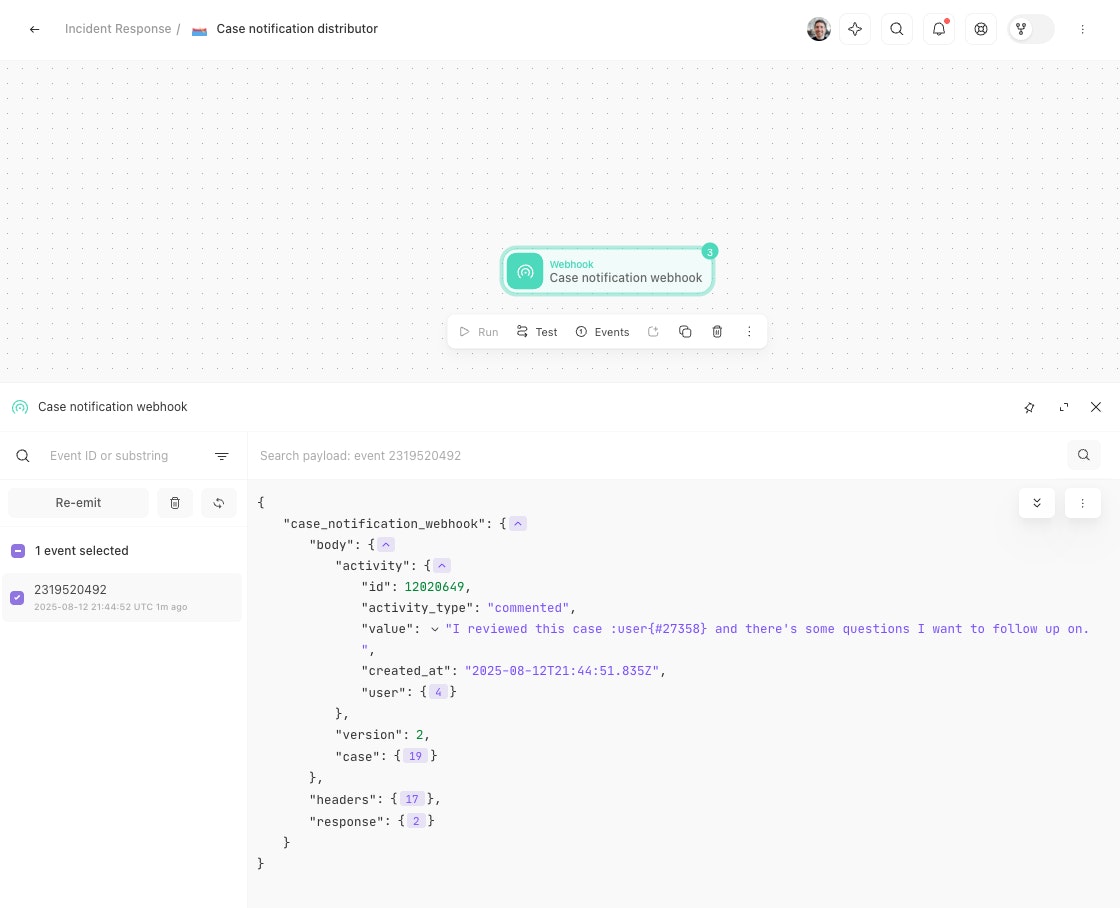
Nearly all changes to a case will result in a case notification. When viewing the event details from a case notification, the activity object will indicate what has changed.
Supported activity types
A webhook event will occur for any audit log events related to cases, including case creation, comments, file attachments, tag updates, and case updates. Specifically, the following activity will generate an event:
ℹ️Info
Routing case notifications to specific stories
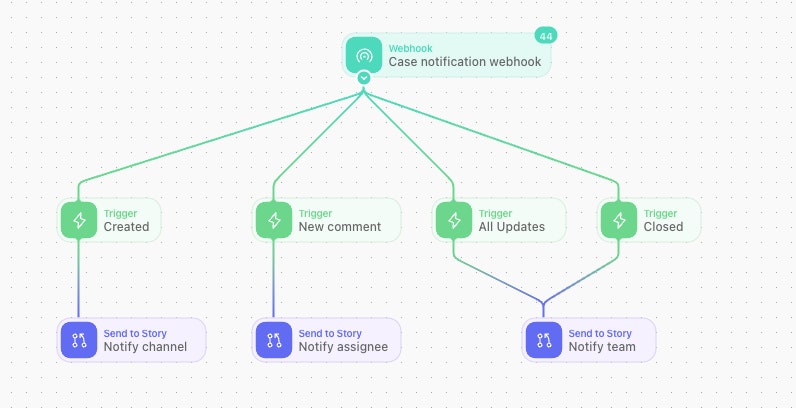
In some cases, you'd like to route specific notifications to relevant stories. Use the trigger action to evaluate the activity_type and/or value of the case notification and route the event to a send-to-story (or other pathway) accordingly.
Updating the version of your webhook
When Tines updated our cases API to v2.0, the resulting case notification payload also changed.
If your webhook action was created prior to April 30th, 2024 then be sure to make the appropriate payload key changes to any stories consuming events from the case notifications webhook:
The
team_casekey is nowcaseWithin this
caseobject thelinked_team_caseskey is nowlinked_casesThe
team_case_actionkey (an item of timeline activity on the case) is nowactivityWithin this
activityobject theactionkey is nowactivity_type
Once these changes have been made the case webhook notification version can be updated by selecting the checkbox to update the webhook version and saving the changes within the team notification settings.