
Most IT support requests are familiar: a password reset, access to an app, or help with a device. Even simple requests can sit in a queue while someone checks policy and moves between systems. Employees often ask in chat long before a ticket exists.
With Tines, those requests can be handled where employees already work, with the right checks, connected actions, and service records brought into one process.
How it works

Requests come in from Slack, Teams, email or the portal.



Featured build
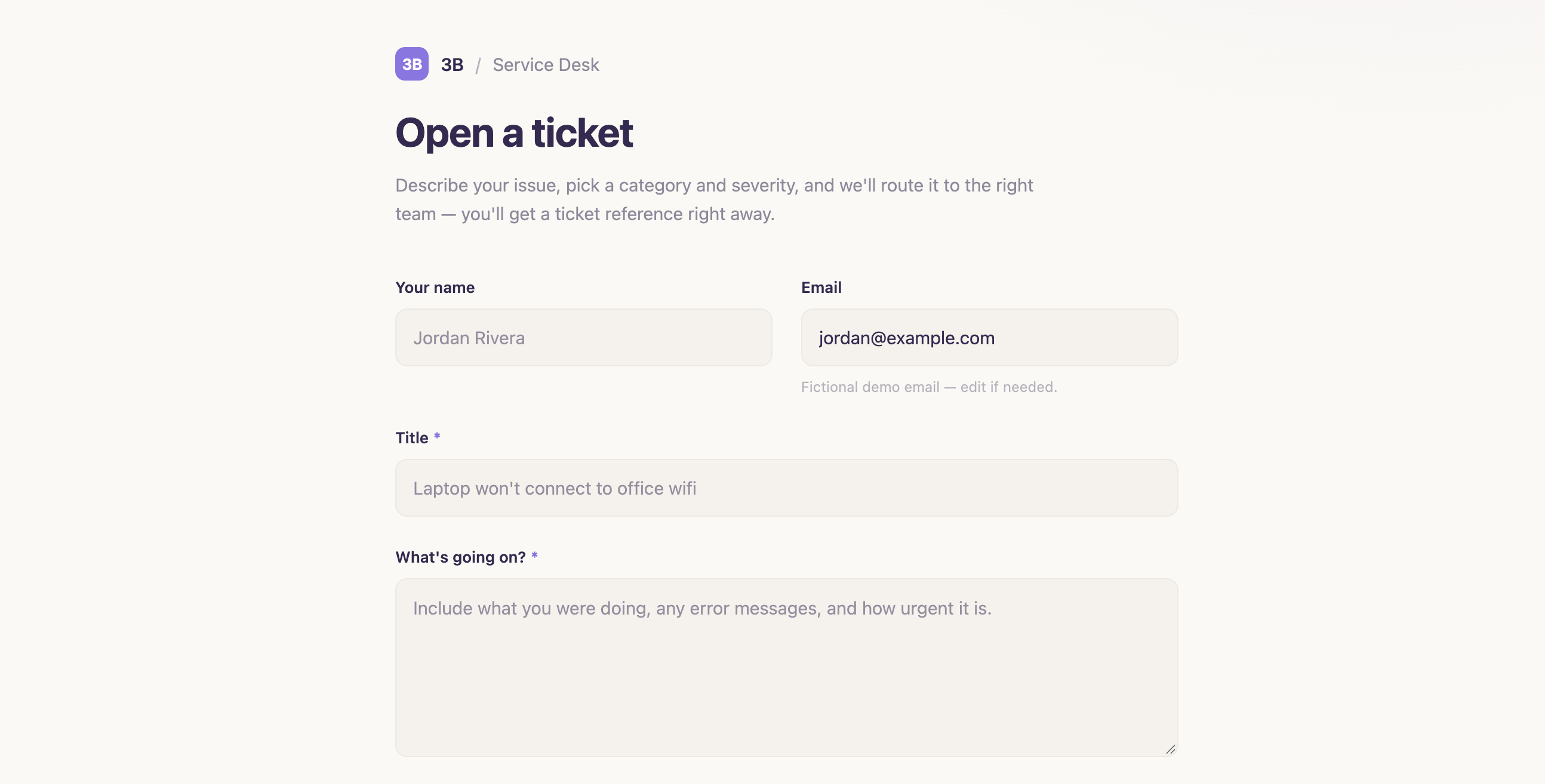
IT ticket intake and triage workflow with Jira routing
This workflow centralizes IT support requests through a single web form that captures issue details, validates input, routes tickets to the correct team based on category, creates Jira issues with mapped priorities, and posts notifications to Slack. It includes dead-letter handling to ensure no ticket is lost if Jira is unavailable. IT teams receive complete, pre-routed tickets while employees get immediate confirmation and tracking links.
Examples
We’ve assembled a gallery of real-world, ready-to-use apps, agents, and automation templates. Start from a template or from a prompt, using natural language and your own expertise.
Service desk agent in Slack or Teams
Answers questions from your knowledge base and resolves routine requests end to end.
- ITSearch Slack history for previously answered questions
Request portal
Structured intake for software, hardware and access, with approvals routed automatically.
Ticket triage and routing
Categorize, enrich and assign incoming tickets in ServiceNow or Jira.

 ITOpen ServiceNow incidents from Slack with a slash command
Service desk dashboard
Volume, resolution time and deflection by category.
 ITSurface open Jira SLA breaches for fast action
Knowledge gap finder
Reads resolved tickets and drafts articles for questions the knowledge base doesn’t answer.
Related use cases
 Application managementJoiners, movers, leavers and access requests across every SaaS app.
 InfrastructureDevices, cloud resources and patching, provisioned and tracked automatically.
 NetworkingNetwork requests, monitoring and changes without the console hopping.
 AI clients and MCPRoll out AI clients and MCP servers with an AI gateway and access you control.
 Incident and on-callAlerts routed, enriched and tracked, with updates and reviews drafted for you.