
Teams are eager to put AI tools to work and connect them to the systems they already use. For IT, the challenge is making that possible without creating a growing collection of unmanaged accounts, unknown MCP servers and untracked spending.
With Tines, you can bring requests, approvals and access into one process, giving teams the tools they need while maintaining visibility and control.
How it works

Requests are captured
Requests for AI clients and MCP servers are collected through a portal or Slack.





Featured build
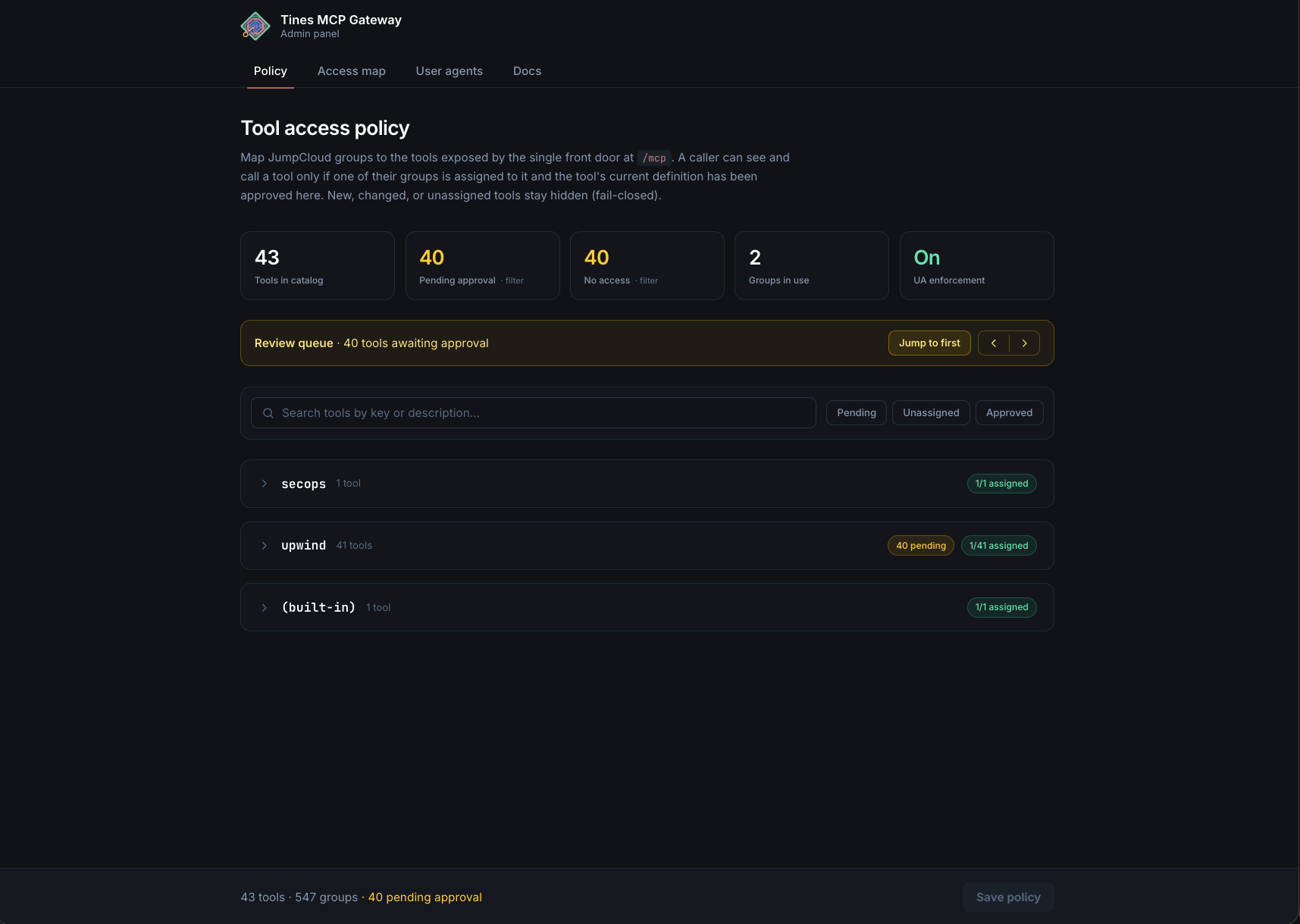
MCP gateway with OAuth, IdP groups RBAC, and SIEM logging
An MCP Gateway that sits between AI clients (like Claude Code) and enterprise MCP servers, enforcing OAuth authentication, role-based access control via IdP groups, and comprehensive audit logging. The gateway filters available tools based on user group membership, proxies requests to upstream MCP servers, and sends all interactions to a SIEM. IT teams can manage tool allowlists, user agent restrictions, and access policies through an admin panel.
Examples
We’ve assembled a gallery of real-world, ready-to-use apps, agents, and automation templates. Start from a template or from a prompt, using natural language and your own expertise.
AI tool request and approval portal
Employees request an AI client or MCP server; owners and security approve; access is provisioned.
Approved MCP server catalog
Which servers exist, who owns them, what they can reach and who can use them.
AI gateway with usage and spend by team
Route model traffic through one place, with limits per team.

 Finance & ITAI spend tracking dashboard across Cursor, Claude, OpenAI, and AWS Bedrock



 Security & ITLLM provider risk monitoring dashboard
Shadow AI detection
Finds unapproved AI tools from SSO, expense and network data, and opens a review.
Related use cases
 Service delivery and supportAgents that resolve requests in Slack and Teams before they become tickets.
 Application managementJoiners, movers, leavers and access requests across every SaaS app.
 InfrastructureDevices, cloud resources and patching, provisioned and tracked automatically.
 NetworkingNetwork requests, monitoring and changes without the console hopping.
 Incident and on-callAlerts routed, enriched and tracked, with updates and reviews drafted for you.