
A look back at recent releases
Every month, we highlight the Tines features released during that period, but once in a while we like to dive deeper into a few special topics. Check out this video for a recap of some exciting features we released this Spring.
Without further ado, let's take a look at April's product release highlights. As always, check out our What’s New page for real-time updates.
Build faster with more context and control
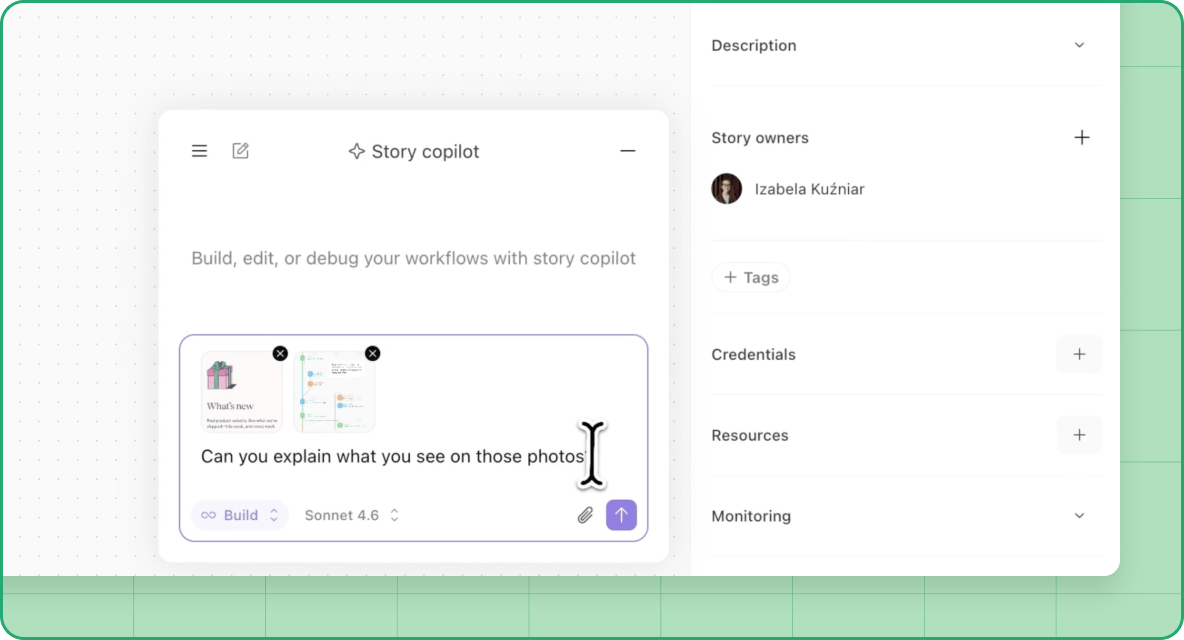
Building in Tines is collaborative, flexible, and fun.
That’s why we introduced Story copilot file attachments which lets you send images and documents directly to Story copilot, making it easier to build, understand, and optimize stories.
We’ve also introduced granular page collections permissions, so more of your team can contribute to building and maintaining shared resources with the appropriate access and guardrails in place.
Run workflows with AI your way
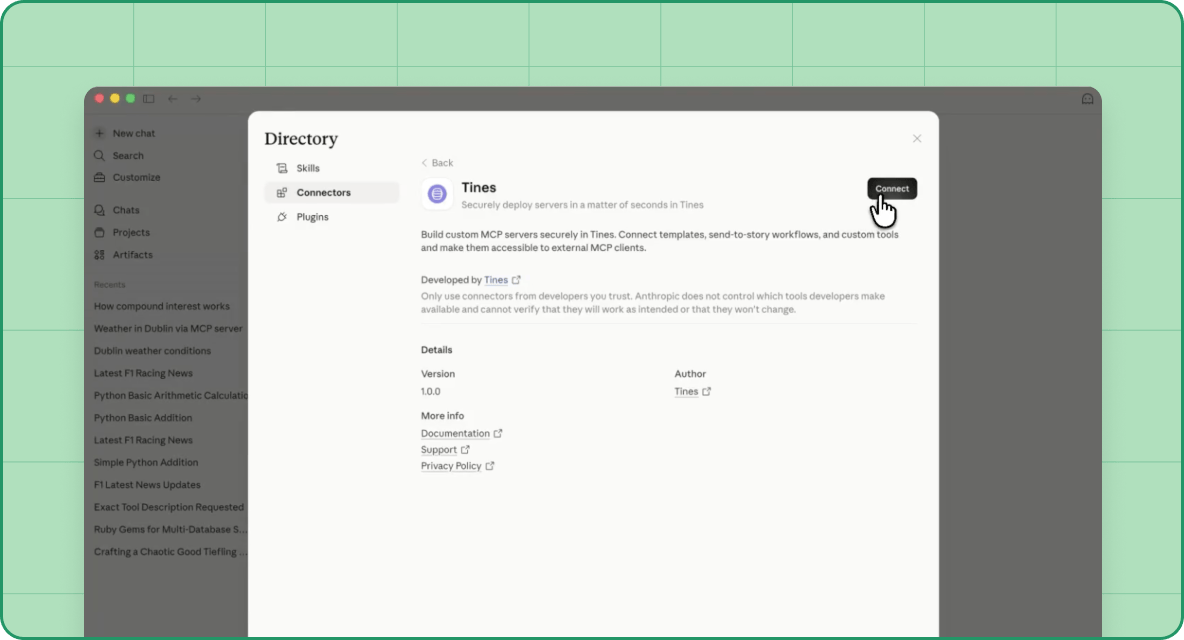
AI works best when it fits into how your team already operates. This month, we’ve expanded how you can use and manage AI across Tines:
As of May 1st, Story copilot has moved to a monthly AI credit model with increased capacity to support continued usage and experimentation
A new AI tenant overview gives admins clear visibility into how AI is being used across agents, conversations, and actions
Tines is now a connector on Claude, so you can trigger workflows and interact with your systems directly from a conversation
New and updated models, including Claude Opus 4.7 and GPT-5.5, bring stronger reasoning, better reliability, and improved performance
You can now access Anthropic models through Google Vertex AI, giving you more flexibility in how and where you manage providers
Resolve issues faster through better collaboration
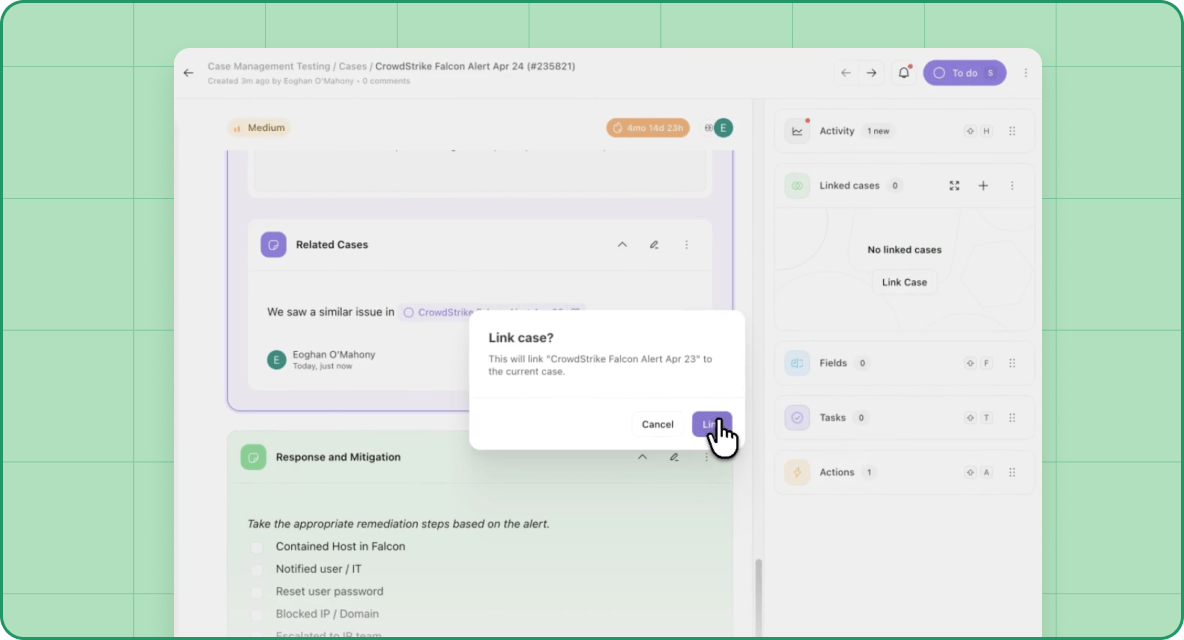
Workflows don’t happen in isolation, and neither do investigations.
You can now link cases from mentions, making it easier to connect related work without extra steps.
We’ve also added the ability to mark case fields as sensitive, so you can protect sensitive data in case fields while still enabling teams to collaborate effectively and securely.
Monitor your workflows with precision
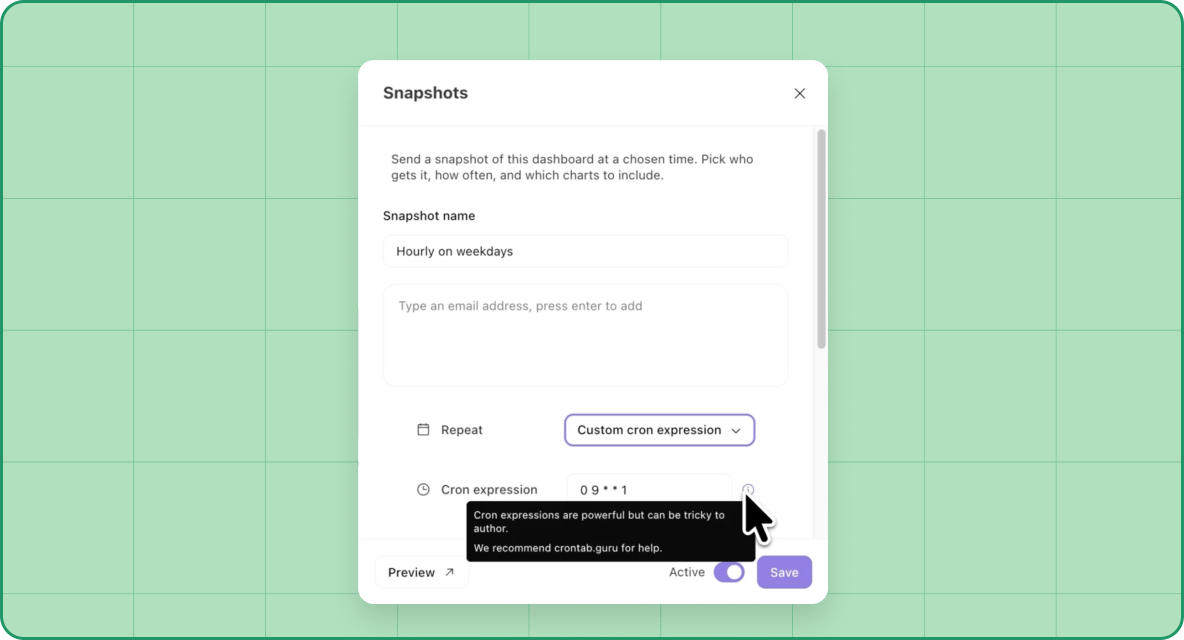
As workflows scale, visibility and control matter more than ever.
We’ve introduced enhanced retention options for records giving you more control over record retention, including how long records are kept and what happens when limits are reached.
Similarly, custom timing schedules for dashboard snapshots allow you to monitor activity on your own schedule instead of relying on preset intervals.
Stay in the know
We shipped more than 40 enhancements in April, all designed to give you more control, flexibility, and visibility across your workflows. Stay on top of the latest from Tines by following our What’s New page. And, as always, we'd love your feedback – reach out to us via the Tines Slack community!