

We are back from the holidays and ready to kick 2026 into full gear! Check out the latest product updates from the past month.
Introducing: Story copilot
We’ve brought an AI-chat interface directly onto the storyboard - have you used it yet?
This feature is a helpful way to tackle those workflows where
You aren’t sure where to get started
You need help debugging an action failure
Or you just want a better understanding of what you’re looking at
All done with natural language, Story copilot is the perfect building companion.
Check out examples to get started here
Up your chart game
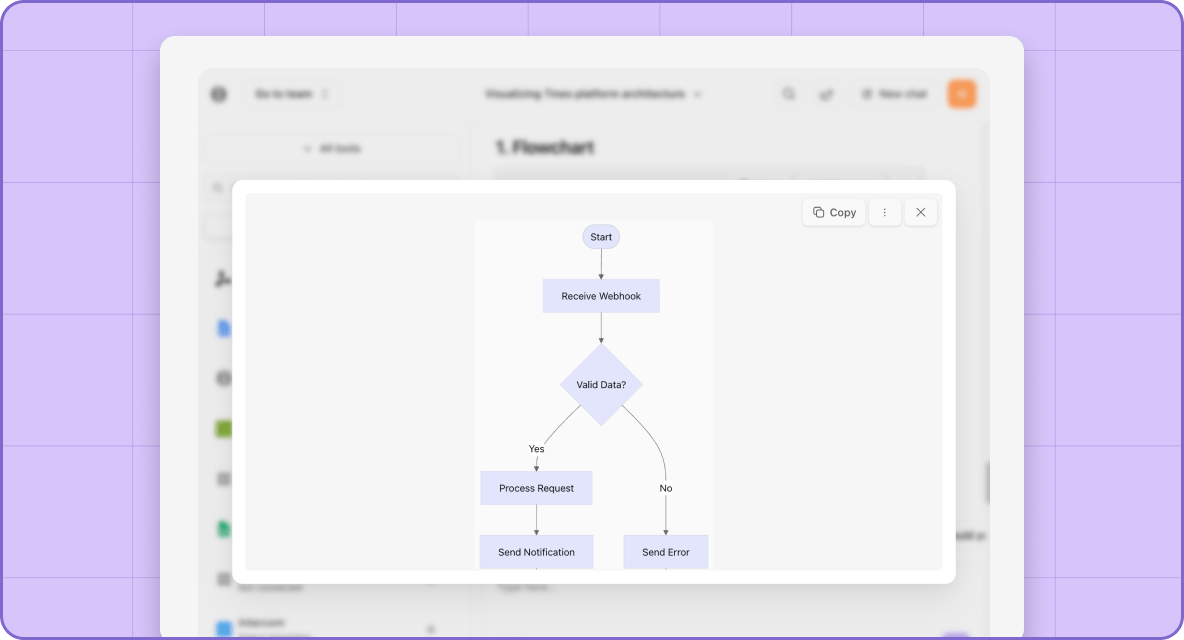
Mermaid diagrams are now available in Tines!
Visualize your data with a Mermaid diagram across notes, Workbench, AI agents, and Cases. What we love about them is how quickly you can build flowcharts, sequence diagrams, state diagrams, and more to represent your data.
Have you built your Mermaid chart yet?
A case layout that works for you
Thanks to your feedback, the Cases sidebar has received a much-needed redesign to bring case context front and center.
Organize your case structure to meet you where you’re at with the new sidebar.
Want a breakdown of the sidebar’s components? Check out the docs here.
Dynamically populate options on a page
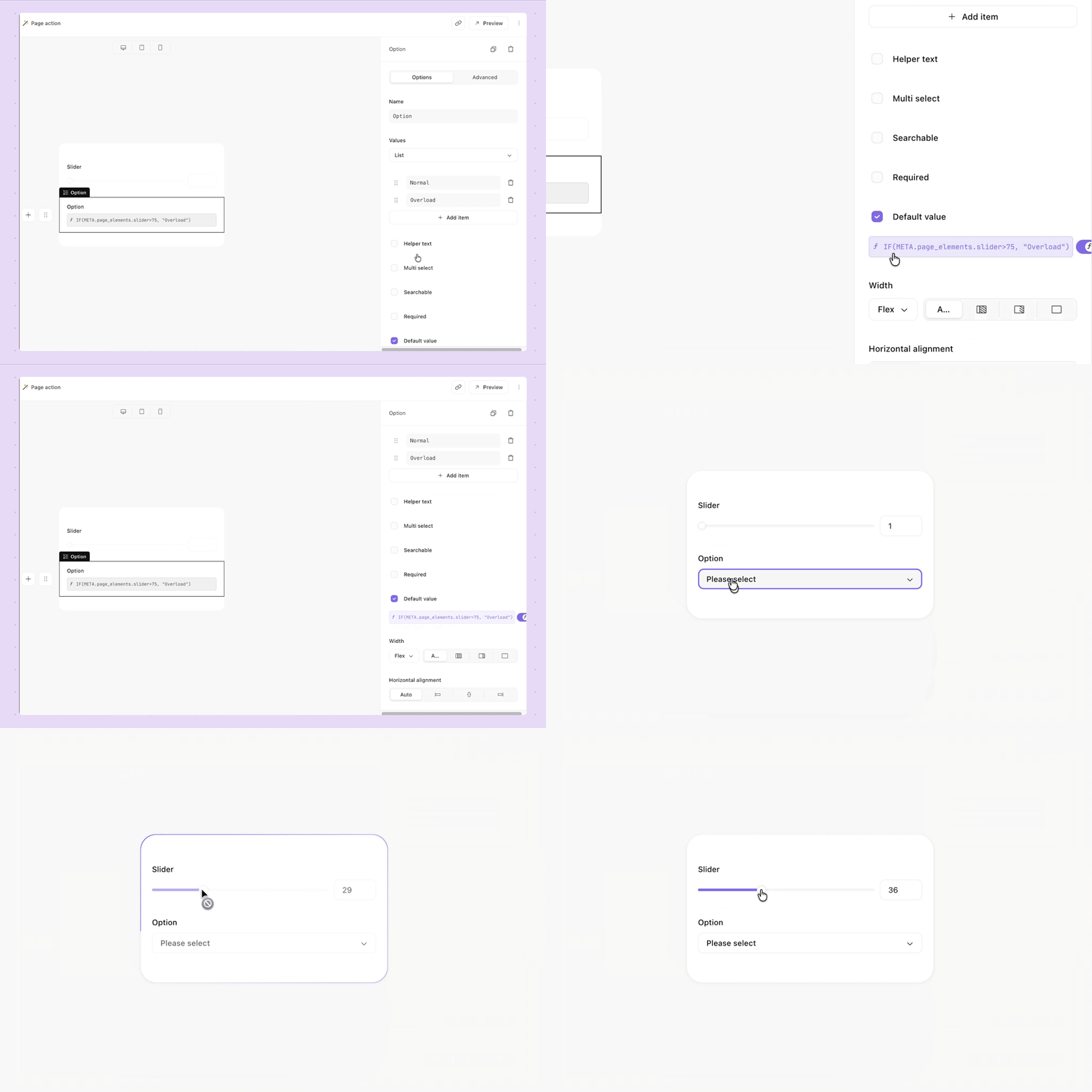
Dynamically populating a page with information is a huge time-saver when building out a page. It’s something that’s doable with various elements within a page, except with options.
So we made it possible for options as well!
Reference META.page_elements in the default value field of a dropdown option and see your fields transform with each input.
See it in action here
But wait, there's more!

We couldn’t exclude these other features that were released this month:
Top up your AI credits directly in the platform
Directly import records from a CSV file
Utilize custom python runtime environments for Run Script actions
Track individual event paths through a story run
Append to existing content using the Cases API
Return an array of groups with the GROUP_BY function
Use the new keyboard shortcut for disabling/enabling actions
Change request API now includes contributors
Know who’s actively editing a case note with presence indicators