The Cases UI is where your team tracks, manages, and resolves tasks that require human involvement. Think of it as your team's central hub for task visibility.
There are two main areas of the Cases UI you'll interact with:
List view
The list view gives you an overview of all cases. Here you can sort, filter, and quickly find what needs attention. You can find the list view via the Cases tab in the top navigation bar of the Tines Stories UI:
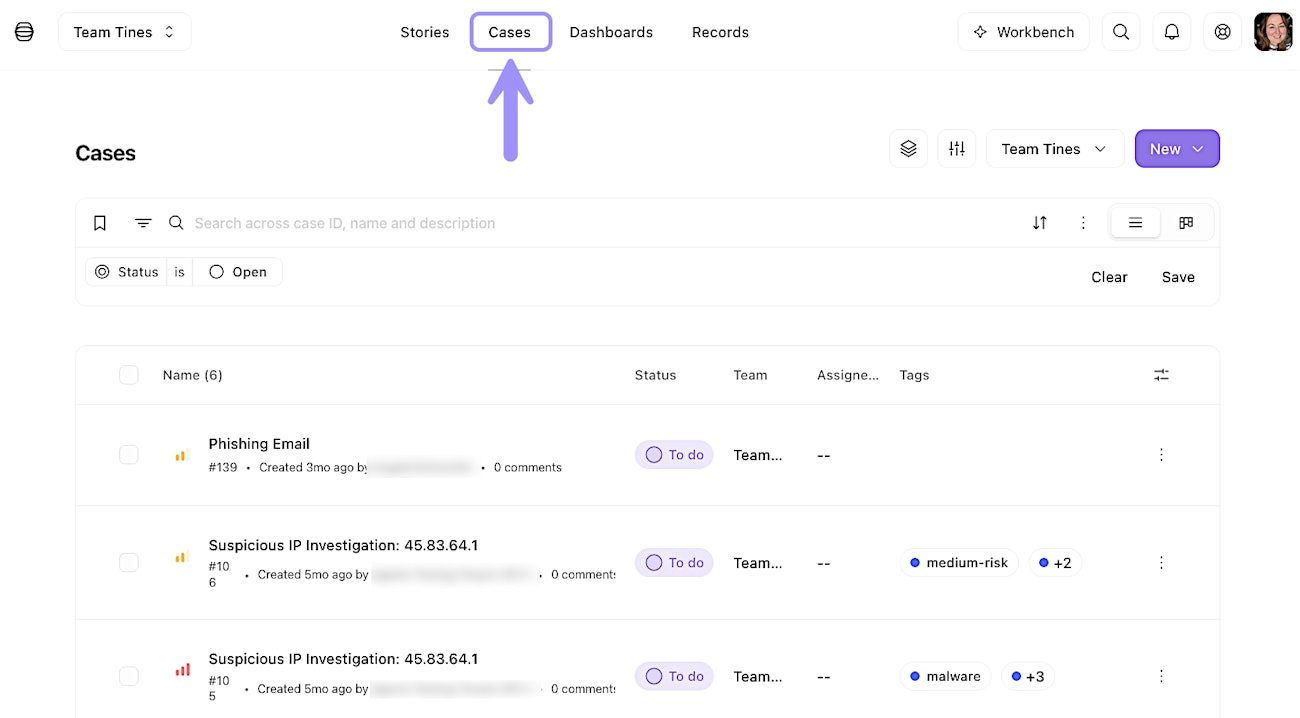
The Cases list view, where cases can be sorted, filtered, and tracked.
Board view
Other than the list view, you can toggle on board view to see your team's cases in an organized, kanban board style:
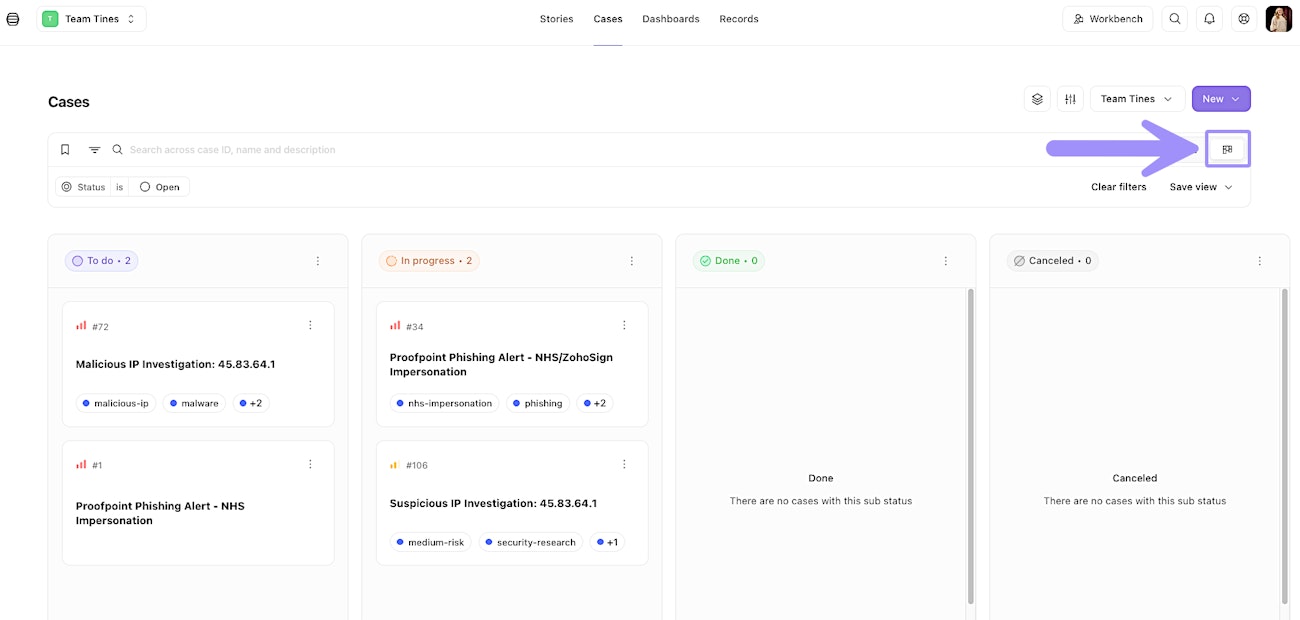
The Cases board view, showing cases organized by status in a kanban-style layout.
Individual case view
The individual case view is a detailed workspace for a single case, showing all its fields, updates, and related information:
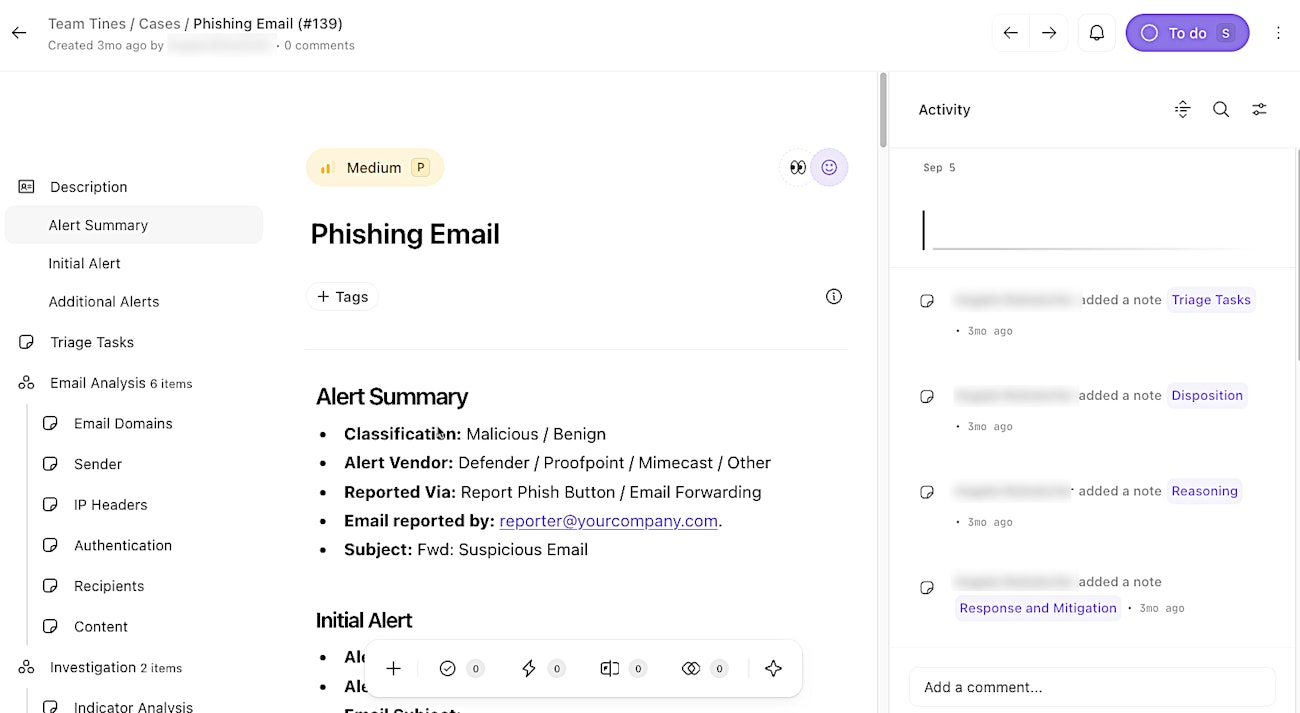
An individual case view, a detailed workspace for tracking details and updates for a single case.