Let's start with the broadest control: whether Apps are available at all.
Tenant owners can turn the Apps feature on or off in two ways:
Tenant-wide. You can enable or disable Apps across your entire tenant, affecting everyone.
Per team. You can enable or disable Apps for specific teams, giving you more granular control over where the feature is available.
To manage these settings, tenant owners can head to the Apps settings within their tenant settings. From there, the enable and disable controls are straightforward to find and adjust.
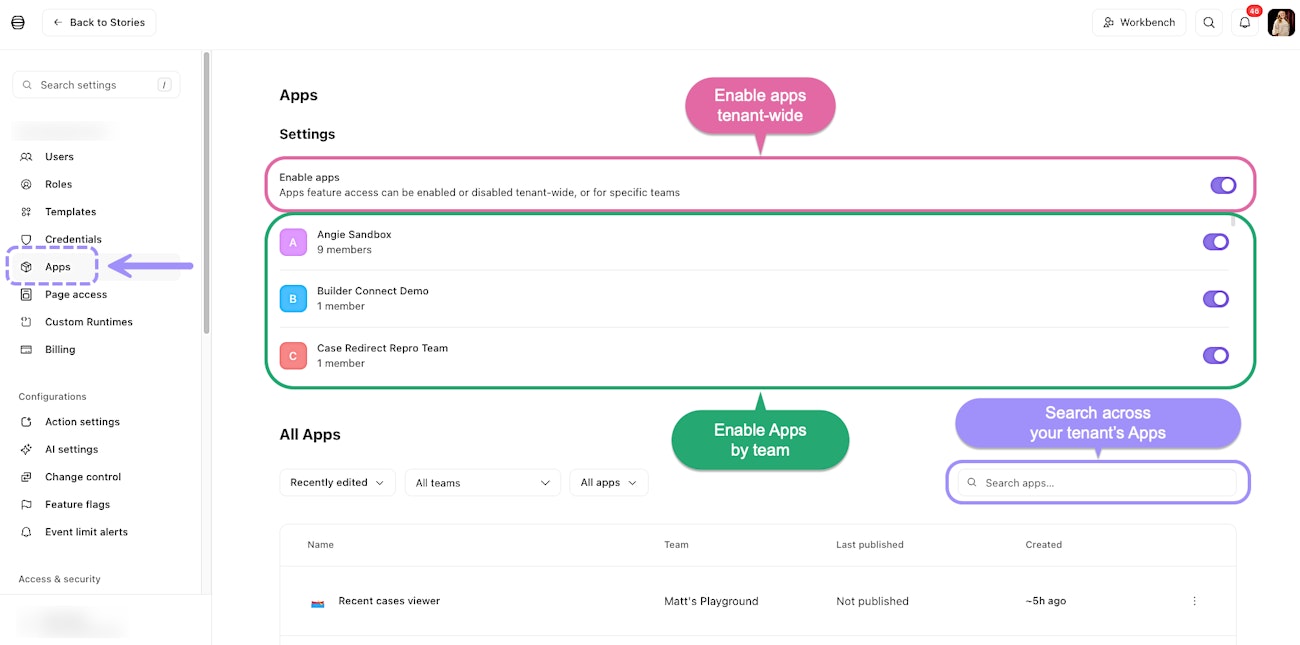
The Apps admin settings page, where tenant owners can enable Apps globally or per team.