
It’s difficult to manage spending when contracts, invoices, and software usage sit in different places.
With Tines, spend, contract terms, and ownership can be connected in one view, so teams can act before a commitment or renewal is missed.
How it works

Contracts, bills, expenses and SSO usage are pulled in.



Featured build
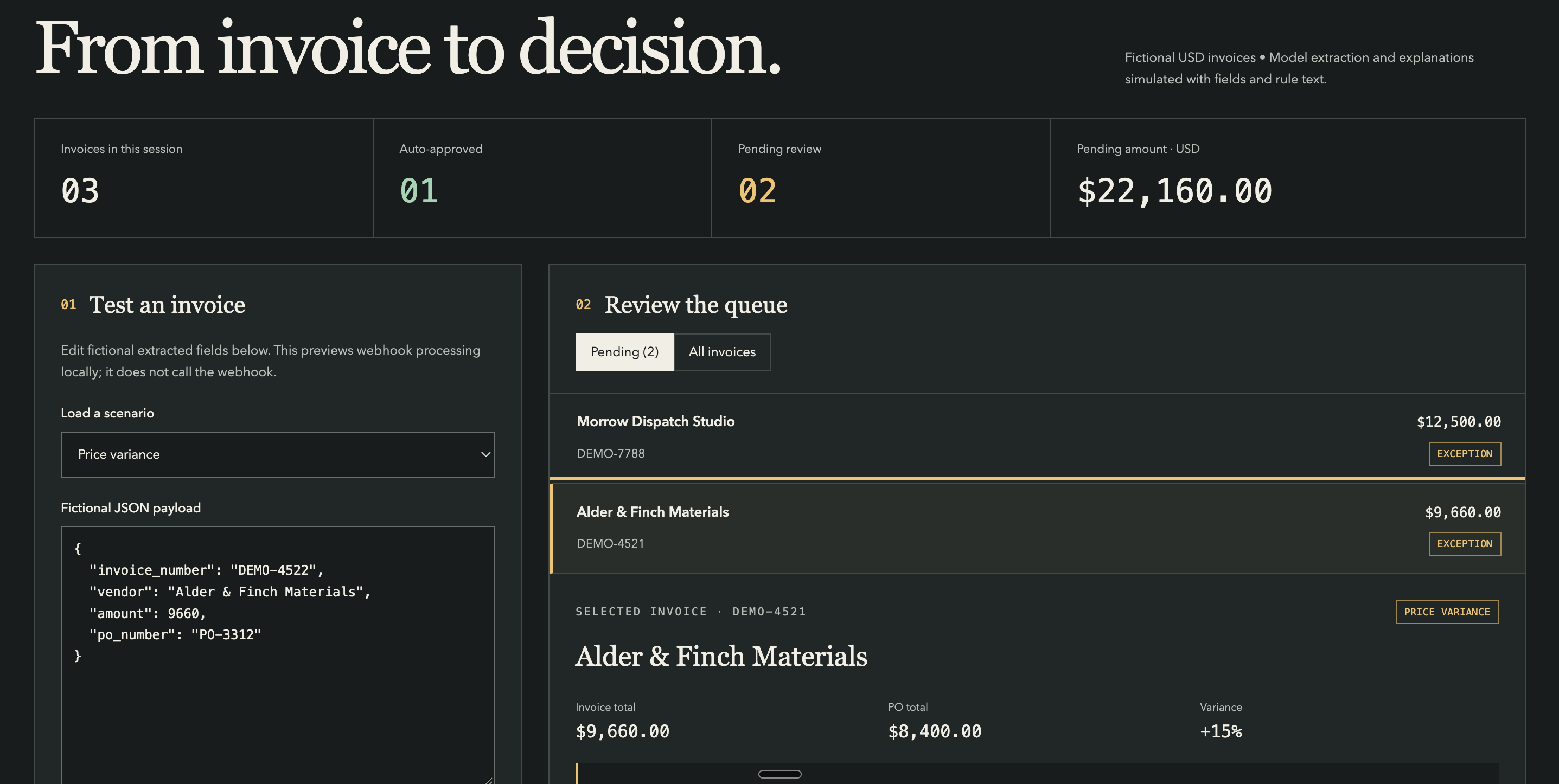
Invoice exception and approval command center
An AI-powered invoice processing workflow that automatically matches incoming vendor invoices against purchase orders and contract terms, auto-approving compliant invoices while intelligently routing exceptions—price variances, unapproved vendors, duplicates, or high-dollar amounts—to a human review queue with AI-generated explanations and one-click approval actions. Designed for finance and AP teams to accelerate payment cycles, reduce manual review workload, and strengthen fraud controls while maintaining full audit trails and human oversight over high-risk decisions.
Examples
We’ve assembled a gallery of real-world, ready-to-use apps, agents, and automation templates. Start from a template or from a prompt, using natural language and your own expertise.
- Finance & ITSoftware spend tracker with renewal alerts


 Finance & ITAI spend tracking dashboard across Cursor, Claude, OpenAI, and AWS Bedrock
- IT & FinanceContract expiration tracker for legal teams


 Finance & ITPurchase order automation with AI contract extraction and tiered approvals
Vendor comparison tool
AI-generated research and a comparison matrix for vendor selection.
Duplicate spend finder
Flags overlapping tools and unused seats from SSO and expense data.
Related use cases
 Commissions and compensationAudit representatives’ compensation against every plan, every month, without the Excel marathon.
 Close, reconciliation and rev recMatch, reconcile and post across systems so the close isn’t a week of exports.
 Planning and reportingLive dashboards and board reporting built on the warehouse, not on copies of it.
 Order-to-cash and collectionsFrom closed deal to cash collected, with the chasing done for you.
 Finance requests and budgetsOne front door for finance requests, and budget owners who know where they stand.