
Finance receives a constant stream of budget questions, vendor requests, expenses, and approval checks. When those requests arrive through scattered messages, the team spends too much time asking for missing information or repeating answers.
With Tines, finance requests can start in one process and reach the right approver, with the outcome reflected in the financial systems.
How it works

Requests come in from email, Slack or the form.




Featured build
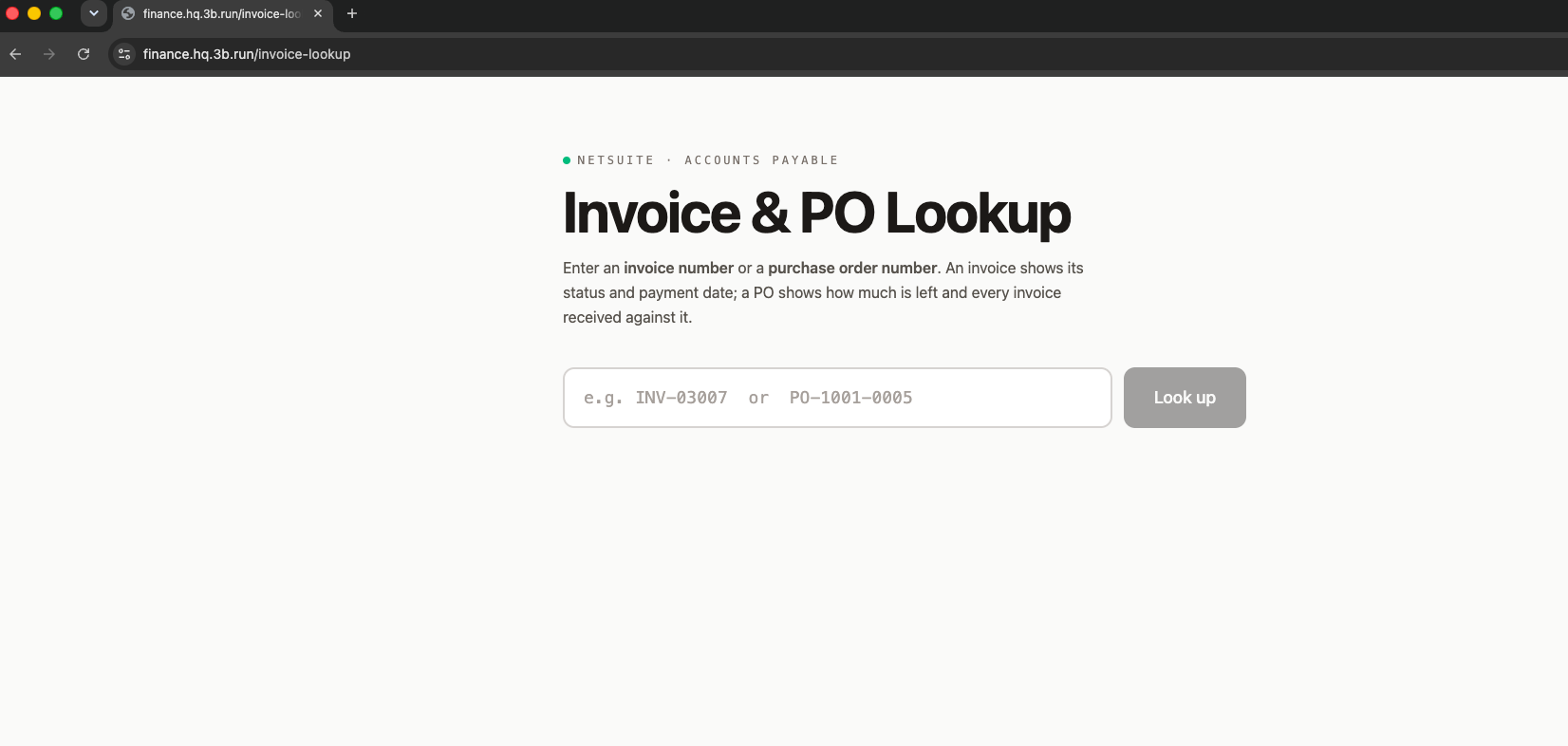
Invoice and PO lookup for accounts payable self-service
An accounts payable self-service lookup tool that lets team members search NetSuite by invoice or purchase order number to instantly see receipt status, payment dates, PO balances, and holds without needing AP support or system logins. It computes expected payment dates from the company's fortnightly payment schedule and flags overbilling. Read-only and restricted to authenticated tenant members.
Examples
We’ve assembled a gallery of real-world, ready-to-use apps, agents, and automation templates. Start from a template or from a prompt, using natural language and your own expertise.
Finance requests dashboard
Every request from email and tools, with type, owner and status.
Finance front door
One intake for vendor setups, budget checks, reimbursements and report requests.
 FinanceNetSuite purchase-order dashboard for marketing & finance with inline budget editing
Approval routing
Requests routed by amount, department and policy, with reminders.
 Finance & ITExpense approval automation with Navan and AI triage
Finance help agent
Answers policy and process questions in Slack from your finance handbook.
 Finance & ITVendor onboarding workflow with email allowlist and NetSuite integration
Related use cases
 Commissions and compensationAudit representatives’ compensation against every plan, every month, without the Excel marathon.
 Close, reconciliation and rev recMatch, reconcile and post across systems so the close isn’t a week of exports.
 Spend, vendors and contractsKnow what you’re paying for, what renews when, and who approved it.
 Planning and reportingLive dashboards and board reporting built on the warehouse, not on copies of it.
 Order-to-cash and collectionsFrom closed deal to cash collected, with the chasing done for you.