

Spotlight: Search that keeps up with your cases
We shipped one of our biggest evolution of Cases by rebuilding the search and filtering capabilities. This was requested by over 56 builders. You now have full-text search that covers every case primitive and element such as name, description, blocks, comments, notes, field values, and metadata, so you can find what you need across your entire case’s content at once instead of field by field.
The filter upgrade includes and / or logic on every search term, contains for partial matches, does not for negative searches, and an option to nest filters into a group for precise queries. We even added a navigation improvement where you can efficiently tab through your query builder rather than having to click around.
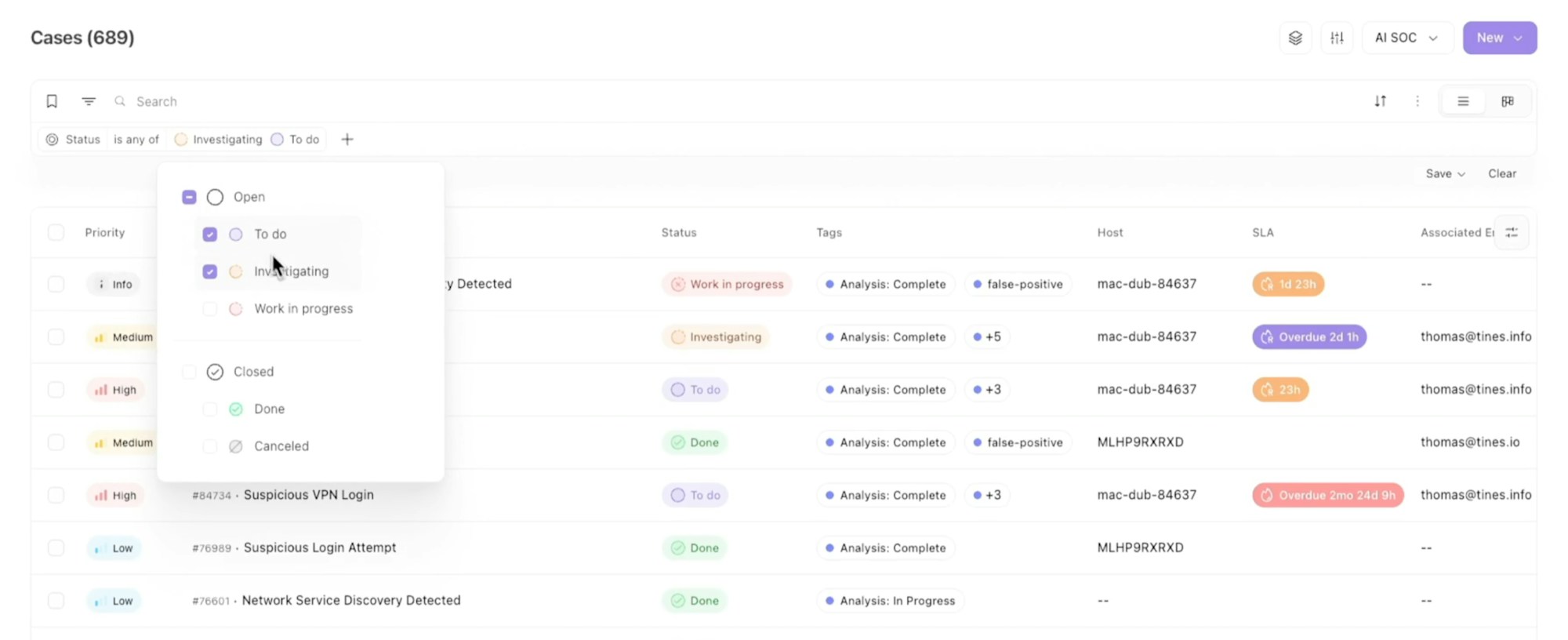
These changes should feel intuitive as well as help you quickly find what you specifically need.
Fine-tune how your AI behaves
We brought you more control over the models doing the work. You can set custom settings for OpenAI, Anthropic, and AWS Bedrock models. This includes choosing a thinking mode, selecting which reasoning effort levels are available, and testing your changes against the model directly before you save.
Add up to five fallback models to any AI Agent action, so there's no need to worry about your work stopping if a model goes down mid-run. If you hit an outage, rate limit, timeout, or revoked key, then Tines automatically moves to the next model on your list, no extra story logic required.
And in Workbench, you can now choose your own preset tools. It's personal to you, so your teammates' setup stays exactly as they left it.
Clearer control over who can do what
You can now restrict App access to specific groups. An admin first turns on this capability, then determines which field in the identity provider contains the target group name(s). As a result, anyone building an App can restrict sharing to those named groups.
Group mapping configuration previously required writing JSON code to map entities by hand, which is error-prone and hard to read. Now there's a visual, form-based tool to effortlessly build these mappings. Add or remove mappings while setting permissions through the UI instead of writing JSON.
Change control reaches further too. You can set requirements on individual actions inside a story rather than the story as a whole. This allows the safety rules to go one level deeper into the specific building blocks of a story, beyond the story's top-level details.
Audience corner
For self-hosted teams
The new Database Overview page shows record size by type and story activity, so you can see what’s driving your database size and apply retention policies where you need them.
Check out every update
You'll find every Tines Stories release on our What's New page.