As your App grows and connects to more stories, you'll want a way to see all those connections in one place. That's exactly what the Endpoints tab is for.
The Endpoints tab gives you a consolidated view of all the endpoints your App uses to communicate with its underlying stories. Whether your App talks to one story or several, this view helps you helps you stay oriented and understand which workflows power which parts of your App.
It's also a convenient starting point. From the Endpoints tab, you can open any endpoint's associated story in a new tab, so you can inspect the underlying workflow in more detail whenever you need to. This makes it easy to move between your App and the stories behind it as you build and troubleshoot.
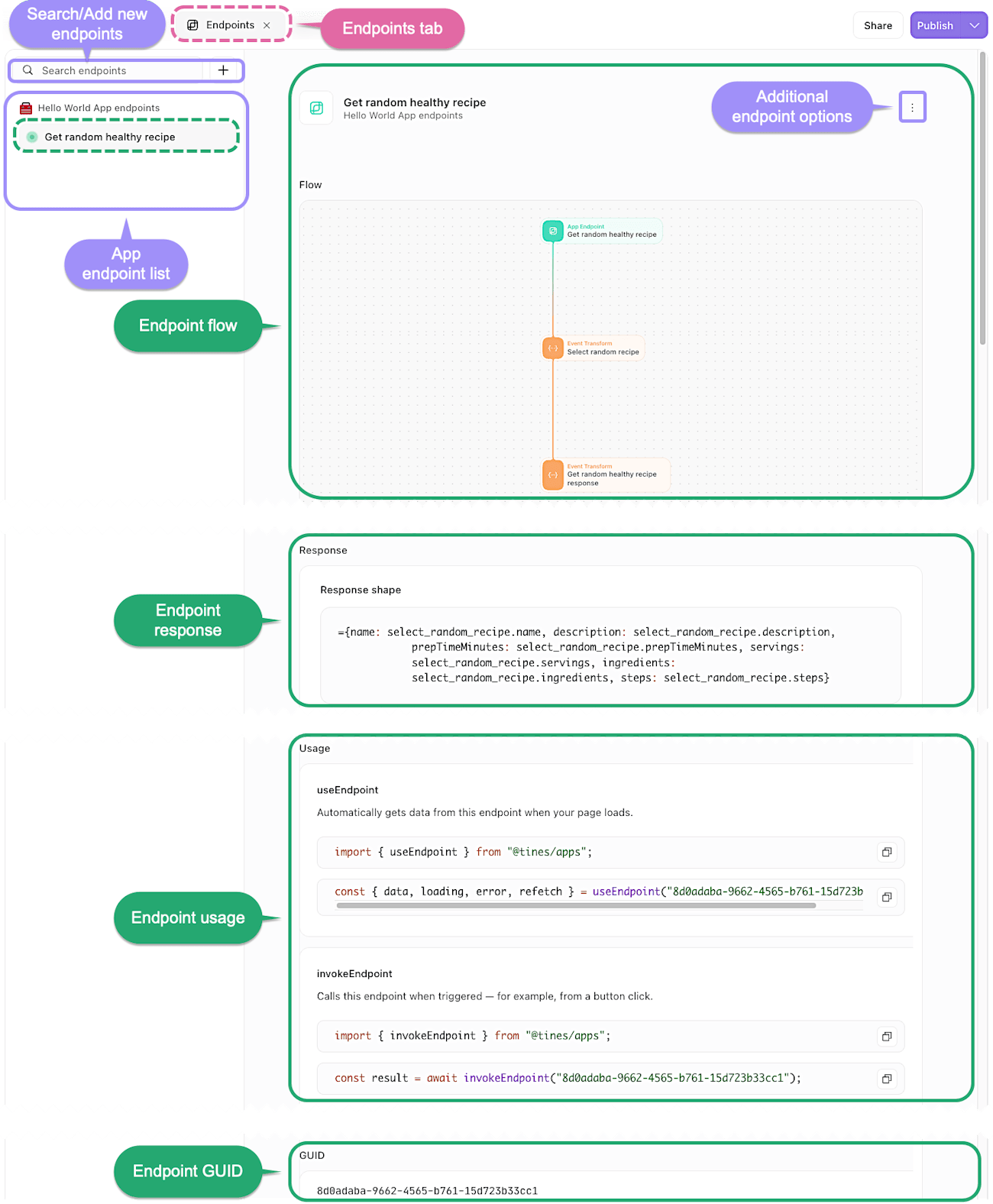
The Endpoints tab, giving a consolidated view of an endpoint's details.