Records usability improvements
Records and dashboards


We've added several usability improvements to make working with records smoother and more intuitive.
Add a description to a record type
Document what your records are used for with descriptions. Keep your team aligned on the purpose of each record type. These descriptions are displayed:
At the top of the record details page
In the list of record types
Expand all fields
Toggle to expand all fields in a specific column or across your entire table. Perfect for quickly reviewing detailed data without clicking through individual records.
Add filter from a record's value
Click any value in a record to instantly add to the current filter rules, or clear and create a new filter.
See parent record link
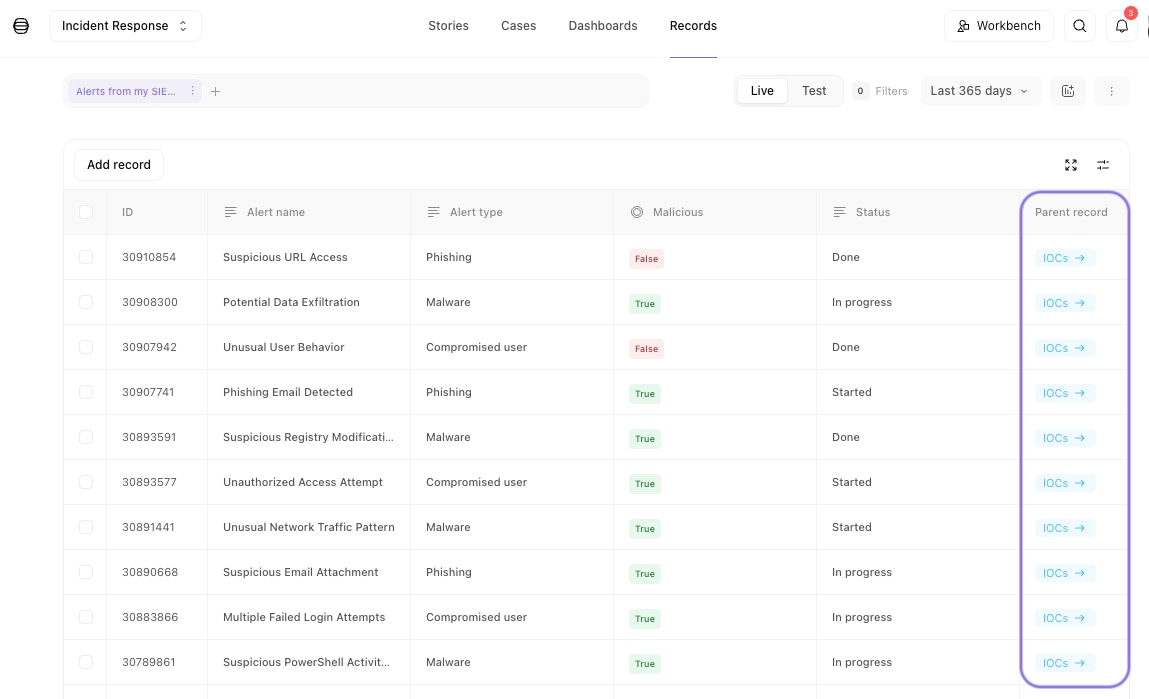
Parent records now display directly in the records table, giving you better context at a glance.
The field value displays the Record Type name of the parent
Clicking the blue pill opens a view of the parent record
Filter by parent record ID
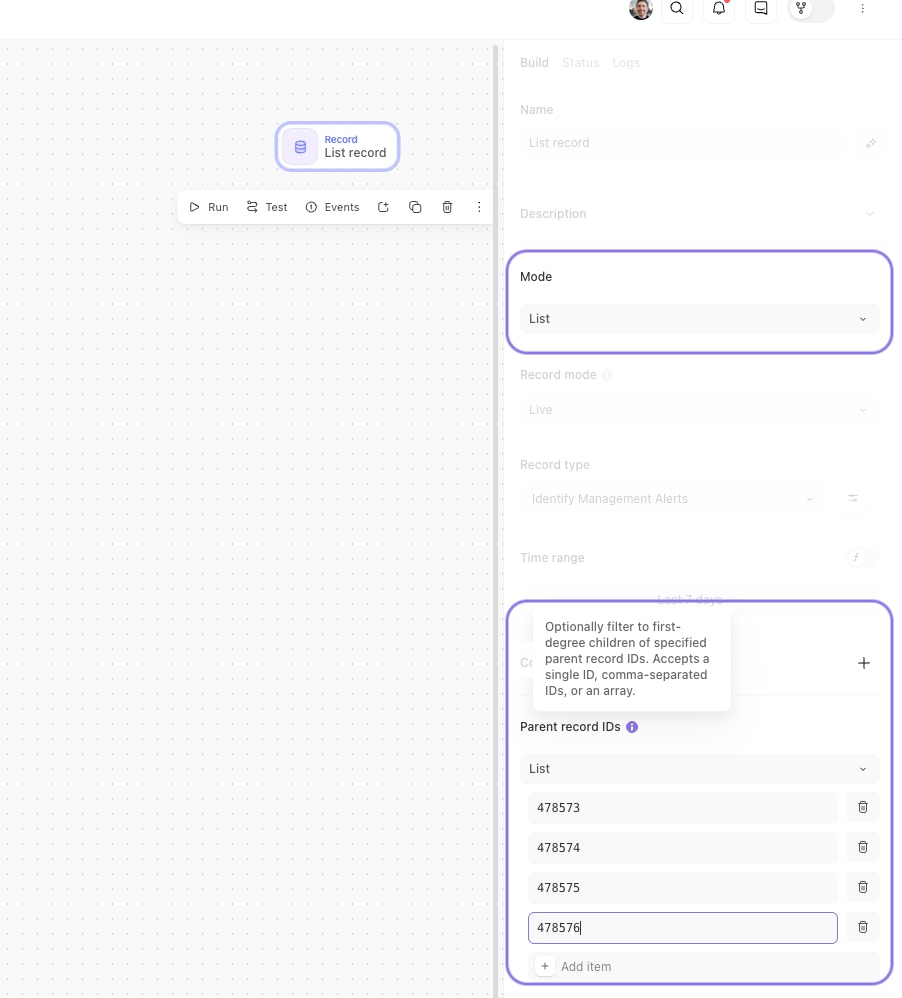
Use parent IDs to filter records in LIST mode. This makes it easier to navigate hierarchical data and find related records.