

Connect to MCP servers through Tines
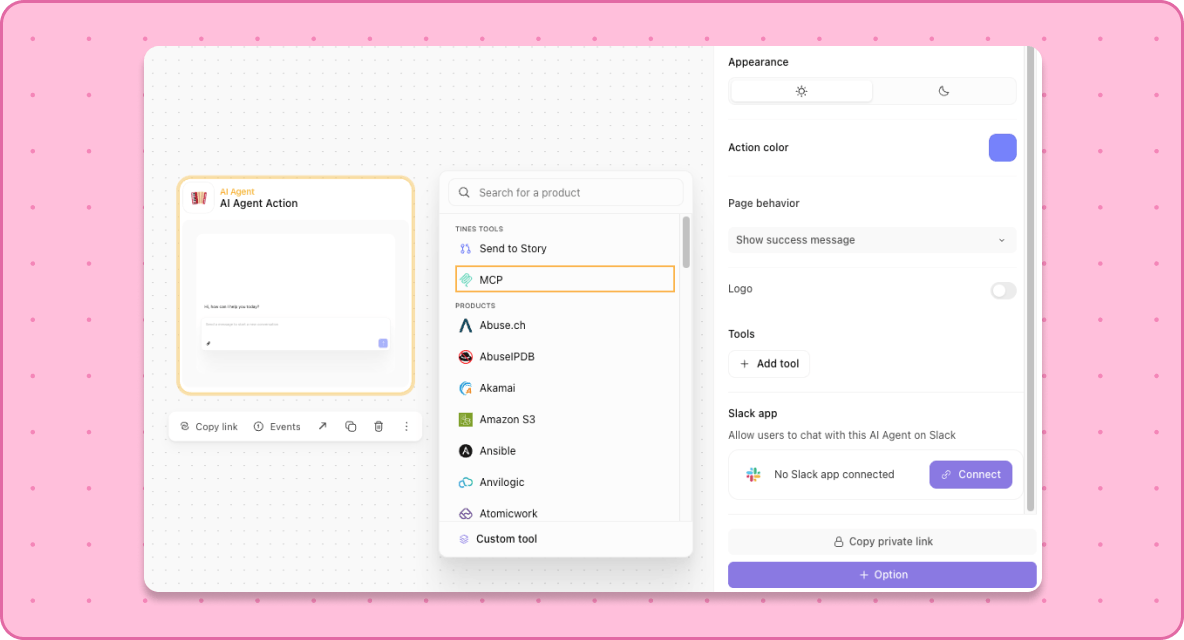
Using the AI Agent action, you can now connect to and utilize tools from MCP servers.
This connection allows you to extend the reach of your workflows by bridging the gap between Tines and your AI implementations. Whether using a remote server or one created in Tines, the opportunity to do more is at your fingertips.
Read the docs for more information.
Validate your automations with testing
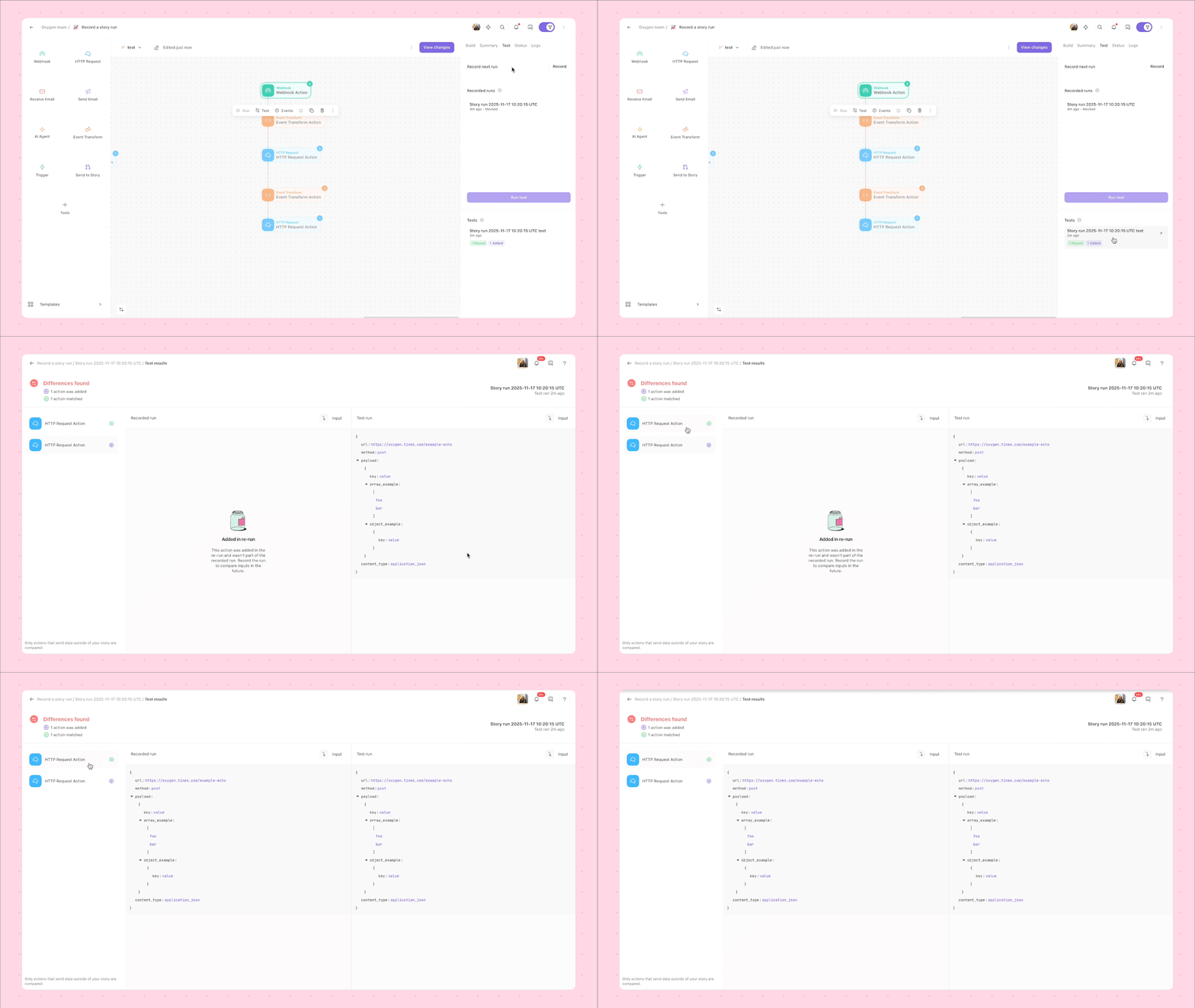
This fall, our product team has been working diligently to improve the story testing experience. Our goal was to ensure you're confident that as you build and test, you aren’t unintentionally breaking core functionality of your stories.
With Testing, you can quickly evaluate test outcomes and ensure automations perform as expected by:
Re-running and testing against previously recorded runs
Comparing critical actions in the workflow
Identifying differences in actions sending data outside a story
Talk to AI agents in Slack
When all of your organization’s communications take place in Slack, why not bring even more Tines features into the workspace with a custom app?
Slack users can now DM an AI agent created in Tines just like they can with Workbench. Simply connect your chat agent via the Slack app section of the build panel and get chatting today.
See more on how to configure here.
An updated way to browse your cases

We've enhanced case search to be cleaner and more effective, helping you quickly navigate your cases when time is of the essence.
This update to search comes with the following:
Defined search filters
Easily updated saved viewing management
Faster ways to interact with the display view
There's also a new formatting type within Cases to make specific text stand out - check out the options for callouts here.
But wait, there's more!

We couldn’t exclude these other features that were released this month:
Quickly identify additions and deletions to text fields when viewing the Change Control modal
View event payloads in the order you choose
Use a static external ID when creating AWS credentials
Include a Tines team ID header in HTTP Requests
Set which tunnel to use with an HTTP Request
View up to 30 rows of Records data in a dashboard
Record limits increase: 50 fields, 100 validation options
Browse team-specific Send-to-Story options when building with the action