
Most organizations have an incident response plan on file. Few have one that survives first contact with a real incident. Rigorous, recurring testing remains the exception, so most teams only discover their plan's failure points during an actual breach.
That gap is expensive. Teams that lean on security AI and automation consistently contain breaches faster than those still running responses by hand. Every hour an untested plan delays containment is an hour attackers spend escalating privileges, exfiltrating data, and driving up the eventual cost of the incident. The teams that close this gap treat their incident response plans as operational systems rather than documents.
This guide covers the components, construction steps, testing cadence, and automation integration that separate documentation from operational readiness.
What is an incident response plan?
An incident response plan is a strategic governance document that defines how an organization prepares for, detects, responds to, and recovers from security incidents. It establishes who has authority to act, what triggers a formal response, and how the organization meets its legal and regulatory obligations.
The plan sits at the top of a documentation hierarchy. Below it are playbooks, which define the "what" and "when" for a specific incident type, and runbooks, which define the "how" down to exact CLI commands and API calls. The plan governs both.
Operationally, most programs are organized around a four-phase lifecycle:
Preparation: building the people, processes, and tooling needed before an incident.
Detection and Analysis: identifying that something has happened and scoping it.
Containment, Eradication, and Recovery: stopping the spread, removing the threat, and restoring normal operations.
Post-Incident Activity: capturing lessons, updating documentation, and feeding improvements back into Preparation.
These phases aren't strictly linear. Strong programs treat them as a continuous loop, where findings from one incident feed directly back into preparation for the next, and the plan itself evolves with every cycle.
Why most incident response plans fail when tested
Most incident response plans fail because they're built as audit artifacts, not operational tools. The root cause is almost always the same: IR planning gets treated as a one-time deliverable, not an ongoing process. The breakdown tends to show up in the same four places when a real event hits:
The plan lives in a document that the responder doesn't open under pressure: When classification criteria use vague language such as "significant impact" rather than observable binary conditions, responders freeze at the decision to declare. SANS instructor Eric Zimmerman notes that those first moments often determine whether an investigation is recovered or lost.
It depends on senior people who aren't available when an incident hits. Escalation paths routed through specific individuals, with no defined fallback authority, break when those individuals are unreachable. Building out-of-band communication infrastructure during an active incident is too late.
It hasn't been updated since the last tool migration. A SIEM (Security Information and Event Management) migration without concurrent runbook updates leaves responders working from old query syntax, dashboards, and interfaces. Plans often contain incorrect information about tools and people, or steps that no longer work.
It isn't wired to the systems the response actually runs on. Plans that specify email-based escalation fail when email is the compromised vector, and plans without pre-defined out-of-band channels force teams to improvise mid-incident. Untested plans don't surface that disconnect until it's too late.
Each of these failure modes traces back to the same root cause: a plan that was written once and shelved. The components in the next section are what separate a static document from a plan that holds up under pressure.
The components of an incident response plan that hold up under pressure
A plan that holds up under pressure isn't longer or more elaborate than one that doesn't. It's built from six specific components that turn policy into action, and each one closes a gap that shows up in the failure modes above. The sections that follow walk through each component and what "good" looks like in practice.
1. Purpose, scope, and trigger conditions
NIST SP 800-61r3 specifies the policy foundation, including a statement of management commitment, defined scope, organizational definitions of "event" versus "incident," and roles with explicit authority.
The most operationally important element is trigger conditions. Observable criteria should activate the plan. "Customer data confirmed accessed, yes or no" removes judgment from the decision to declare.
2. Roles defined by action, not title
Roles and responsibilities shift based on the nature of a particular incident, so they should be defined by the work they own rather than the seat someone holds on the org chart. The incident lead declares incidents and coordinates the response.
Incident handlers verify, collect evidence, and execute containment. Legal counsel owns regulatory notification decisions. A communications lead manages internal and external messaging.
One requirement most incident response plans miss is surge arrangements: a documented description of how your team will expand capacity when an incident exceeds normal bandwidth.
3. A severity matrix with concrete response paths
Severity levels must map directly to escalation and communication policies, with each level tied to a specific response model. Measurable criteria include the percentage of users affected, the number of records exposed, and confirmation that an admin-level credential is compromised. When classification is uncertain, the default should be escalation.
4. Detection, containment, eradication, and recovery procedures
A clear procedural checklist remains the operational standard for the active phases of response. The team acquires, preserves, and documents evidence before containment actions alter the environment. Containment runs before the incident overwhelms resources.
Eradication means identifying all exploited vulnerabilities, removing malware and persistence mechanisms, and looping back to detection if new affected hosts are discovered. The loop-back requirement is critical because eradication isn't linear.
5. Communications and legal protocols
Communication channels need to be pre-designated before an incident, including email, an internal portal, telephone, and a dedicated out-of-band channel for when primary systems are compromised. On the legal side, notification timelines vary widely.
GDPR requires notification within 72 hours. U.S. state laws range from "most expedient time without unreasonable delay" to specific windows of 30, 45, 60, or 90 days, depending on jurisdiction.
6. A post-incident review process and a named owner
Retrospectives must be blameless because security incidents are rarely the result of one person's action. The review captures informal adaptations, backchannels, and team hesitations that reveal how the plan was actually executed versus how it was documented.
Every review needs a named owner who translates findings into corrective actions with deadlines, updates the affected playbooks and runbooks, and re-tests the updated scenarios.
How to build an incident response plan step by step
The five steps below take the plan from a blank document to an operational artifact: inventory first, then severity, then roles, then procedures, then the testing schedule that keeps the whole thing alive.
Step 1: Inventory the systems, data, and teams in scope
Your organization needs a clear definition of "incident" that distinguishes between an event (any observable occurrence) and an incident (an event with actual or potential adverse consequences).
The inventory should cover systems, data types, and teams in scope. This step also maps which assets hold regulated data, which are customer-facing, and which support critical business operations.
Step 2: Define severity levels and matching response paths
A severity matrix built on measurable criteria anchors the response model. For each level, define the classification criteria (number of records exposed, whether production systems are unavailable, whether admin credentials are confirmed compromised), the response model (who gets paged, through what channel, on what timeline), and the communication requirements.
Step 3: Assign roles and the escalation chain
Each role definition should specify the actions that the role performs. Every functional role needs a primary and a backup. An out-of-band communication infrastructure should be predefined.
This includes telephone lines that the on-call team can answer, a messaging platform independent of your primary systems, and a dedicated escalation path that doesn't route through potentially compromised channels.
Step 4: Document procedures and templates
Each incident type in your severity matrix needs a corresponding playbook. Each playbook maps to the detection use cases that trigger it, so IR teams can quickly identify which playbook applies when an alert fires. Runbooks capture the specific technical actions within each playbook phase.
Communication templates for internal and external stakeholders, including pre-approved legal notification language, round out the documentation.
Step 5: Set the testing schedule and success metrics
Quarterly reviews are a sensible baseline cadence for most programs, with additional drills triggered by major changes to tools, teams, or regulations. Success metrics should be locked in before the first test. Mean Time to Detect, Mean Time to Respond, Mean Time to Contain, false positive rate, escalation accuracy, and repeat incident rate form the measurement framework.
How to test and maintain the plan so it stays operational
Incident response plans don't fail because they were poorly written. They fail because nothing keeps them honest between incidents. Four practices, run together, are what stop a plan from quietly decaying into false confidence:
Tabletop exercises: Run facilitated, stress-free discussions of scripted scenarios that test coordination and decision-making rather than detailed procedures. Strong programs work through the scenarios that matter most for their environment (ransomware, insider threats, phishing, ICS compromise) with cross-functional participants from engineering, operations, IT, security, and leadership.
Live simulations: Test whether procedures execute as written under realistic conditions, with red-versus-blue exercises simulating adversary behavior and purple-team exercises incorporating collaboration between attackers and defenders. High-risk or rapidly changing environments run these monthly or quarterly, while stable environments can manage with semi-annual or annual cadence.
Version control and a named owner: Assign a single named owner responsible for the plan's accuracy, with blameless, time-boxed reviews running within five business days of any incident. Findings translate into corrective actions tied to owners and deadlines, and plan updates remain incomplete until the team re-exercises the updated scenario.
Update triggers tied to tool, team, and post-incident changes: Six categories of change should trigger a plan revision: post-incident findings, technology changes (new EDR (Endpoint Detection and Response) or SIEM deployments), organizational changes (incident response team personnel shifts), regulatory changes, exercise findings, and the scheduled quarterly review cycle. The most commonly missed trigger is tool migration, since every runbook that references the old platform's query syntax becomes unreliable on the day a SIEM migration completes.
How to wire the plan into your operational stack
Incident response plans only become executable when they're wired into the systems your team already operates. Three patterns get them there: wiring each response step to existing tools, combining deterministic automation with AI agents and human checkpoints, and building governance into the automation layer from day one.
Wire each step to the systems the response already uses
Each phase of your incident response plan maps to specific integrations. Detection ingestion connects to your SIEM or EDR via webhook. Alert enrichment queries threat intelligence APIs, asset databases, and identity providers.
Containment calls your EDR's isolation endpoint, your identity provider's session revocation API, or your firewall's block rules. Communication routes to Slack or Teams for war room creation, and to Jira or ServiceNow for ticket creation.
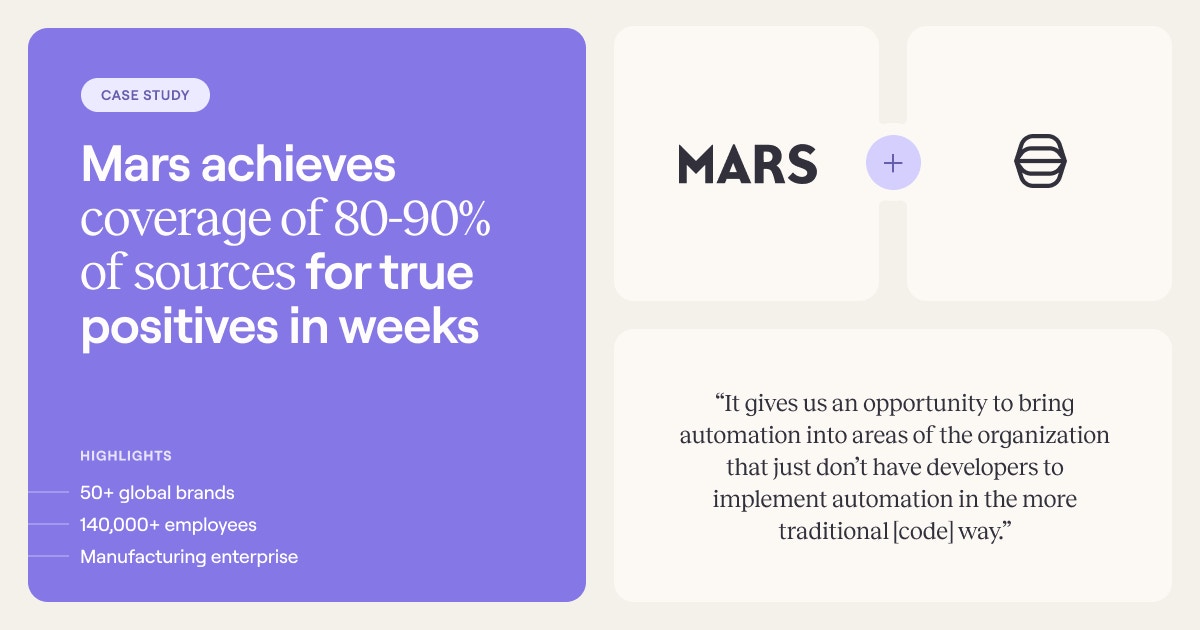
This is the pattern that lets teams operate at scale. Mars, the Fortune 500 manufacturer behind 50+ global brands, needed to unify alert handling across security and IT teams after years of accumulating disparate playbooks in a legacy SOAR.
Using Tines, the intelligent workflow platform, the team migrated 100% off Splunk Phantom, consolidated 200 playbooks into 79 stories, and reached 80-90% true-positive coverage within weeks. The coverage came from wiring each response step to the systems the team already operated.
Blend automation, AI, and human judgment
The architectural pattern converging across the industry is hybrid. Deterministic workflows handle predictable bulk tasks, such as alert ingestion, IOC enrichment, and ticket creation. AI agents reason through ambiguity, and human-in-the-loop checkpoints sit at high-impact decision points where judgment matters.
In practice, this looks like a single workflow that ingests a CrowdStrike alert, enriches the indicators against threat intelligence sources and internal asset data, and uses AI to score the alert and recommend a containment action.
Low-confidence results route to a human reviewer in Slack for one-click approval or override, while high-confidence cases proceed automatically to isolate the affected host and trigger downstream notifications.
Through Tines, teams build stories (Tines' term for workflows) that combine deterministic logic, AI reasoning, and human review on a single surface. Tines integrates with any API and offers over 1,000 prebuilt workflows, turning isolated point products into coordinated response chains.
Build governance into the platform, not around it
Safe automation rests on a staffing reality: security professionals identify what should be automated, platform engineers design it, and legal counsel determines the regulatory implications. Governance can't be a separate workstream added after the automation is already running.
Tines was born in security, and the governance architecture reflects it. Every Action a team builds into a story produces an audit trail. Role-based access controls, test/live credential separation, and change control are built into the platform layer.
Through Tines Cases, teams track configurable TTD and TTR SLAs, maintain runbook checklists with per-phase completion tracking, and produce dashboards that measure MTTR across incidents.
To see how this looks in your environment, book a demo with the Tines team, or get started today on the Community Edition, free forever with AI, SSO, and unlimited integrations included.
Frequently asked questions about incident response plans
What is a runbook vs a playbook?
A playbook defines the "what" and "when" for a specific incident type, outlining the phases, decisions, and stakeholders involved in the response. A runbook sits one level deeper, capturing the "how" with specific technical actions, CLI commands, and API calls that responders execute within each playbook phase.
How do you run a tabletop exercise?
Tabletop exercises are facilitated, stress-free discussions of scripted scenarios that test coordination and decision-making rather than detailed procedures. Choose a scenario relevant to your environment (ransomware, insider threat, phishing, or ICS compromise), bring cross-functional participants from engineering, operations, IT, security, and leadership into the room, walk through each decision point, and capture findings as corrective actions tied to owners and deadlines.
What triggers an incident declaration?
An incident declaration should be triggered by observable, binary criteria rather than by subjective judgment. Examples include confirmation that customer data was accessed, that an admin-level credential is compromised, that production systems are unavailable, or that a defined percentage of users are affected. When classification is uncertain, the default should always be to escalate.