
The Tines Voice of Security 2026 report found that security professionals spend 44% of their time on manual, repetitive work. A workflow engine is the software built to take that operational drag off people, deciding what happens next based on events, rules, and state.
The category is shifting. The workflow engine used to live inside one system, running a narrow set of backend steps. The modern version sits above the stack, routing work across every tool, including AI agents and human decisions, on one governed surface.
That full surface is the intelligent workflow platform. And teams want it accessible across security, IT, and operations.
What a workflow engine is, in plain terms
A workflow engine is the piece of software that decides what happens next in a process, based on events, rules, and state. It manages the execution of multi-step, potentially long-running processes by maintaining state, coordinating tasks across services, and handling failures, so the teams running those processes don't have to implement these concerns themselves.
A workflow app has a UI for users. A workflow engine is the logic underneath that keeps the process moving. Your ticketing system is an app. The thing that routes the ticket to the right queue, escalates it when the SLA clock runs out, and logs every step for audit is the engine.
In the stack, a workflow engine sits between your systems of record (CRM, ITSM, SIEM, identity provider) and the people or agents doing the work. It reads events from those systems, applies logic, and pushes actions back out.
Without it, every connection between tools becomes a manual handoff, a custom script, or a prayer that someone remembers to check the queue. The engine replaces that stitching, taking the muckwork (Tines' term for the repetitive effort that eats skilled time) off the people who should be doing higher-judgment work.
The workflow engine space has split into two
Teams usually group workflow engines into two broad product categories for different audiences, though the degree of overlap varies in practice. The split comes down to who can build and modify workflows without a developer ticket:
Developer-centric engines
Some workflow tools define workflows as sequences of steps in code, and engineering teams commonly use them to construct backend processes. It is "Workflows-as-Code," not a visual interface where business people drag boxes. Even tools that use the more readable Business Process Model and Notation (BPMN) often still involve developers in practice.
Engines built for operations teams
The second track includes platforms purpose-built for security, IT, and operations teams building intelligent workflows visually. These engines provide drag-and-drop canvases, pre-built integrations with security and IT tooling, and human-in-the-loop approval steps, with audit logging and compliance features varying by platform.
This gap is more than a training problem. Developer-centric engines require an IDE, a CI/CD pipeline, code review, and infrastructure management. Operations teams need to build a workflow in the morning and have it running by lunch.
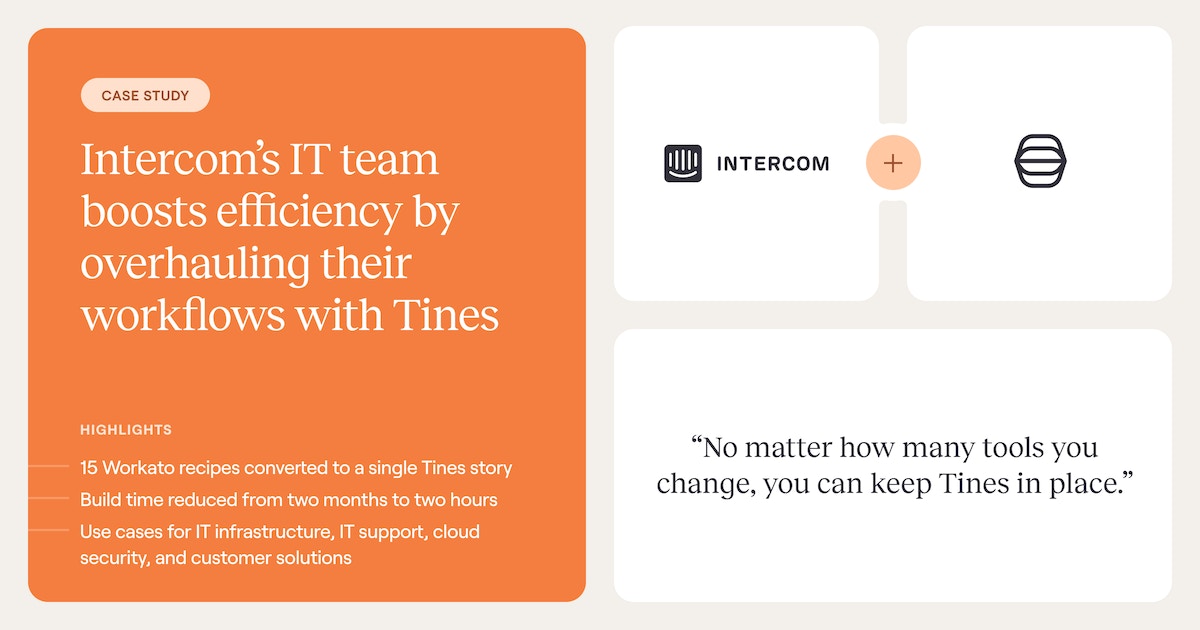
At Intercom, that difference showed up in build speed. "In Workato, it took 2 months to build one story. In Tines, it takes about 2 hours,” says Emanuele Sparvoli, Director of IT.
If you're evaluating engines for a SOC, IT operations, or security engineering team, the rest of this article focuses on the second category.
What a workflow engine actually does
Enterprise workflow engines handle six concerns that matter more than most teams realize until an auditor asks. Miss any one of them at scale, and the workflow either breaks silently, creates compliance exposure, or both.
State management: The engine tracks where every workflow instance is in its lifecycle, what data it's carrying, and what it has already done. When a process spans hours or days, a persistent state is what prevents work from being lost.
Triggers: Event-driven triggers (a webhook from your SIEM, a forwarded phishing email) react to something that occurred, and scheduled triggers poll on a fixed interval. Event-driven execution compresses response time because the workflow starts the moment the event occurs.
Rules, conditions, and routing: The engine evaluates data against defined criteria at runtime and branches accordingly. These decision points are where workflow engines earn their value, because they encode institutional knowledge that would otherwise live in someone's head or a wiki page nobody reads.
Permissions and access control: The engine determines who can approve, override, or view specific steps. In a vendor access review, the requester shouldn't be the approver; in incident response, the analyst triaging shouldn't authorize containment actions on production infrastructure.
Error handling: The engine covers retries, fallbacks, and escalation, and the delivery guarantee has to match the operation. Retrying a non-idempotent action under at-least-once semantics produces duplicate side effects, which is both a correctness problem and a compliance problem.
Audit logging: The engine captures every step, every decision, every outcome, with immutable logs that can't be retroactively altered. For teams operating under SOC 2, GDPR, or internal model governance requirements, that record is the difference between an easy audit and an exposed one.
These six concerns are what separate a workflow engine from a script that runs on a timer. The difference shows up most clearly in a real workflow, which the next section walks through end to end.
How a real workflow runs, step by step
A vendor security review exercises every mechanism the previous section listed. Here's how one run moves from submission through approval to a clean audit trail.
Trigger: A procurement manager submits a form requesting access for a new vendor, and the workflow engine receives the submission via webhook with the vendor name, data type, access scope, and submitter identity. That event is what kicks off the run.
Rules evaluate: The engine checks the vendor against an internal approved-vendor list. If the vendor is new or the data tier has changed, a second condition evaluates what tier of data the vendor will handle.
Routing: Low-risk vendors handling non-sensitive data route to auto-approve, where the engine logs the decision, grants access, updates the vendor system of record, and notifies the requester. High-risk vendors handling PII or production system access route to the security team for human-in-the-loop review.
Human-in-the-loop review: A security engineer reviews the case and either approves or rejects. This isn't the engine guessing when to escalate; it's a boundary condition defined at build time by the workflow author.
Action: On approval, the engine provisions access, updates the vendor management system, notifies the requester, and triggers downstream workflows like scheduling a periodic access review later.
Audit trail: The engine logs every step automatically, including who submitted, what conditions it evaluated, which branch it took, who approved, and what actions ran. That record is what makes the run explainable months later.
No single step is where the workflow earns its keep; it's the combination that keeps the process moving, defensible, and explainable when someone asks. The next section covers what pushes a workflow engine from basic to intelligent.
What makes a workflow engine intelligent
The word "intelligent" does work here; it isn't decorative. A workflow engine earns the label when it runs the full spectrum of how work actually happens, reacts to events in real time, and meets users where they already work.
Four capabilities separate those engines from the ones still doing what engines did a decade ago.
1. Three workflow types on one platform
Deterministic steps follow fixed rules, agentic steps reason through ambiguity within guardrails you define, and human-led steps put people at the checkpoints where judgment belongs.
Real business processes rarely fit one mode. A security incident might pull context via an AI agent, route on deterministic rules, and pause for human authorization before running containment actions. An engine that can only handle one mode forces teams to oversimplify the process or route work outside the engine, which is where governance gaps appear.
2. Governance built into the foundation
Access controls, immutable audit logs, secrets management, change control, and AI guardrails aren't features bolted on after the engine ships. They're architectural decisions made at the foundation, and they determine whether a workflow survives the first compliance review. In a 2025 Forrester Consulting study commissioned by Tines, 88% of IT and security decision-makers said that without orchestration, AI stays fragmented. Governance is how that orchestration scales, not an add-on adopted later.
3. AI agents as first-class workflow steps
An intelligent engine treats an AI agent like any other step in the workflow. You pass it context, define its persona and guardrails, let it reason, and bring the structured output back into the deterministic flow. The LLM reasons, but the workflow controls.
That pattern is the practical answer to the board question about AI. How do you get value without handing the agent keys it can't be trusted with? You don't. You govern every step.
4. Front-end experiences for the people who use the workflow
Forms, portals, case management interfaces, and chat-based copilots let people interact with a workflow without ever opening the platform that runs it:
A procurement manager submits the vendor form
An analyst approves a containment action from a chat message
A finance operator kicks off a month-end reconciliation from a portal
The engine runs underneath, but the interface lives where the user already works. Engines that stop at the backend miss the reason most workflows stall. No one wants to learn a new tool to do a task they already know.
These four capabilities are what make a workflow engine worth adopting in 2026 rather than a retrofit of 2018 technology. They're also what a proper evaluation has to test for, which is the next section.
How to evaluate a modern workflow engine
Evaluation falls apart when teams test features instead of mechanics. Especially if the platform looks good in the demo, but the first real workflow exposes a gap that the vendor never mentioned.
The five questions below surface those gaps before you sign:
Does it meet your security and compliance requirements? The engine itself becomes a privileged orchestration layer with credentials to your most sensitive systems. Audit logs, role-based access, secrets management, AI guardrails, and change control all need to be first-class capabilities, not after-market features.
Can it run deterministic, agentic, and human-led workflows in the same flow? Real business processes rarely fit one mode, and an engine that can only run one forces teams to work around it. The mature platforms treat all three as native and let you mix them inside a single workflow.
Does it support human-in-the-loop natively? Workflows that touch production systems or containment actions need designed approval checkpoints defined at build time. If human-in-the-loop shows up as an ad-hoc chat message that someone hopes gets answered, governance gaps will surface in the first audit.
Does it connect via direct API or depend on a connector library someone else maintains? Connector libraries create a dependency chain. API-first architecture means you connect to anything with an API, on your timeline, without waiting on a vendor roadmap.
Can a non-engineer build a workflow in it? If the platform requires an IDE or a developer ticket to modify a workflow, it won't serve operations teams. The test isn't whether it can be used without code, but whether your team will actually build and maintain workflows independently after the POC ends.
One pitfall worth calling out. Don't automate processes that aren't documented yet. Automation amplifies whatever it runs on, so running it on a broken process produces broken outputs faster, and the audit trail will make that clear to the next auditor who reviews it.
From workflow engine to intelligent workflow platform
What started as a backend execution layer has become something different. The modern workflow engine sits above the stack as an intelligent workflow platform, with the builder, the interaction layer, the governance plane, and the integrations on one surface.
Automation moved from task stitching to cross-tool orchestration. Scripted rules gave way to mixed execution, where deterministic steps, agentic AI, and human checkpoints share a flow. The engine moved from developer-only to accessible for every team that wants to build.
Tines is the intelligent workflow platform built for that shift. Through Tines, you build Actions (the core workflow components, including the AI Agent Action) and connect them inside a single Story (Tines' term for a workflow).
Deterministic Actions handle the predictable bulk, AI Agent Actions reason through ambiguity within guardrails you define, and human-in-the-loop steps built through Pages pause at the checkpoints you design.
You assemble all of it on Storyboard, a visual multiplayer canvas that supports no-code, low-code, and full-code configuration. Governance runs through every layer, and the scale shows up in the numbers. 75% of active Tines accounts use the platform across multiple teams, customers average 68 integrated tools, and 1.5 billion customer-automated Actions run through the platform each week.
Ready to see an intelligent workflow platform in practice? Sign up for the Tines Community Edition for free, or book a demo to talk to a product expert.
Frequently asked questions about workflow engines
Do I need to be a developer to use a workflow engine?
No. Modern workflow engines built for operations teams provide visual drag-and-drop builders, pre-built integrations, and AI-assisted workflow creation. Developer-centric engines require code, but the second category serves accidental programmers like security analysts, IT leads, and operations teams who build workflows without writing code or opening a developer ticket.
What's the difference between a workflow engine and a BPM suite?
A workflow engine is the execution logic that runs processes. A BPM (Business Process Management) suite wraps that engine in modeling, analytics, and governance tools aimed at managing end-to-end enterprise processes like order-to-cash or claims management.
Workflow engines are lighter, faster to set up, and better suited to the event-driven, API-heavy workflows that characterize security and IT operations.
Can a workflow engine orchestrate AI agents?
Modern ones can, especially when they're built as intelligent workflow platforms. You pass the agent context, define its persona and guardrails, let it reason, and bring the structured output back into the deterministic flow.
What's the difference between a workflow engine and an iPaaS?
An integration platform as a service (iPaaS) connects applications, services, and data sources. A workflow engine decides what should happen and when, including human approvals, AI reasoning, conditional logic, SLA enforcement, and error escalation.
You'll hit the integration platform ceiling when processes need to pause for human judgment, branch on complex conditions, or maintain state across days or weeks.