The storyboard is where you build and run your workflow. It's the visual workspace where you build, connect, and organize components, like actions and tools, that make up your story.
Key storyboard areas
There are three main panels when viewing the storyboard:
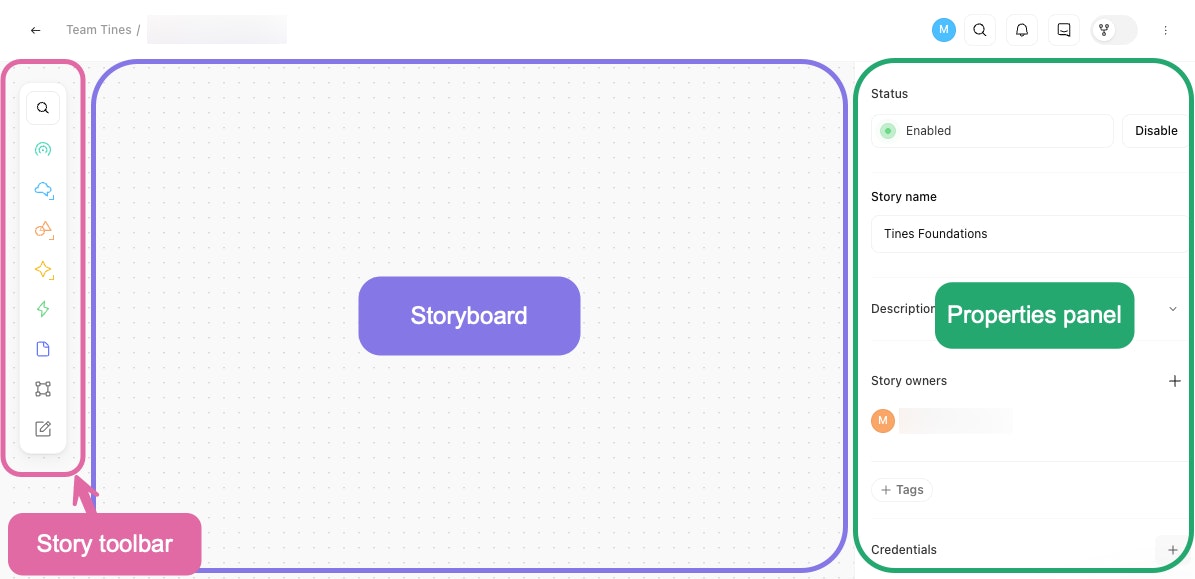
The story editor, showing the main panels used to build and configure a story.
Story toolbar: The story toolbar is a floating panel on the storyboard that gives you quick access to actions, tools, and templates.
Storyboard: The storyboard is the main area where you drag and drop actions and tools, and connect them to build your story.
Properties panel: On the right-hand side of the storyboard, the properties panel includes configurable settings for the element of the storyboard you've selected. For example, if you click on an action on your storyboard, the properties panel will display configuration settings for that action. If you ever need to view the story-level configuration, click on the white space of your storyboard.