
Better control over Workbench limits
AI in Tines, Admin

We've made several improvements to our AI credit management controls for customers using our Tines-provisioned AI providers to give you better control over your AI spend in Tines Stories. To check out these new controls, head on over to the AI credit allocations & limits section of your tenant's AI Settings page.
Team allocations are now Story allocations—your Story allocations reserve credits for use by your team's stories. We also now include the option to let your teams fall back on your tenant's shared credits if they reach their monthly allocation.
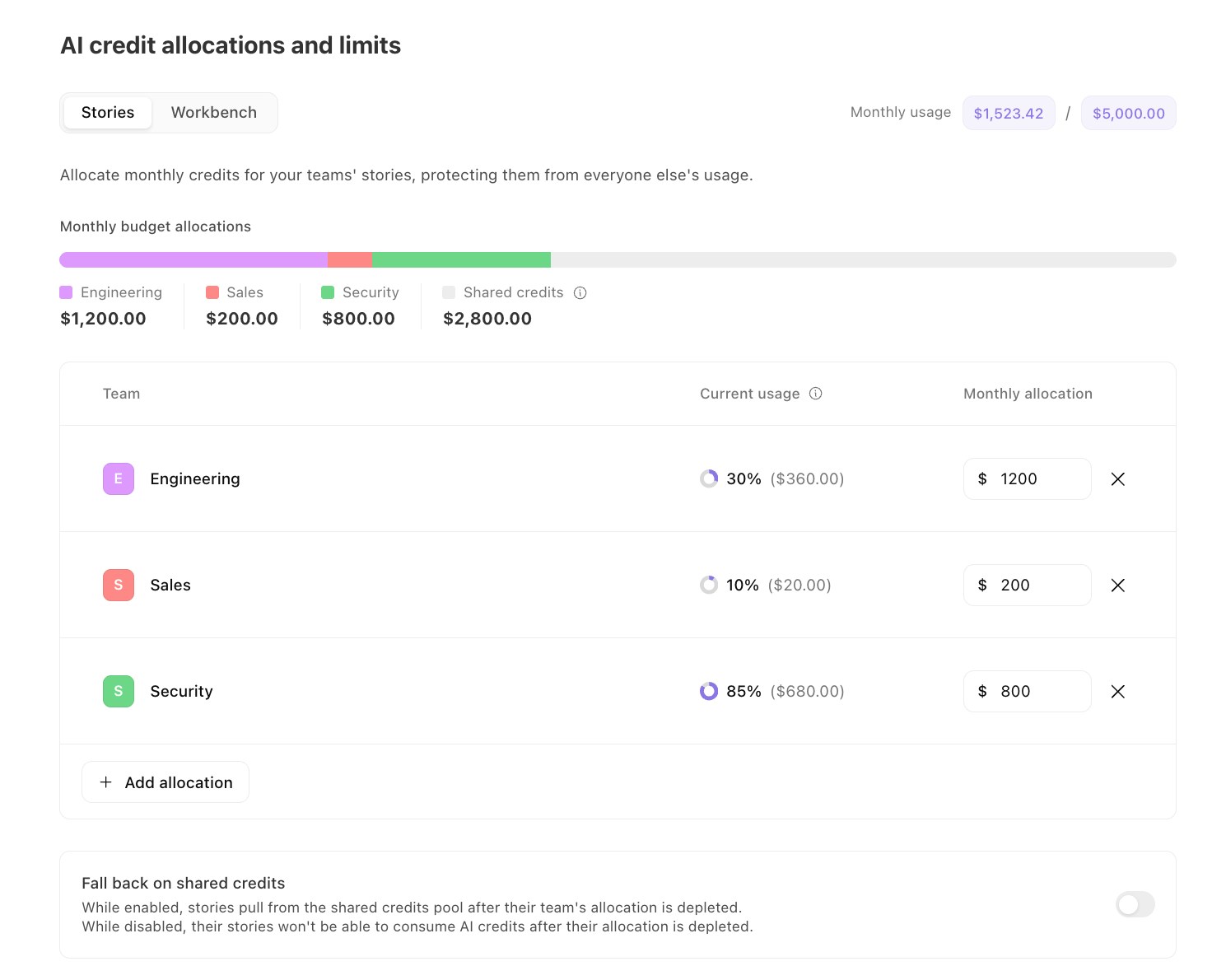
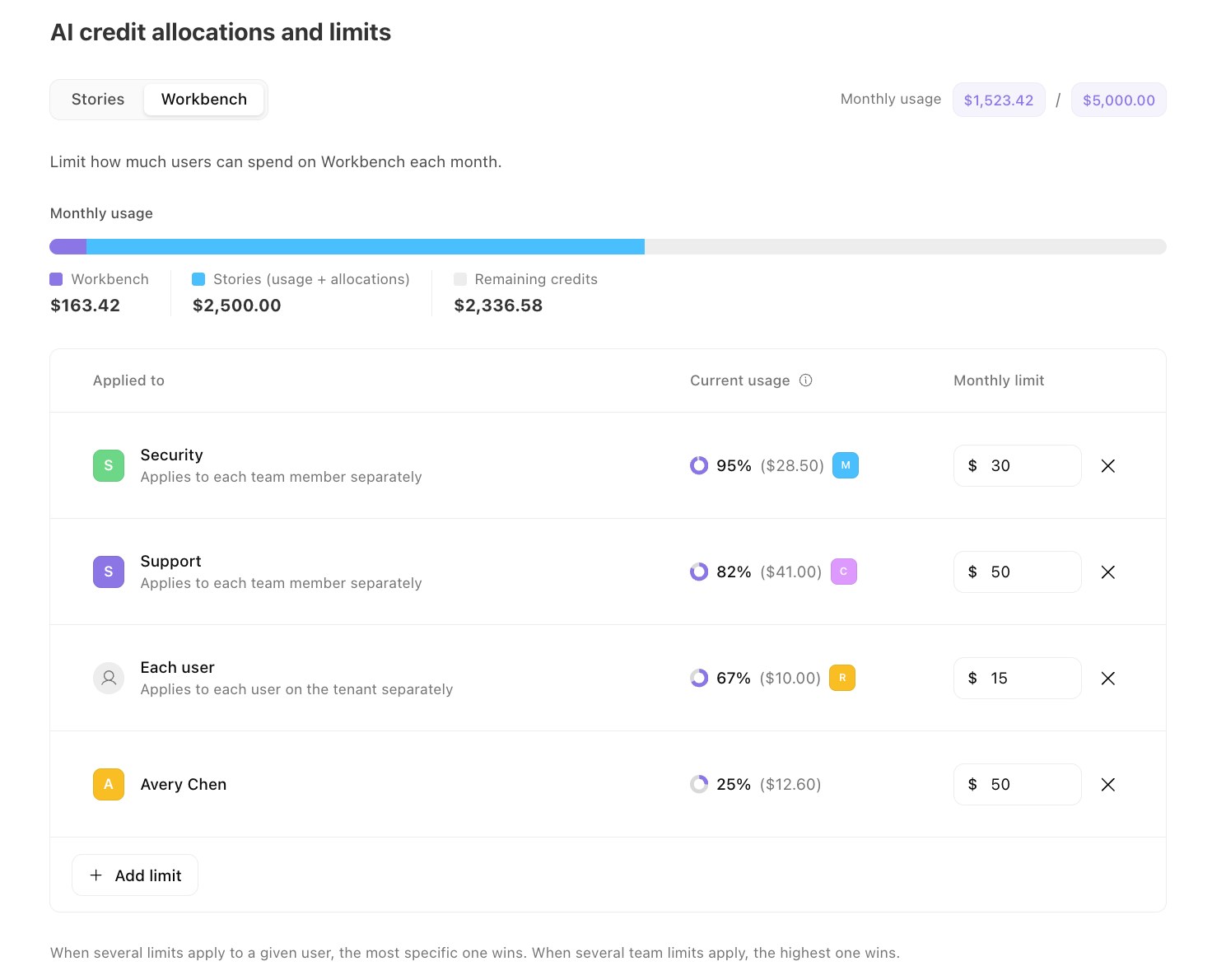
Workbench for Storyboard limits are now Workbench limits - You can now define a per-user Workbench spend limit for individual users, each user on a given team, or each user in your tenant. Workbench limits now also apply across all Workbench surfaces in Tines Stories, not just Workbench for Storyboard.
For more information on these new controls, check out the docs here.


