

For many small security teams, threat intelligence is the first thing to fall off the priority list. With so many alerts and incidents to manage, it’s very difficult to make time for this kind of proactive threat hunting. Making matters worse, tools that generate alerts from indicator matches without enough context can create more work than a small team can absorb.
Recently, we’ve used Tines 3B to bring threat hunting back into focus in a practical, scalable way. Tines 3B is a complete environment where teams can build apps, agents, and automations, and organizations can run and monitor that work.
Using Tines 3B, my team built an always-on agent customized to our exact needs and ways of working. It runs automated hunts using open-source hypotheses, plus another ~10 that our team created in-house, enabling us to catch the threats that really matter to our business.
Here’s how we built our custom threat-hunting app to cut through the noise, improve investigations, and operate like a team 10x our size.
I was able to get roughly 99% of the initial version working in a few hours, with another day of refinement. What’s been most rewarding is seeing the team build on that foundation and make it substantially better over time, adding integrations, capabilities, and feedback loops that have made it increasingly useful to our security operations. And it’s a good example of how much additional capability a small team can create with these tools. Our AI costs for the entire system were less than $164 in September 2026.
Brandon Maxwell, Head of IT Operations & Information Security
Our threat hunting agent shows how 3B enables a small team to build and operate security applications quickly and efficiently. We can monitor attack surfaces on a larger scale than before, strengthening security for Tines and our customers.
Shawn Roland, Manager, Security Operations
What’s great about this agent is that it’s built around how our team works, and anyone on the team can confidently ship new features. When we want to try a new approach or add some new functionality as our needs shift, we don’t have to wait for a vendor to decide a new feature is worth building.
Andrew Katz, Senior Security Operations Engineer
The problem: threat hunting had to compete for resources
At Tines, we operate with a lean SecOps team. Traditional threat hunting requires significant time and resources, and with so many other things on our plate, it just wasn’t an effective use of anyone’s time.
Tooling was an issue, too. For a team our size, threat intelligence platforms built around noisy indicator feeds can be difficult to justify. IP addresses and file hashes have always been easy for attackers to change, and investigating matches without enough context can create a lot of work with little payoff. The intelligence I find really valuable explains how attackers operate — their tactics, techniques, and procedures — and helps us decide what to hunt for in our own environment.
That might make sense if you have a huge team dedicated exclusively to threat hunting, but we don’t have capacity to manually triage that many alerts, especially when the payoff is typically very low. While every organization and environment is different, I don’t think we’re alone in this.
Threat intelligence still has real value, especially when it helps us understand how attackers operate.
The frustration is with noisy feeds of IP addresses and file hashes: indicators that sit low on the pyramid of pain because attackers can change them so easily.
The solution: an autonomous, self-improving threat-hunting agent
The shift to agentic threat hunting makes more sense for small teams like ours, but it wasn’t really viable until recently. Larger context windows mean AI models can work with more data from sources like SIEM logs; stronger reasoning helps them investigate what they find; and useful MCP tools make it easier to connect them to the systems they need. Together, those advances made it possible for us to build a custom threat-hunting app with Tines 3B, using agents to orchestrate the searching, hunting, and reasoning.
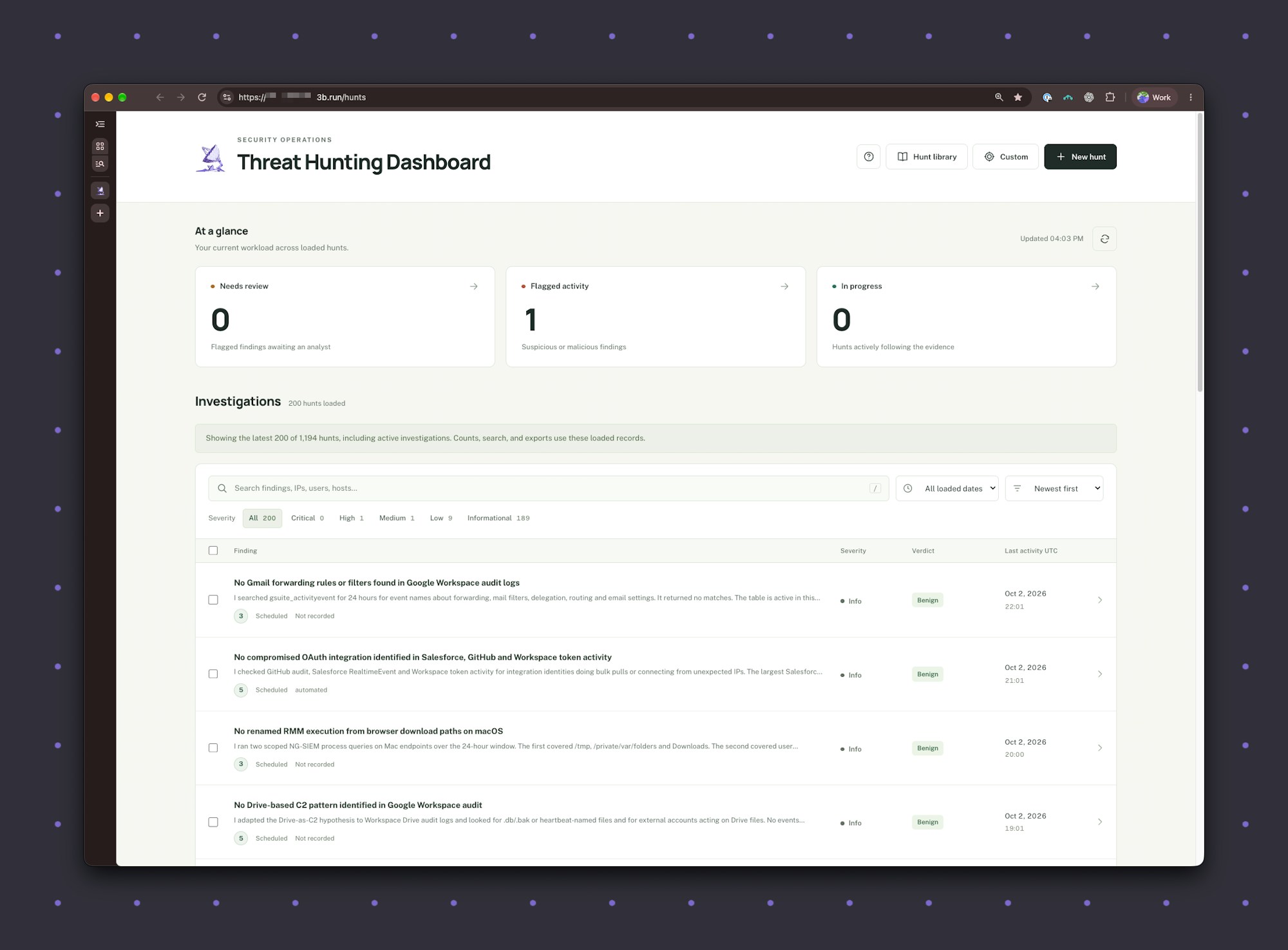
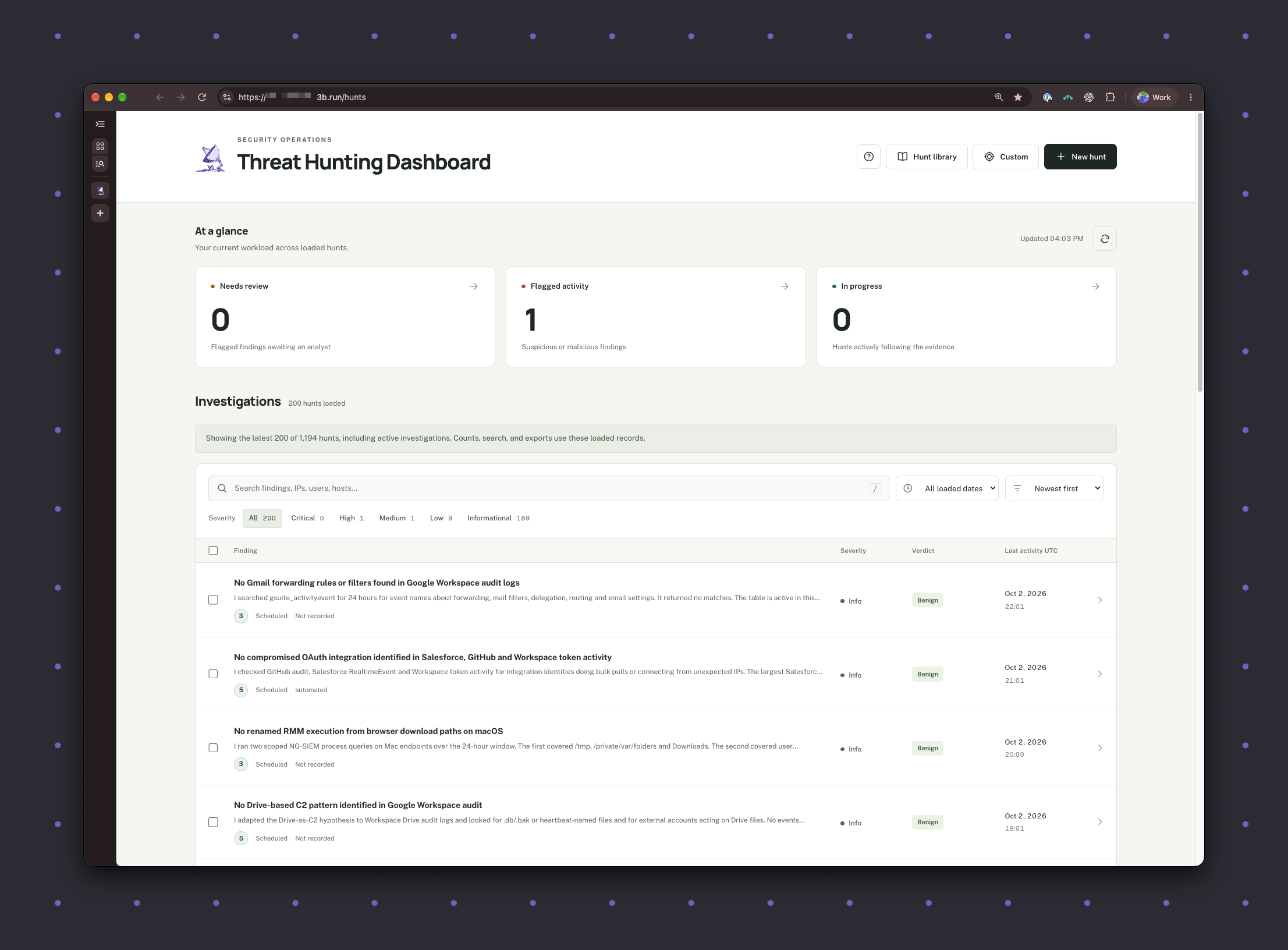
Threat hunting dashboard — click to expand
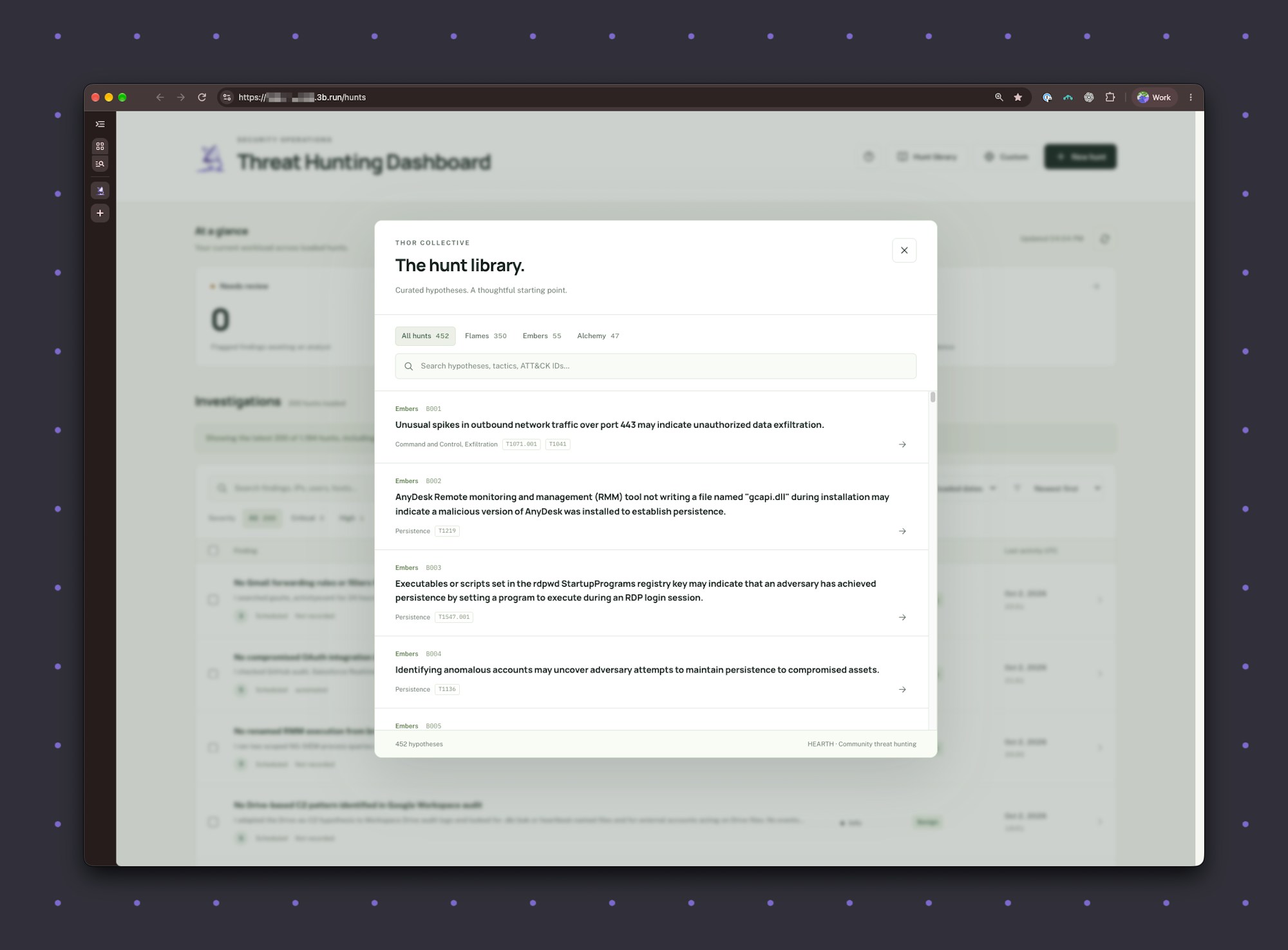
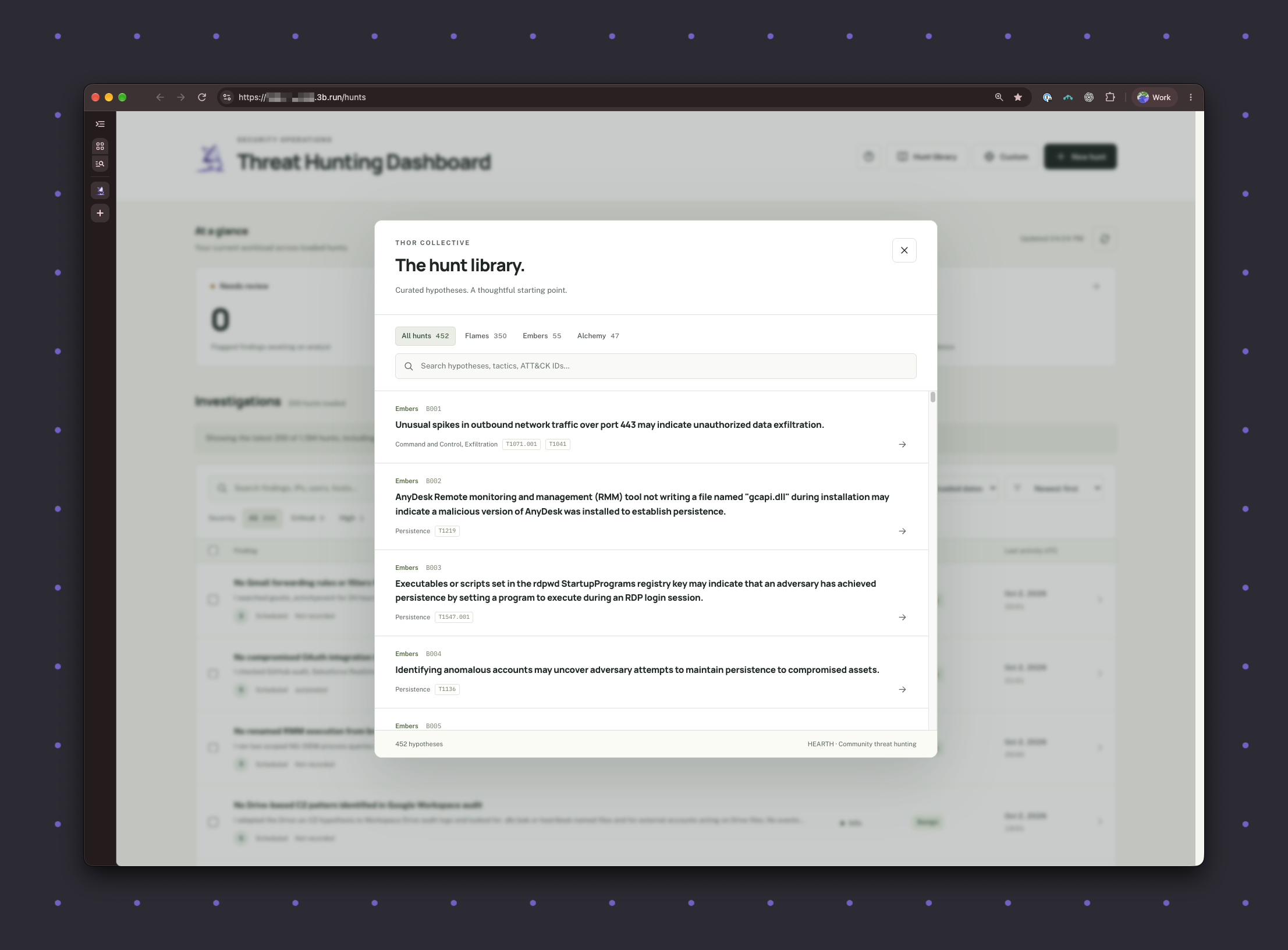
Threat hunt library — click to expand
Starting a new investigation — click to expand
Brandon Maxwell, Tines’ Head of IT Operations and Information Security, created the app in a day or two. Since then, I’ve been regularly adding features, additional MCP tools and other integrations to continuously improve it.
The app is built on the open-source HEARTH collection of threat-hunting hypotheses, along with the custom hypotheses our team created in-house. We provide relevant context to tailor the agent’s investigation to our own environment. For example, we’re a cloud-native SaaS company, we use tools like Google Workspace and Slack, and our products run in AWS using services like Elastic Container Service, S3, and EC2, which impacts which threats and TTPs are relevant and how the agent reasons about the hunt.
The agent is fully customized to our own security philosophy and processes, rather than following a broad ruleset.
Every hour, the app runs automatically. It picks a hypothesis and uses an AI agent to investigate through MCP tools connected to services like Panther, JumpCloud, VirusTotal, GreyNoise, CrowdStrike, and Jira. We also used Tines 3B to build custom MCP tools that give the agent deeper insight into our environment than the basic tools provided by SaaS vendors, helping it run higher-fidelity hunts. Those same tools support our case investigation agent, too. If the hunt finds something that needs attention, it notifies our team and opens a case in Tines Cases.
Sometimes it finds meaningful things. Other times, it finds things that would be suspicious only in another company’s context. When the latter happens, we give it steering instructions, so the next time it finds something similar, it knows it’s not actually suspicious in our environment. It learns from analyst feedback: when we mark findings as benign, suspicious, or malicious, that verdict guides future hunts.
The agents can share context, too. A custom MCP tool built in Tines 3B connects the threat-hunting agent to the memory of our separate case investigation agent. That means insights from security alerts triaged by human analysts with agent assistance can help inform future hunts.
It also highlights opportunities to improve. If the agent finds a gap in an investigation — for example, access to a set of logs would have helped it do a more thorough job — it’ll flag that as well. This feedback loop is one of the most powerful parts of the build.
The agent has memory and is self-improving. It gets smarter and more tailored over time, meaning the tool gets better the longer it’s in use.
The impact: fewer, more meaningful alerts and increased team capacity
Separating signal from noise
For a small security team, every finding needs enough context to justify the time spent investigating it. Tools that alert on indicator matches alone can leave analysts doing much of that contextual work themselves.
Over five months, our agent has surfaced four or five findings that required action. It gathers evidence and evaluates it in a completely customized way against our environment, philosophies, priorities, and investigation criteria before escalating a finding. That gives us a manageable set of investigations with context already attached, so we can spend more time assessing what matters and less time assembling the background.
Extending team capacity
The app gives our small team the threat-hunting capability that’s normally reserved for teams of 20 or 40 people. Our SecOps team is going to stay small for the foreseeable future, so this allows us to extend our capacity without adding headcount.
We've dramatically increased our ability to detect suspicious activity, without sacrificing team time or budget.
More thorough investigations, tailored to our environment
The agent is much more thorough than a human typically would be. It doesn’t have other tasks and requirements, so it can always go the extra mile to ask the questions it needs to. And it’s always learning. We can tell the agent, “You did this in the past, but I want you to ask the question from this angle instead.” We can steer it to focus on our company's specific "crown jewels," so it's tailored to what our team cares most about.
Confidence in our threat hunting capabilities
Before, we set aside time on “Threat Hunt Thursdays” for this work, which meant taking time away from other important projects. Now, the agent runs hunts every hour, giving us continuous background coverage and more confidence that threat hunting is happening even when our team’s attention is elsewhere.
We can also run ad hoc hunts when needed. For example, if we’re alerted to a potential insider threat, we can start a targeted hunt, and anything the agent finds that needs attention gets flagged for immediate follow-up.
What’s next?
We have a few other apps in our Tines 3B security tenant, including an exposure dashboard, a tenant investigation app, and MCP servers. We also use Tines 3B to store data from Bumblebee, an open-source tool that scans users’ MacBooks to inventory what software and browser extensions they’re running — it’s currently storing 5.5 million packages. Tines 3B has been great for integrating open-source software, because we can create these really useful dashboards that don’t come with these tools.
Final thoughts
This agent has given our small team threat-hunting capabilities that are usually reserved for much larger teams. Now, we can be confident that we're staying ahead of threats, without the constant noise and manual triage often associated with threat intelligence indicator matches alone.
The best part of building with Tines 3B is how customizable and flexible it is. I can keep adding to the app over time as use cases evolve and the opportunities for new capabilities arise. It’s tailored to exactly what we need, and every investigation and piece of feedback makes it stronger for the next hunt. That self-improvement doesn’t just save us time — it means the value of this build keeps on compounding.
Looking to build your own threat hunting agent? Check out Andrew's entry in the example gallery. Sign up to try Tines 3B for free, import the complete agent, and connect it to your tools.