
For IT teams, a meaningful share of every week disappears into manual, repetitive work: account provisioning, password resets, data reconciliation across systems. IT workflow automation coordinates these multi-system processes through event-driven triggers, conditional logic, and API-level integration, all under IT's governance umbrella.
These workflows span multiple systems and route through identity providers. They also require error handling, approval gates, and audit trails that basic scripts and Integration Platform as a Service (iPaaS) tools struggle to provide consistently.
Without orchestration, AI remains fragmented across those systems rather than operating as a coordinated layer in an intelligent workflow. The sections that follow define the category, lay out the architecture, and walk through the ten workflows IT teams should own.
What IT workflow automation is and how it differs from adjacent categories
IT workflow automation is the coordination of event-driven, multi-system processes across an organization's infrastructure layer through conditional logic, API-level integration, and human-in-the-loop approval steps. Platforms in this category, including Tines, are built around that orchestration layer rather than the point-to-point data movement that defines adjacent tooling.
Onboarding can span many SaaS apps, incident response can route from a monitoring alert to a resolved ticket, and access provisioning can flow from an HR system through an identity provider to every downstream application. Through a workflow platform, IT teams build and run these processes under IT governance, with conditional logic, error handling, and human-in-the-loop steps.
Adjacent categories each handle part of the work but fall short of full coordination. The table below summarizes what each does well and where it falls short compared with the multi-system orchestration provided by IT workflow automation.
How modern IT workflow automation actually works
IT workflow automation has three layers: triggers that initiate workflows, coordination that sequences and routes steps, and AI that handles classification within deterministic structures.
Triggers: Three common trigger types cover most IT workflows: webhooks, scheduled triggers, and API polling. Webhooks fire when a source system sends an HTTP callback to a registered endpoint, while scheduled triggers (cron) handle recurring jobs like weekly vulnerability management scans or daily CMDB syncs. API polling suits low-urgency batch reconciliation where webhooks aren't supported.
Orchestration and step types: Through a workflow platform, IT teams sequence steps, manage dependencies, and route execution paths based on runtime data. Modern orchestrators support core primitives like conditional branching, foreach loops, subworkflows, and retries. Common step types include HTTP Request Actions, Transform Actions that reshape data without code, conditional routers, AI/LLM Actions, and human-in-the-loop approvals. In Tines, these primitives are assembled into Stories inside Storyboard, the visual workflow builder, and run on a single governed surface that connects to any system with an API.
AI steps inside deterministic structures: AI steps embed within deterministic workflow graphs rather than replacing them. The Microsoft Agent Framework documents this pattern: deterministic graphs govern execution and provide fault tolerance, while agents handle reasoning. The AI step returns a classification plus a confidence score, and conditional logic routes high-confidence results to automated action and low-confidence results to human review.
These three layers enable IT teams to scale automation without sacrificing the governance, traceability, and human oversight that multi-system workflows demand.
The 10 workflow automations IT teams should own
These 10 workflows span the full identity lifecycle, touch the most interconnected systems, and carry the greatest compliance risk when executed manually.
They also map to real customer patterns: employee onboarding and IT consolidation at Intercom; identity governance and IAM reconciliation at Vimeo; cross-team Security + IT work at Brex; incident response automation at McKesson; and vulnerability remediation at a US-based crowdfunding platform.
Identity lifecycle and access workflows
Identity is the connective tissue across every SaaS app, infrastructure system, and security tool in the environment. The workflows below cover the full joiner-mover-leaver lifecycle and the access decisions that sit on top of it.
1. Employee onboarding (joiner process)
Trigger: HR system of record fires a hire event when employee status changes to "Hire Complete."
How it works: The HR event fires a webhook. An HTTP Request Action calls the identity provider API to create a non-activated account. System for Cross-domain Identity Management (SCIM) Create operations propagate to connected applications. A conditional branch routes specialized software requests to department head approval, while birthright access (email, internal chat, internal portals) is automatically provisioned based on role.
At Notion, three IT builders work alongside four SecOps engineers on the same Tines surface, together saving the company 36 hours per week from a handful of Stories — including the IT workflows that connect Notion and Okta for identity provisioning at the joiner stage.
2. Employee offboarding (leaver process)
Trigger: The HR system marks the employee as terminated; the identity provider detects the change via a scheduled sync or a real-time event hook.
How it works: An account suspension Action immediately blocks login and terminates active sessions. SCIM deprovisioning requests fire to connected apps, typically deactivating accounts or removing access in identity-managed systems. A Transform Action inventories owned documents for manager reassignment. License reclamation Actions return software licenses to the pool. Every action is logged in an audit trail.
The same employee lifecycle pattern that Intercom used for onboarding applies in reverse on departure: HR-driven lifecycle changes trigger the removal of governed access across downstream systems, rather than leaving deprovisioning to tickets, spreadsheets, or one-off scripts.
3. Role change (mover process)
Trigger: Department or job title change in the HR system fires a profile attribute change event.
How it works: The identity provider's event trigger fires on user profile changes. The workflow removes previous group memberships and app assignments, then sends a SCIM Update operation to provision access based on the new role. Access can accumulate across role changes without this workflow. A scheduled audit job compiles inactive and suspended accounts and logs results.
Vimeo's IAM team runs daily UKG-to-Okta reconciliation Stories that catch mismatches within 24 hours and save 20+ hours per month on identity checks.
4. Access request management
Trigger: Employee submits a self-service access request via an ITSM catalog, service form, or messaging shortcut.
How it works: A decision table maps department, cost, urgency, and request type to the right approver. Lower-cost requests can be auto-approved, while higher-cost requests are routed to additional approvers. The approval step posts to a messaging tool with approve/deny buttons (human-in-the-loop). On approval, an HTTP Request Action calls the identity provider API to add the user to the appropriate group. For temporary access, a scheduled trigger fires at the expiration date to revoke access automatically.
Intercom's IT team rebuilt its Slackbot-based access-request system on this exact pattern: decision-table routing replaced the ad-hoc approval chains, and scheduled revocation triggers replaced the manual cleanups that ungoverned access tools tend to leave behind.
5. Identity lifecycle management via SCIM
Trigger: HR system of record fires lifecycle events for joiners, movers, and leavers. The HR team serves as the trigger source for all access lifecycle events without working within any IT system.
How it works: SCIM operations are commonly used in lifecycle events: Create for provisioning new users, Update for modifying existing user attributes (such as role or department changes), and Delete or deactivation for deprovisioning users when they leave an organization. The identity provider bridges the HR system and downstream applications. Organizations extend beyond the default integration scope with workflow trigger types such as event, schedule, webhook, and manual.
This is the shared layer beneath Vimeo's IAM reconciliation work: HR events serve as the system trigger, the identity provider serves as the control plane, and SCIM serves as the mechanism that keeps downstream access aligned.
Service, support, and incident workflows
Service and incident work is where IT and security teams feel manual load most acutely. The next two workflows automate the high-volume ticket path and the high-stakes security response path that sit at the center of day-to-day operations.
6. IT service desk automation (ticket auto-resolution)
Trigger: Monitoring tool detects an anomaly and fires an alert that auto-creates a ticket in an ITSM system.
How it works: A database outage fires a webhook. Automated incident response can create a P1 incident in an ITSM system, page the on-call DBA, and post to the #incidents channel. A CMDB lookup identifies affected configuration items and related services. Service-level agreement (SLA) monitoring workflows identify tickets approaching breach thresholds and notify the right teams before deadlines pass.
Texas A&M University System's Cyber Operations team saves 300+ hours per month and runs a single 240-action Tines Story for case management, orchestrating triage, documentation, and escalation from one governed workflow rather than manual ticket handoffs.
7. Security incident response automation
Trigger: Security Information and Event Management (SIEM) or Endpoint Detection and Response (EDR) tool detects suspicious activity: malware, anomalous login, privilege escalation attempt.
How it works: The workflow ingests detection data in real time, enriches it with asset details, threat intelligence, and user-behavior context, and then assesses severity.
Predefined logic executes containment: isolating a device, blocking an IP, or disabling a compromised account. For malware detections, automated steps disconnect the endpoint, trigger forensic scans, kill malicious processes, and initiate recovery, following a dynamic security incident response plan.
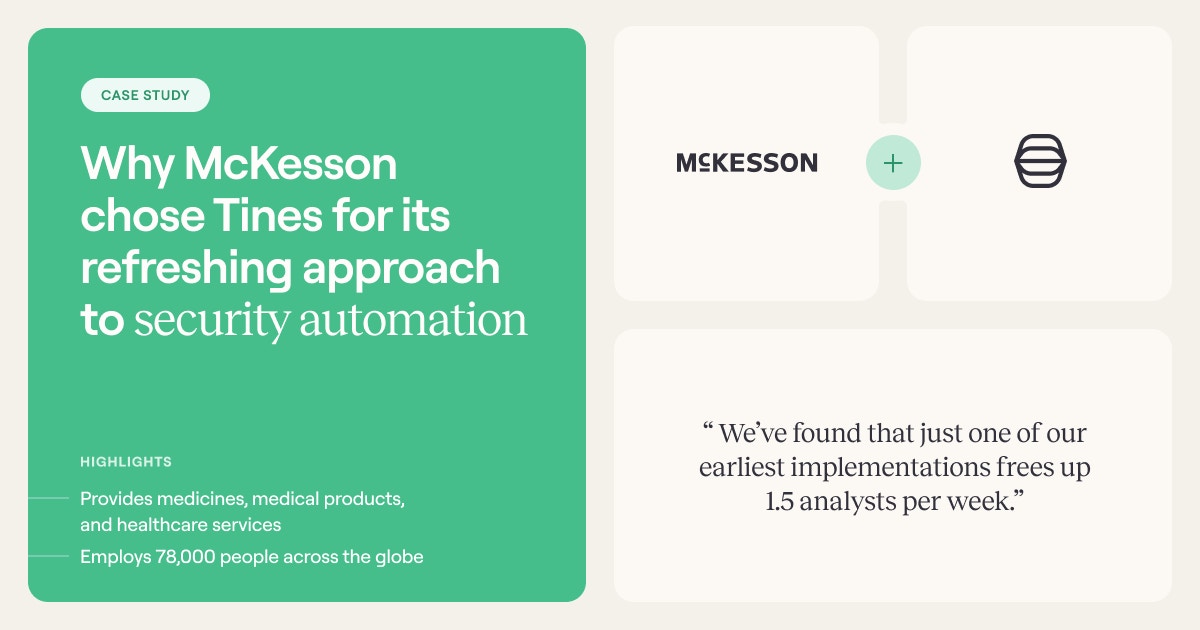
McKesson's Active Defense team freed 1.5 analysts per week from one early implementation and fully automates incident chat-room setup and multilingual suspicious-login verification.
Infrastructure and asset control workflows
Underneath identity and incident work sits the infrastructure layer: patches, virtual machines, and the device inventory that everything else depends on. These workflows keep that layer current, compliant, and reconciled against the source systems IT relies on.
8. Patch management automation
Trigger: Weekly scheduled scan, or an out-of-band emergency trigger from a vendor security advisory.
How it works: The workflow evaluates each patch based on severity, relevance, and potential impact, prioritizing critical vulnerabilities. With thousands of CVEs disclosed every year, patch queues quickly outgrow manual handling in modern environments. Patches deploy first to a staging environment for compatibility testing, then roll to production during defined maintenance windows.
A patch compliance step generates reports showing each managed node's baseline and compliant/non-compliant status, and non-compliant nodes can automatically trigger remediation workflows via event-driven rules.
9. Software and VM provisioning via self-service
Trigger: Engineer submits a VM or software provisioning request through a command or shortcut.
How it works: The command fires a webhook. Automation creates an ITSM ticket, assesses the engineer's VM usage history, and applies conditional approval logic. Standard requests auto-approve with confirmation sent back through a messaging tool. Non-standard requests route to a reviewer who handles approval within that tool.
This workflow sits in the same operational family as Intercom's access-request consolidation and Brex's automated onboarding: requests start in a lightweight interface, approvals route to the right owner, and fulfillment executes via governed identity and infrastructure systems rather than manual handoffs.
10. IT asset management and CMDB sync
Trigger: Scheduled job polls the MDM API on a defined interval to pull current device inventory.
How it works: An HTTP Request Action calls the device management API to retrieve computer inventory as JSON. A Transform Action parses the response and inserts rows into an import set table (serial number, name, model, OS version).
A transform map coalesces on serial number to update existing configuration items rather than create duplicates. Once records land in the CMDB, allocation, reclamation, and maintenance triggers fire as workflow rules. That produces a current device inventory record for every managed device, updated automatically.
The same reconciliation logic shows up in Vimeo's identity governance work and in the crowdfunding platform's unmanaged-machine detection: compare source systems on a schedule, normalize records, identify drift quickly, and trigger follow-on actions before the next audit finds the gap.
These ten workflows share a dependency on identity governance, API infrastructure, and security oversight, which determines who should own them.
Why IT should own workflow automations even when the work originates elsewhere
IT should own cross-functional workflows because IT is the only function with the security mandate, integration depth, and identity governance authority to run multi-system processes safely at scale. In the same Forrester research, 86% of IT and security decision-makers said IT is uniquely positioned to coordinate AI.
When departments build their own automations, those automations bypass security review, lack audit trails, and create an attack surface IT cannot see. Shadow IT assets are often outside normal monitoring and control coverage because they are not visible to the IT or cybersecurity team. Shadow AI adoption compounds this risk: industry guidance from groups such as ISACA emphasizes embedding cybersecurity and risk assessments throughout governance and delivery processes, as well as employee awareness and ongoing review.
Cross-functional workflows like onboarding, vendor risk assessments, and compliance evidence collection all flow through systems IT owns: your identity provider, your API layer, your middleware, and your security governance infrastructure. A workflow that spans five systems across three departments cannot be reliably owned, maintained, or governed by any single department.
HR lacks visibility into how downstream SaaS apps consume identity data, and finance cannot manage the identity lifecycle events that provisioning depends on. Only IT maintains the cross-system process visibility and identity authority required to run these workflows in compliance with the audit-trail frameworks.
Every workflow that grants, modifies, or revokes access must operate within your identity governance infrastructure. Shadow identities accumulate as organizations lose track of roles and privileges over time, which is why credentials need to be managed consistently across all tools in the environment.
What to look for in an IT workflow automation platform
Ten different tools, each with its own security posture, audit trail (or lack thereof), and failure modes, make IT workflow automation hard to scale.
The workflows above require a single governed surface because they span identity, infrastructure, and security simultaneously, and a unified governance model across connectors, bots, and scripts is the baseline, not the differentiator.
Useful evaluation criteria when comparing platforms:
Built-in audit trails, role-based access, and SSO applied uniformly across every workflow, not bolted on per integration.
A single canvas for deterministic, agentic, and human-led workflows, so an AI classification step and a human approval step can live inside the same governed graph.
Connectivity to any system with an API, which matters because the average Tines customer connects to 68 different tools through the platform, an indicator of how wide a real IT estate runs.
A visual builder operators and engineers can both work in, so workflow ownership does not collapse onto a single team.
Teams ready to evaluate against these criteria can start with the Tines Community Edition or book a demo of the full platform.
Frequently asked questions about IT workflow automation
How does IT workflow automation differ from iPaaS?
iPaaS connects applications and synchronizes data between them. IT workflow automation adds the orchestration layer: conditional branching, error handling with retries and rollbacks, human approval checkpoints, and audit trails.
What workflows should IT automate first?
Start with high-volume, multi-system processes where manual execution creates measurable pain: employee onboarding and offboarding, access request management, and service desk ticket routing. These workflows touch the most systems, consume the most hours, and carry the highest compliance risk when done manually.
Why should IT own workflows that originate in HR or finance?
Every cross-functional workflow that grants, modifies, or revokes access flows through the identity layer, which IT owns. Departments should design their workflows. IT should govern the execution.
How should IT govern shadow AI inside workflow automation?
Shadow AI emerges when departments adopt AI tools or build AI-driven automations outside IT oversight. Governance starts with making the AI surface visible: inventory which workflows call which models, route AI decisions through the same approval and audit infrastructure as the rest of IT, and embed risk assessment into the workflow design phase rather than after the fact. ISACA and similar industry groups emphasize ongoing review and employee awareness alongside technical controls.
Can AI replace deterministic IT workflows?
The architecture pattern across every major platform is the same: probabilistic AI steps embedded inside deterministic workflow structures. The near-term reality is AI augmenting deterministic workflows by classifying tickets, scoring alerts, and drafting responses.
What do IT teams gain from running every workflow on one governed platform?
Consolidating onto a single platform replaces fragmented audit trails, inconsistent access controls, and per-tool failure modes with a unified governance model. Every workflow shares the same audit trail, role-based access, and SSO regardless of which downstream systems it touches, and deterministic, agentic, and human-led workflows can be reviewed on a single surface rather than across a dozen disconnected consoles.