
Workflow software is one label covering very different products. Task tools, integration platforms, and intelligent workflow platforms. Pick the wrong category and the team spends a year unwinding it.
Security and governance are the criteria most teams underweight. Workflow software holds credentials to every system it connects, processes identity events, and touches customer data. A misconfigured platform becomes a lateral movement path across the entire stack.
This guide walks through the three categories of workflow software, the criteria that decide whether a platform survives in production, and the concrete questions to ask before committing.
What is workflow software?
Workflow software connects people, systems, and decisions so work moves through a defined process without manual handoffs at every step. It orchestrates the movement of data, decisions, and actions across tools and teams.
The basic mechanic is a workflow, a sequence of steps that runs when something triggers it:
An alert fires in your SIEM
A new hire appears in Workday
A form is submitted
A scheduled job kicks off
Each step can call an API, run conditional logic, ask an AI agent to reason through a decision, or pause to wait for a human to approve or intervene. The workflow ends when the process completes, whether that means a Jira ticket created, an account provisioned across 15 systems, or an alert suppressed before it ever reaches an analyst.
The problem is that different product categories all claim the workflow software label. Understanding which one you're actually evaluating is the first decision that matters.
Types of workflow software
A platform that's perfect for tracking marketing projects will fail when asked to triage security alerts or orchestrate employee onboarding across many systems. The capabilities, architectures, and failure modes are fundamentally distinct.
Task and project management tools
Task and project management tools are built for humans coordinating work. They track tasks, assign owners, manage deadlines, and visualize project status. Their automation capabilities are limited to within-platform triggers. When a task status changes, it moves to a different column or notifies someone.
Automation and iPaaS platforms
Automation and integration tools are built around triggers and connectors. They move data between systems, handle authentication and schema mapping, support webhooks and real-time triggers, and provide data transformations. Where iPaaS, or Integration Platform as a Service, falls short is workflows that require human judgment, security-grade audit trails, and cross-team governance.
Intelligent workflow platforms
Intelligent workflow platforms combine deterministic automation, agentic AI, and human-in-the-loop processes on a single governed surface. Rules-based automation handles the routine work, AI operates within guardrails for the more complex decisions, and human approvers stay at the critical points.
The combination is what makes the category distinct from iPaaS (which emphasizes deterministic logic between systems) and from task tools (which emphasize human coordination without much execution underneath).
The decision rule is straightforward. Humans coordinating work, use task tools. Data moving between systems with simple trigger logic, use iPaaS. People plus systems plus AI plus audit, spanning multiple teams, use an intelligent workflow platform.
Key features to look for in workflow software
Most evaluation checklists focus on connector counts and UI polish. The criteria that actually determine whether a platform survives its first year in production are the ones teams underweight during demos.
1. Modeling flexibility
Does the platform support three tiers of execution? Deterministic rule-based automation for predictable, auditable processes. AI-augmented workflows where models assist analysis while preserving human decision authority. And agentic workflows where AI agents reason, pull context, and act within guardrails the team defines.
The critical test is whether the platform can apply human approval gates selectively by action type, requiring sign-off for high-impact actions, such as blocking an IP or disabling an account, but not for low-risk enrichment steps. A platform that forces binary all-or-nothing automation fails this criterion.
2. Integration depth
Integration challenges drive most security orchestration, automation and response deployment difficulties, and integration maintenance is a significant hidden cost. The question that matters is not "how many connectors does the platform have?" but "who maintains a connector when the upstream API changes, the vendor or the customer?"
Tines sees this pattern across its customer base, where the average customer connects 68 tools through the platform. Bidirectional API support, native integration with IT Service Management (ITSM) platforms, and an API-first design where the platform exposes its own capabilities via API are baseline requirements.
3. AI capabilities and AI governance
AI capabilities without governance controls represent a liability in regulated environments. The Tines Voice of Security 2026 report found that 99% of SOCs now use AI in some capacity, and customer LLM usage on Tines grew 302% in the past year.
Without governance built into the platform, adoption at that pace creates exposure faster than it creates value. The three controls that matter most are permission scoping for AI agents under least-privilege enforcement, audit trails that capture what the AI decided and why for post-incident review, and human override at any point in an agentic workflow.
4. Case management, collaboration, and front-end experiences
Native case management, where every automated action, AI decision, and engineer override is recorded in a single authoritative case record, is structurally different from bolting a ticketing system on after the fact.
Bolted-on approaches create two separate records that can diverge, which creates compliance gaps when auditors require a complete action record. Teams maintain a native record in Cases, Tines' built-in ticketing and incident-management surface, for tracking workflow-related information.
5. Reporting and observability
A workflow platform executing automation without surfacing execution status creates operational blind spots. If a connector fails silently, returning no error but taking no action, engineers may assume automated response occurred when it did not. The metrics that matter are mean time to detect, mean time to respond, false positive rates, and analyst productivity.
Workflow software security and compliance requirements
Workflow automation platforms hold credentials to downstream systems, process identity events, handle ticket data containing customer personally identifiable information (PII), and execute actions across organizational boundaries. Ask these questions early because the answers are hard to fix after deployment.
1. Single sign-on (SSO) and System for Cross-domain Identity Management (SCIM)
Without centralized identity management through SSO and SCIM, offboarding a departing employee requires manually identifying and revoking every access grant. Workflow tools add a wrinkle here. SCIM deprovisioning must revoke not only the user's platform login, but also any service account tokens, API keys, or cached credentials the platform stored on the user's behalf.
The question to ask is whether SCIM deprovisioning immediately revokes access to all workflow actions and connected credentials, or only the platform login.
2. Role-based access control (RBAC) at the action level
Standard RBAC (read, write, admin) is insufficient for workflow platforms. A user with "edit" permissions on a workflow can redirect where data is sent, modify approval chains, inject steps that access secrets, or change the credentials used to authenticate to downstream systems.
The workflow itself becomes the privilege escalation path. The required granularity is the ability to grant or deny specific capabilities, including triggering a workflow, editing a workflow, approving for production, reading logs, and accessing credentials, independently of one another.
3. Audit log retention, export, and immutability
If a workflow was used to exfiltrate data or modify an approval chain, the audit log may be the only forensic record. Logs must be write-once and append-only, stored in a separate access-controlled system. HIPAA, for example, requires security documentation, including policies, procedures, actions, activities, and assessments related to protected health information, to be retained for six years.
4. Data residency and deployment options
For organizations subject to the General Data Protection Regulation (GDPR), HIPAA, or sector-specific data sovereignty laws, where workflow data is processed and stored is a legal question. Even if workflow execution happens in an approved region, the data has left the approved jurisdiction if the vendor's control plane receives workflow data.
5. Compliance attestations
Common security and compliance baselines to verify include SOC 2 Type II and ISO 27001. Depending on the data and customer environment, organizations may also look for HIPAA support for protected health information and FedRAMP authorization for U.S. federal workloads.
6. Secrets management
Workflow platforms routinely store API keys, database credentials, OAuth tokens, and service account passwords. In many platforms, these credentials are stored as plaintext environment variables or embedded in workflow definitions with no per-credential access logging or rotation capability.
The key question is whether the platform integrates natively with enterprise secrets vaults so credentials are retrieved at execution time rather than stored within the platform.
Choosing workflow software by team type
Workflow requirements vary sharply by function.
Workflow software for security teams
Security teams need playbook execution engines, not task routing. Workflows triggered by live threat signals from SIEM, Endpoint Detection and Response (EDR), and identity tools require automated enrichment, conditional branching, and containment actions without human latency. The scale isn't theoretical.
Netskope tripled SOC efficiency without adding headcount, contributed to a 25% MTTR reduction, and runs intelligent workflows that handle the equivalent of one analyst's workload every week.
Organizations that benefit most have high alert volumes, well-defined incident response playbooks (even if currently manual), and an established SOC or dedicated incident response function.
Workflow software for IT and engineering
Onboarding and offboarding are the top priority for IT and engineering teams. The process spans HR, finance, facilities, and IT simultaneously and has traditionally been highly manual. Consolidation matters as much as automation.
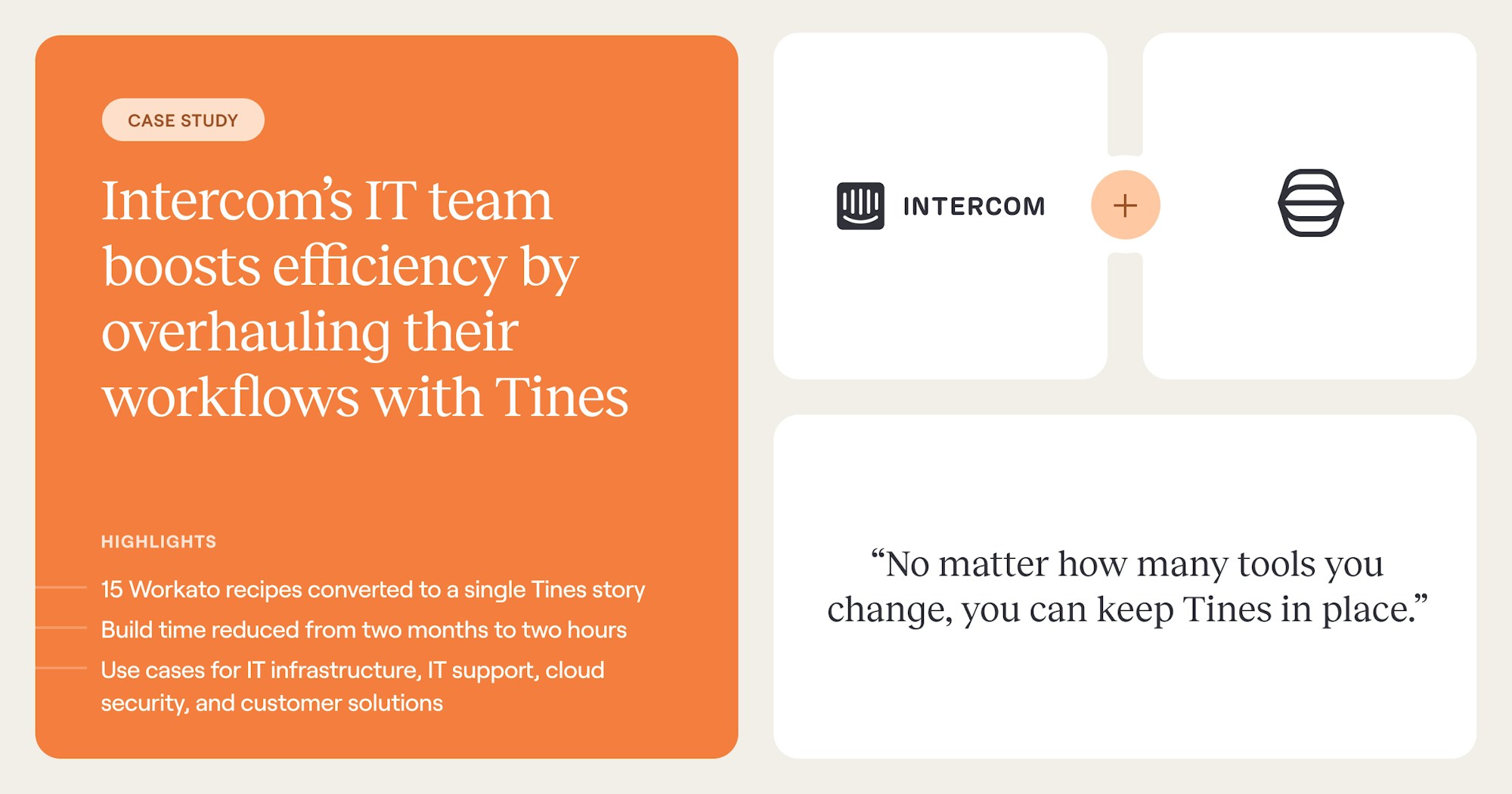
For example, Intercom's IT team reduced build time from two months to two hours and consolidated 15 separate workflows into a single Tines story (Tines' term for a workflow).
Workflow software for ops, RevOps, and finance
Finance and operations teams require multi-step approval processes with customizable routing logic, budget tracking, ERP integration, and complete audit trails. The pattern often expands from adjacent teams.
Brex, for example, first deployed Tines for security, then IT adopted after seeing the results. Onboarding workflows that previously required 5 a.m. manual logins for time-zone-specific tasks now run automatically, with security and IT building on the same platform.
Workflow software for small teams vs. enterprise
Small-team purchases usually move faster and involve fewer stakeholders. Enterprise buyers face a longer governance review. Feedback from the security engineers who will operate the platform should determine whether it passes.
The technical baseline matters too, including SAML/OIDC SSO, SCIM provisioning, granular RBAC, SIEM-exportable audit logs, and SOC 2 Type II certification.
How to evaluate workflow software
The Five Eyes joint guidance (May 2025) states that organizations should ensure feedback from the security engineers operating the platform determines whether the POC was successful.
Run a two-workflow POC
The POC should use three to five actual incidents from the prior 90 days, not hypothetical scenarios, with the vendor automating each one. The environment must include your actual SIEM, EDR, and ticketing systems. Across Tines' 450+ customers, 94% of pilots advance to production.
A good POC tests platform behavior when an upstream API is unavailable. Engineers should be able to override, pause, or redirect automation mid-execution without breaking workflow state. The evaluation should also measure how long a playbook update takes when a simulated upstream API change is introduced.
Who signs off, and which scenarios to test
Platform engineering, security, compliance, and the engineers who will operate the platform daily should all participate and provide structured feedback. The evaluation should model vendor outage, AI model change, audit request, and cost spike scenarios.
Can you produce a complete audit trail for a specific workflow execution in under five minutes? Modeling actual alert volumes from the prior 12 months against the vendor's pricing identifies cost exposure during a major incident with ten times normal volume.
The platform decision that compounds
An intelligent workflow platform unites automation, AI, and human judgment on a single governed surface, which is the foundation that supports the full spectrum of work most teams now need to run.
Through Tines, teams build stories (Tines' term for workflows) in the Storyboard, the visual workflow builder, that connect deterministic logic, AI agents, and human approval across any tool with an API.
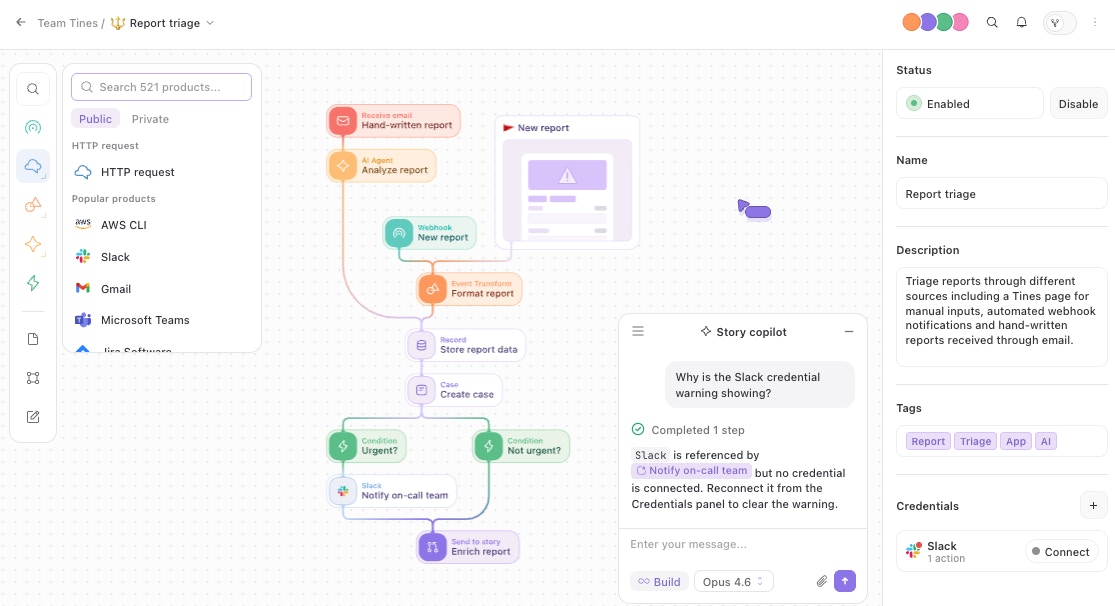
Across all Tines customers, 75% use the platform across multiple teams, and customers connect 68 tools on average.
The teams that get the platform decision right build something that holds up across security, IT, RevOps, and finance, with the same governance for every workflow regardless of who built it.
The fastest way to see whether Tines fits your evaluation criteria is to book a demo and walk through one of your real workflows with the team.
Frequently asked questions about choosing workflow software
How do you choose the right workflow software?
Match the platform category to your actual use case. Task tools work for human coordination, iPaaS works for system-to-system data movement, and intelligent workflow platforms work when you need the full spectrum of execution across multiple teams.
Once the category is right, evaluate security, governance, and integration depth before connector counts and UI polish.
What is the difference between workflow software and project management tools?
Project management tools track tasks, deadlines, and ownership for human coordination. Workflow software orchestrates the movement of data, decisions, and actions across systems with little or no human handoff at each step.
What security requirements should workflow software meet?
At minimum, workflow software should support SSO and SCIM with full deprovisioning, including downstream credentials, role-based access control at the action level, and immutable audit logs with retention periods that meet your regulatory requirements.
SOC 2 Type II certification, native secrets management or vault integration, and data residency controls are baseline expectations for regulated environments.
How is an intelligent workflow platform different from iPaaS?
Integration Platform as a Service (iPaaS) connects systems and moves data using deterministic logic. Intelligent workflow platforms add two execution modes iPaaS doesn't carry: AI agents that reason through ambiguous decisions, and human-in-the-loop checkpoints for steps that need judgment.
The result is a single platform that runs the full spectrum of execution, from predictable data movement to judgment-driven decisions, with one set of governance controls covering all of it.