While explode and implode are commonly used together, implode has another valuable application: bringing together parallel branches of your story. This story design, known as a story fork (covered in our Builder: Core learning path), allows you to process data through multiple paths simultaneously and then consolidate the results.
Use STORY_RUN_GUID
When you have multiple story branches running in parallel, implode collects the results from each branch and combines them into a single event. The key is using the right identifier to tell implode which events belong together.
The STORY_RUN_GUID function returns a unique identifier for each story run. This is perfect for story forks because all branches in the same story run share the same GUID. By using this as your guid_path in the implode configuration, you ensure that the implode collects results from all branches of the current run.
Implode story forks with duplicate Event Transform actions
One way to implode a story fork is by using Event Transform actions (ETAs for short) with the same action name. When multiple ETAs share a name, the implode can reference that single item path (the ETA name) and merge the outputs from each story branch into one unified event:
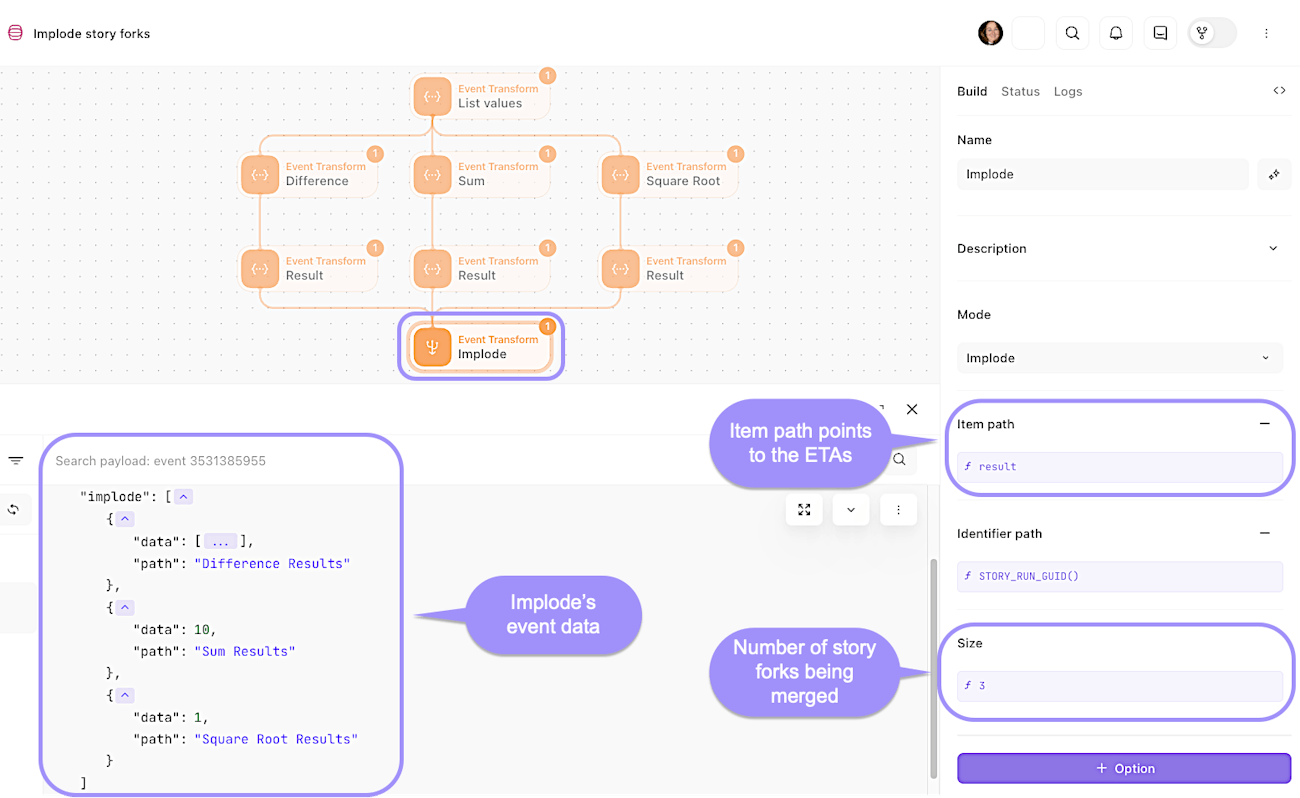
The Implode action, configured to merge multiple story forks into a single event.
Implode story forks with functions
Another way to implode a story fork is by utilizing functions in the implode's item path to pull together the results from the different forks (this is useful when you don't want to use the duplicate ETA naming method). Similar to the other method, the implode merges the output from each story branch into one unified event:
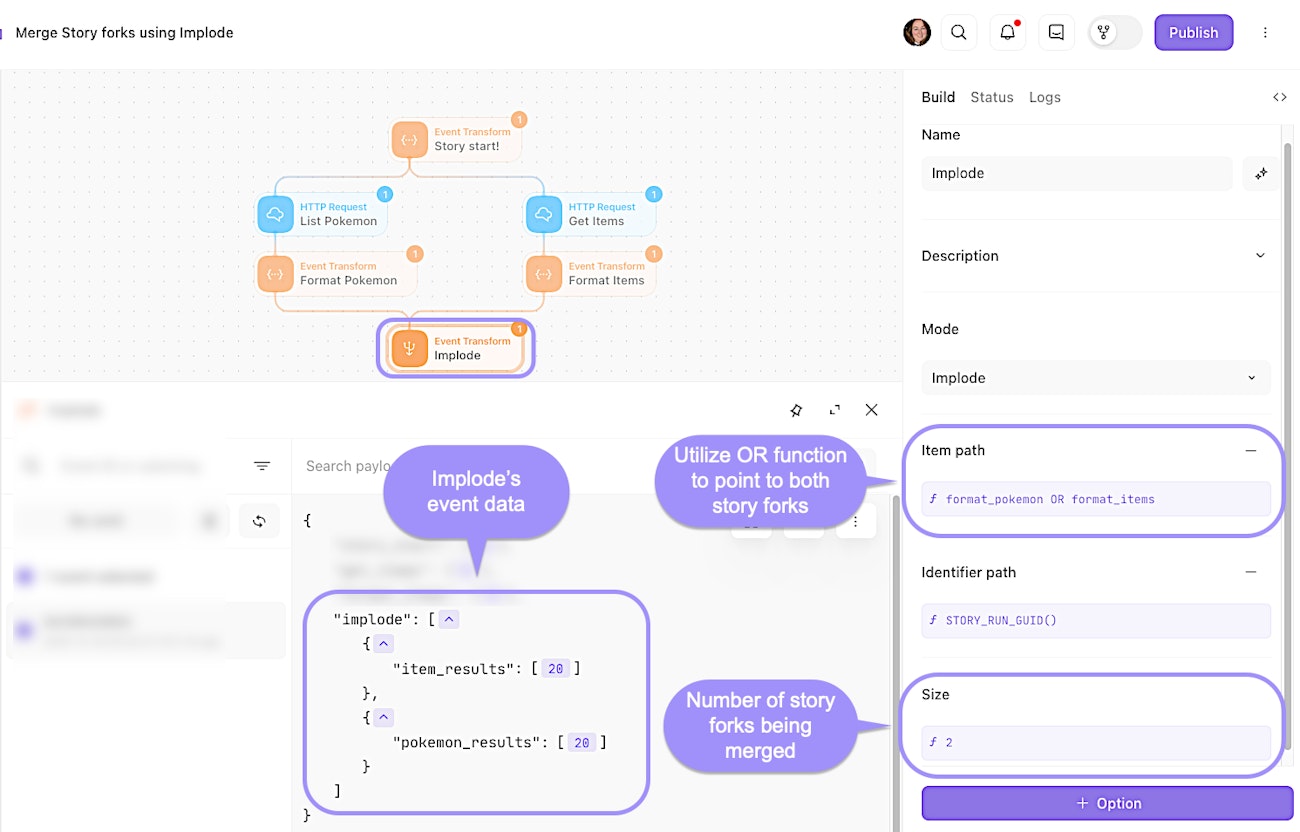
The Implode action, configured to merge story forks into a single event using a function-based item path.