Security is critical when you're exposing tools to external systems. Tines gives you several options for controlling who can access your MCP server.
Access control modes
We offer the following access control modes for MCP servers:
Anyone with the path: This mode allows anyone who has the MCP server URL to connect. It's useful for testing or tools made for an external-facing audience.
Anyone with the secret: This mode requires a secret to be passed either in the URL or in the HTTP Authorization header. It's a good middle ground when you want to share access with external partners or systems that don't have Tines accounts.
Only team members: This mode requires authentication with a Tines API key from someone on your team. It's ideal when you want to restrict access to people who are actively working in your Tines tenant.
Members of this Tines tenant: Similar to team members, but allows anyone in your Tines tenant to connect, regardless of which team they're on.
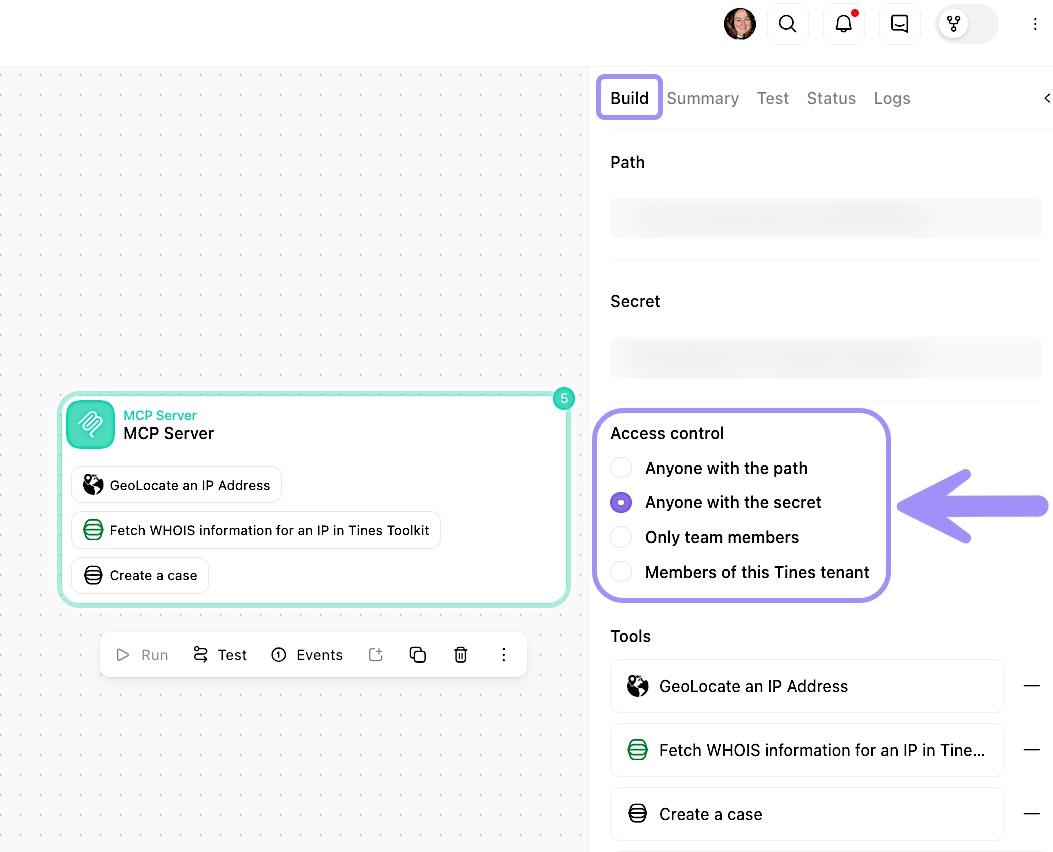
UI location to configure access control for an MCP server.
🪄Tip
Configure authentication
The authentication method you choose depends on your access control mode:
Secret-based access
You can pass the secret in the URL:
https://your-tenant.tines.com/mcp/your-path?secret=your-secretOr in the Authorization header:
Authorization: Bearer your-secret
Team or tenant member access
You must use a Tines API key in the Authorization header: Authorization: Bearer your-api-key
When you're setting up your MCP client, you'll need to include this authentication information in the client's configuration.