Tool confirmations work the same way in Slack as in the Tines web interface. When Workbench wants to run a tool that requires confirmation, you'll see a message in Slack showing the tool name, input details, and Confirm/Cancel buttons.
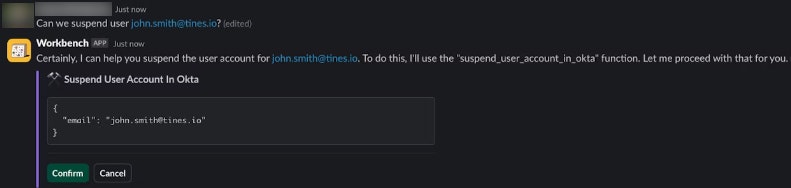
A tool confirmation message in Slack showing the tool name, input details, and Confirm and Cancel buttons.
Before clicking Confirm, review the input details. Check that the tool is the right one for the task, that the parameters are correct, and that you're comfortable with what the tool will do. Click Cancel if you don't want to proceed. Workbench will acknowledge the cancellation and suggest a different approach if needed.