What is a certificate authority (CA)?
When you visit a website with HTTPS in the URL , your browser needs to verify that the website is who it claims to be. This verification happens through SSL/TLS certificates, which are digital documents that prove a website's identity.
A certificate authority (CA) is a trusted organization that issues these certificates. Think of a CA like a passport office: just as a passport office verifies your identity and issues you a passport, a CA verifies a website's identity and issues it a certificate.
Your browser comes preloaded with a list of trusted public CAs (such as Let's Encrypt, DigiCert, and GlobalSign). When you connect to a website, your browser checks if the website's certificate was issued by one of these trusted CAs. If it was, the connection is considered secure.
However, some organizations run their own private certificate authorities for internal systems. For example, a company might have an internal CA that issues certificates for systems like intranet.company-internal.local or database.private.corp. These systems aren't accessible from the public internet, so they don't need certificates from public CAs.
When to use a custom CA
❗️Important
Most organizations rely on public certificate authorities (like Let's Encrypt or DigiCert) to issue SSL/TLS certificates. However, some organizations use private or internal certificate authorities for systems that aren't publicly accessible.
If your Tines workflows need to connect to internal systems that use certificates signed by your organization's private CA, you'll need to configure that CA in Tines. Otherwise, HTTP Request Actions and IMAP actions will fail with certificate validation errors.
ℹ️Info
Configure a custom CA
To add a custom CA, navigate to the Custom cert authority tab via the tenant Settings and click + New. Name your custom CA and enter the PEM-encoded X.509 public certificate (or certificate chain) in the pop-up window. Make sure to press Save to lock in your changes.
Once configured, Tines will use your custom CA alongside standard public CAs when validating certificates. This applies to all HTTP Request actions, IMAP actions, and AI provider connections in your tenant.
Tines also supports multiple custom certificate authorities, so you can add different CAs for different internal systems.
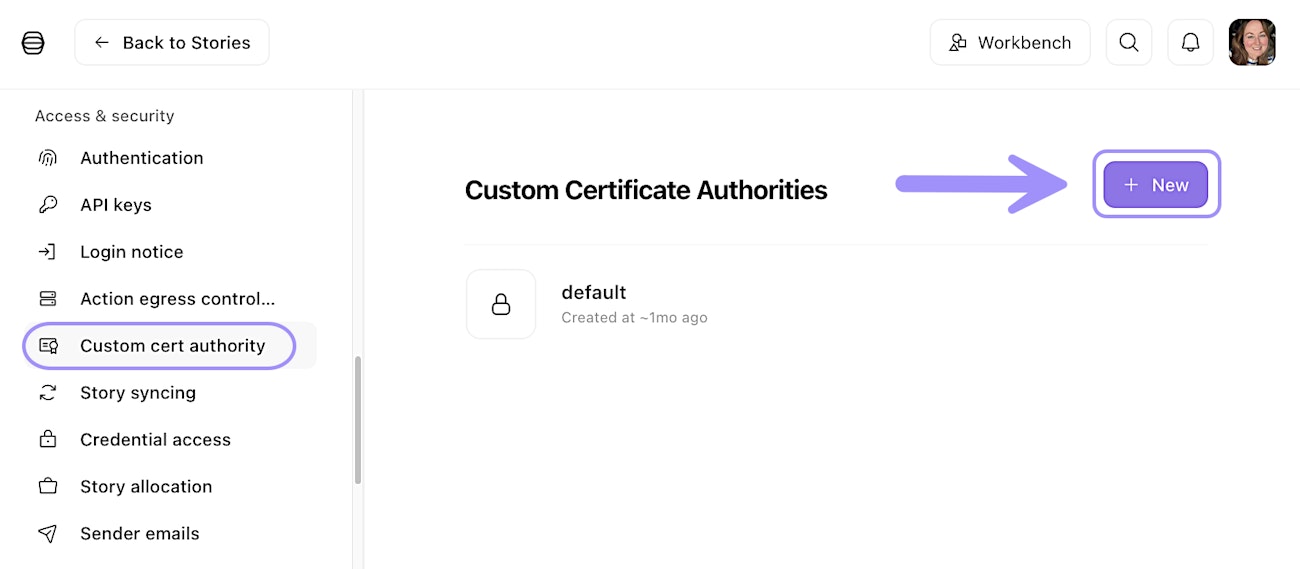
UI location to add a custom CA.