IP access control: Restrict tenant access
IP access control lets you create an allowlist of IP addresses or CIDR ranges that are permitted to access your Tines tenant. This is particularly useful for organizations that want to ensure Tines is only accessible from corporate networks, VPNs, or specific office locations.
❗️Important
For example, a financial services company might configure IP access control to only allow access from their headquarters in New York (203.0.113.0/24) and their disaster recovery site in London (198.51.100.0/24). Any login attempts from other locations would be automatically blocked.
❗️Important
Configure IP access rules
IP access control rules require two pieces of information:
An IP address or CIDR range (both IPv4 and IPv6 are supported).
A description to help you remember what the rule is for.
The format for CIDR ranges is address/mask, such as 192.168.1.0/24 for a subnet or 2001:db8::/32 for an IPv6 range. You can enable and manage these rules via the IP access control section in the tenant Settings or programmatically via the Tines API.
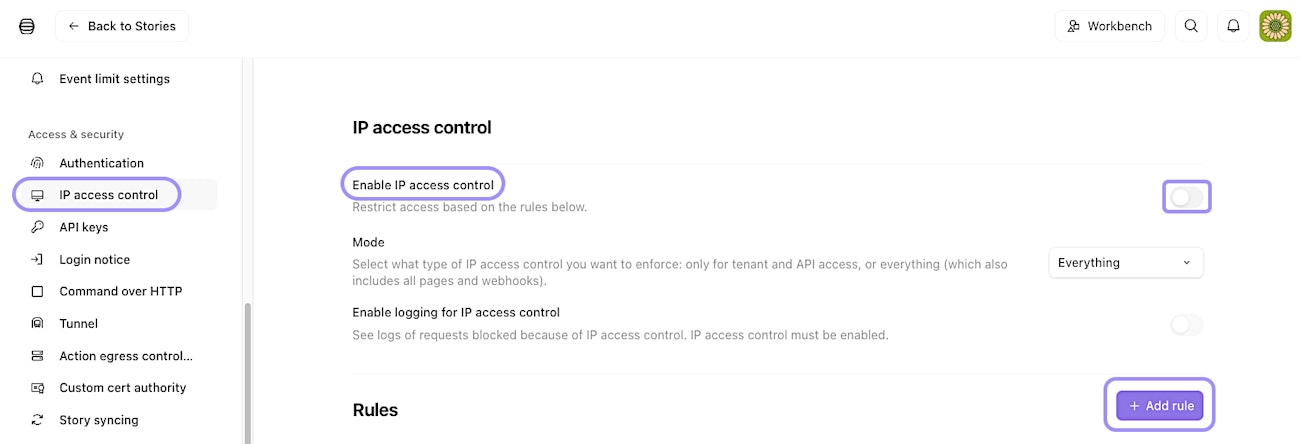
UI location to enable and manage the IP access control feature.
IP access control modes of operation
IP access control offers two modes:
Tenant and API mode: Enforces access control on the tenant UI and API access (any endpoint requiring user authentication). Public pages and webhooks remain accessible from any IP address. This mode is ideal if you want to protect administrative access while keeping your published pages and webhook endpoints available to external users.
Everything mode: Enforces access control on all tenant endpoints, including webhooks and public pages. This is a global rule that applies to every resource in your tenant. Use this mode when you need complete network isolation.
ℹ️Info
Monitor blocked access attempts
When IP access control is enabled, you can optionally turn on logging to view blocked access requests via the Enable logging for IP access control setting. These logs show the timestamp, IP address, user agent, and URL of each blocked attempt. Logs are retained for 90 days and can be filtered by IP address or user agent.
This visibility helps you identify legitimate users who might need to be added to the allowlist or spot potential unauthorized access attempts.
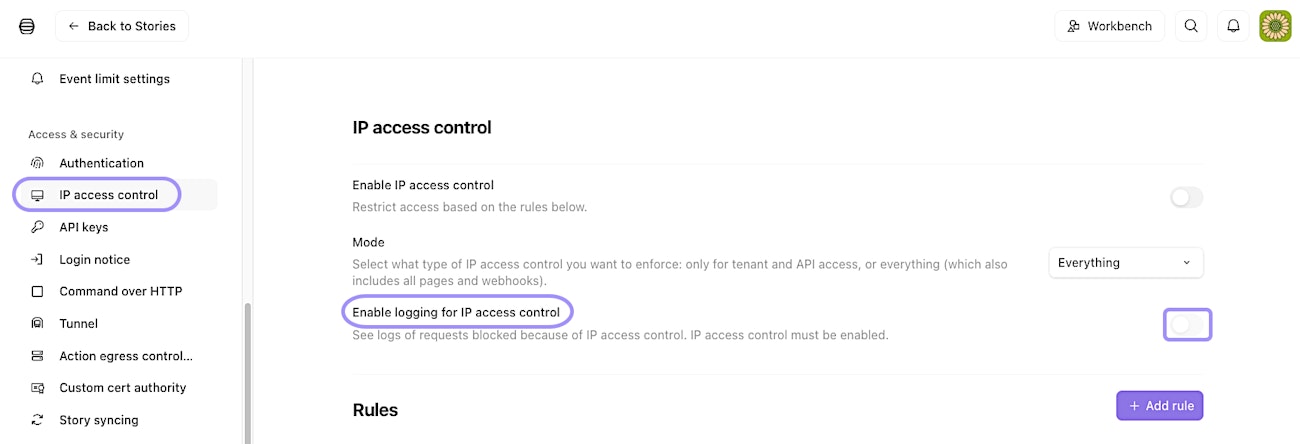
UI location to enable audit logging for the IP access control feature.
Action egress control: Manage outbound requests
While IP access control manages who can access your tenant, action egress control manages where your tenant can send data. This feature lets you create an allowlist of destinations that HTTP Request actions and Send Email actions are permitted to contact.
Imagine you're a healthcare organization subject to strict data protection regulations. You might use action egress control to ensure that patient data can only be sent to approved systems like your EHR platform (ehr.hospital.com) and your secure file storage (198.51.100.50). Any attempt to send data elsewhere would fail, preventing accidental or malicious data exfiltration.
❗️Important
Configure egress control rules
Egress control rules can specify either:
An IP address or CIDR range (IPv4 and IPv6 supported)
A fully qualified domain name (FQDN)
Each rule also requires a description. You can specify only an IP or an FQDN per rule, not both. By default, FQDNs are resolved to IP addresses. This means if an FQDN isn't on your allowlist but resolves to an IP that is allowlisted, the request will be allowed. You can disable this behavior to enforce stricter FQDN-only matching.
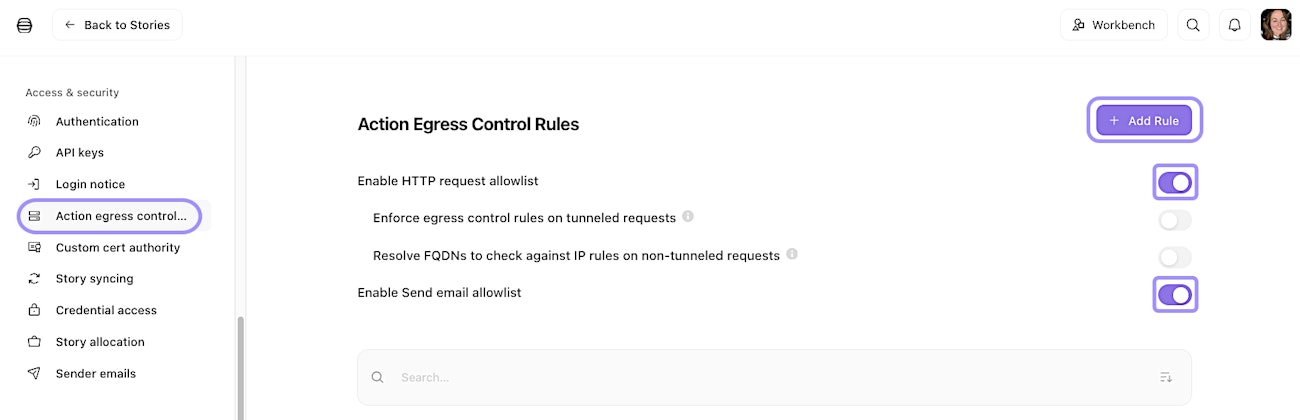
UI location to enable and manage the action egress control feature.
HTTP Request actions vs. Send Email actions
Action egress control works slightly differently depending on the action type:
HTTP Request actions: Toggle on the Enable HTTP request allowlist setting. You can allowlist both IP addresses and FQDNs. When a story runs, and an HTTP Request action attempts to contact a destination, Tines checks if that destination matches your allowlist. If not, the action fails, and the error is logged.
Send Email actions: Toggle on the Enable Send email allowlist setting. Only FQDN allowlisting is supported (not IPs). The domain of the recipient email address must match an FQDN on your allowlist. For example, if you allowlist
partner-company.com, emails tocontact@partner-company.comwill be allowed, but emails touser@other-domain.comwill be blocked.
Tunnel egress control
If you're using a tunnel to connect to private networks, you can enable action egress control for tunneled HTTP Request actions. When enabled, FQDNs will not be resolved to IPs for tunneled requests. This means the FQDN must be explicitly on your allowlist, regardless of what IP it resolves to. Toggle on the Enforce egress control rules on tunneled requests setting to activate this feature.
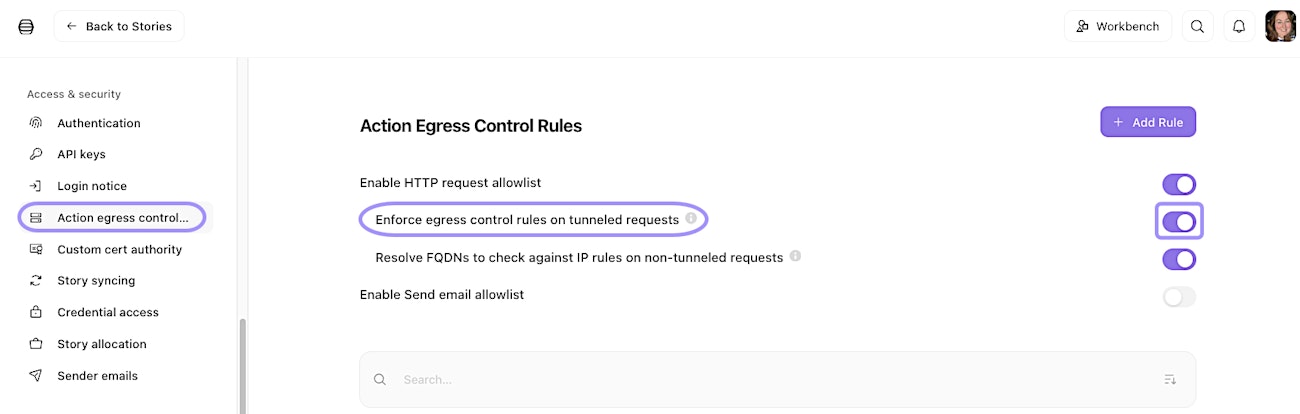
UI location to enable action egress control for tunnelled HTTP requests.
Troubleshoot egress control violations
When an action fails due to egress control, the error message will clearly indicate that the destination was blocked. You can find these errors in the impacted action's Logs tab. This makes it easy to identify when a legitimate workflow needs an additional destination added to your allowlist.