You've already learned about the two tenant-level roles in Tines: tenant owner and user. In this section, we'll focus on how to apply that knowledge when managing users, including how to grant specific tenant permissions to users who need them.
Understand the permission hierarchy
When managing users, it's helpful to understand how Tines evaluates permissions. Here's the hierarchy:
Tenant owner access (highest level): Can access and manage everything across the entire tenant, regardless of team membership.
Tenant permissions (tenant-wide operations): Allow specific administrative actions across the tenant without granting full tenant owner access.
Team membership and roles (team-level access): Determine what a user can do within specific teams they belong to.
🪄Tip
Assign tenant roles
When you invite a user to your Tines tenant, they're automatically assigned the "user" role by default. This means they'll only have access to teams they're explicitly added to (their Personal team by default), and their permissions within those teams will be determined by their team role.
To change a user's tenant role:
Navigate to the tenant Settings.
Navigate to the Users tab.
Select the user you’d like to edit.
Within their profile, update the Tenant owner setting to the desired value (
Yes/No).
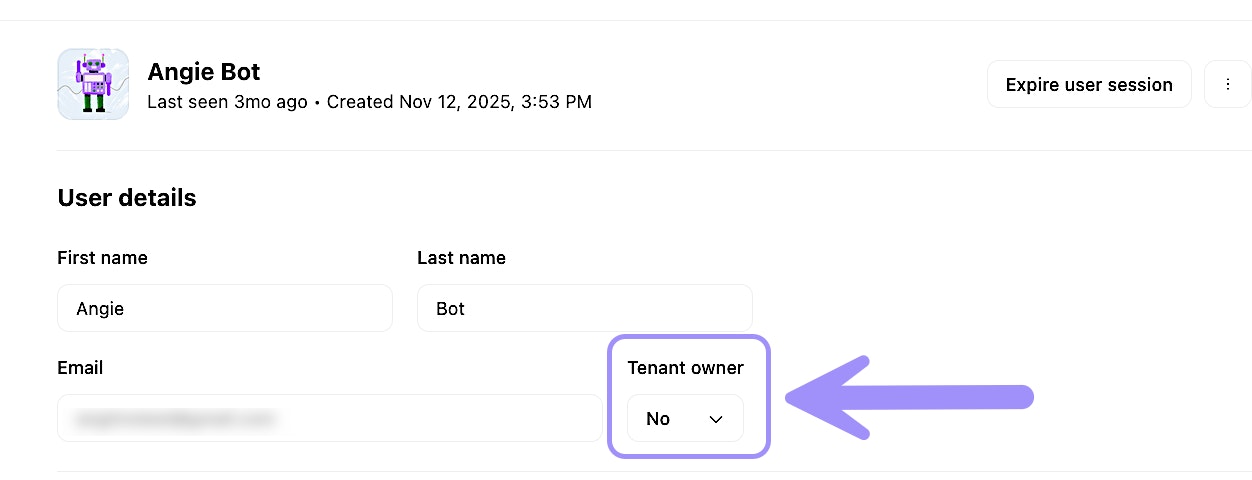
UI location to update a user's tenant owner status.
Tenant permissions for non-tenant owners
Not everyone who needs to perform tenant-wide operations should be a full tenant owner. Tines allows you to grant specific tenant permissions to regular users, giving them the ability to manage certain aspects of the tenant without full administrative access.
For example, you might grant a user permission to:
Manage tunnels (for connecting Tines to internal systems) via the Tunnel management setting.
Read audit logs via the Audit log read setting.
Manage feature flags via the Feature Flag management setting.
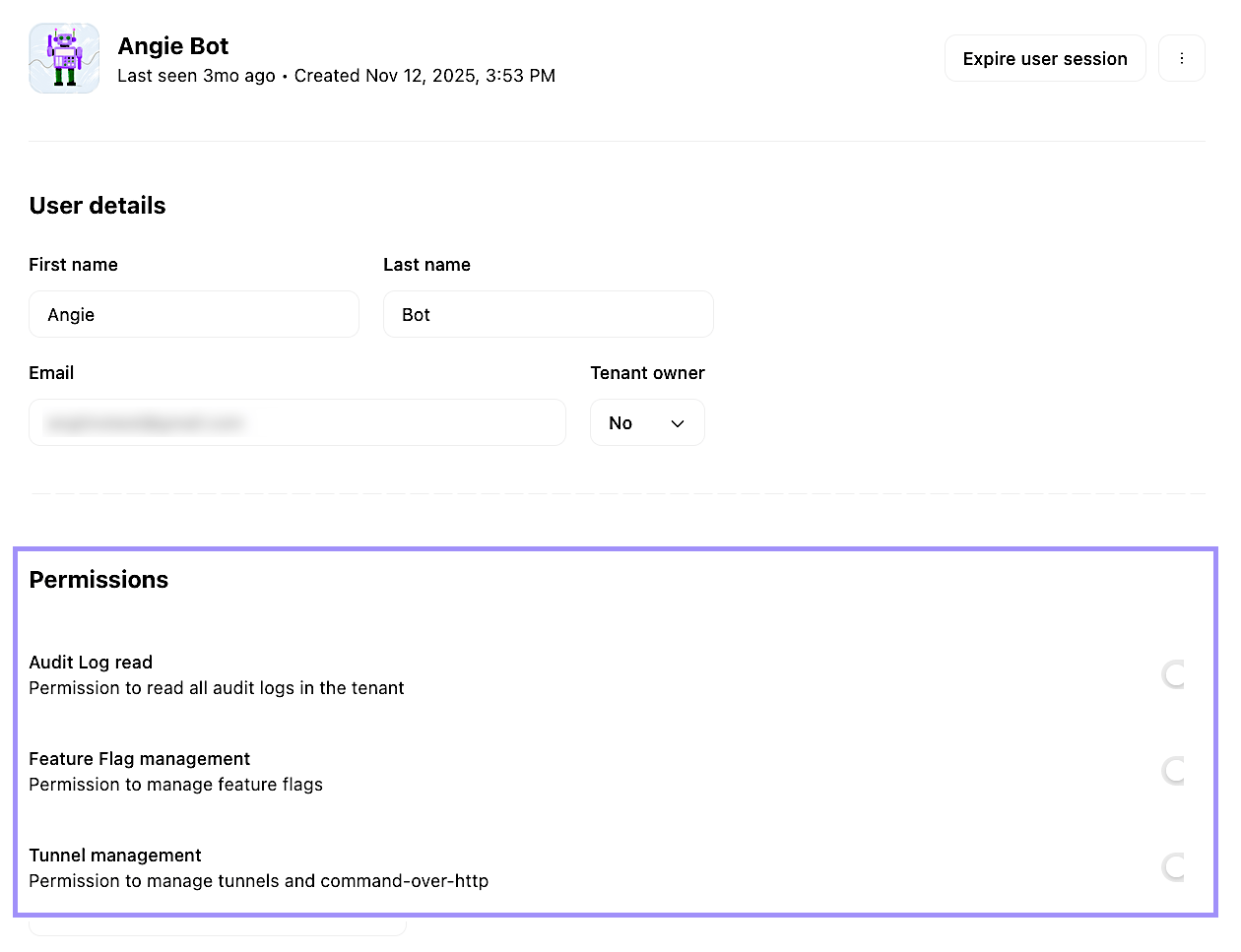
UI location to set a user's tenant permissions.