Local values give you a dedicated space to perform calculations and data transformations before they're used in your action's main configuration. Think of local values as a scratchpad where you can work through complex logic, store intermediate results, and keep your action payloads clean and readable.
Local values are temporary variables that exist only within a single action. They let you define calculations upfront, then reference those results throughout the action using the LOCAL key. This approach helps you break down complicated formulas into manageable pieces and makes your automation logic easier to follow.
The key thing to understand is that local values don't appear in your final event data. They're calculated, used within the action, and then discarded. Only the results you explicitly include in your action's payload will be passed downstream to other actions in your story.
Why use local values?
Local values shine when you're working with complex data transformations or multi-step calculations. Here's when they're most helpful:
Breaking down complex formulas: Instead of nesting multiple functions in one long expression, split the logic into named steps that are easier to read and debug.
Reusing calculations: When you need the same calculated value in multiple places within an action, define it once as a local value instead of repeating the formula.
Improving maintainability: Named local values make your logic self-documenting.
LOCAL.risk_scoreis clearer than a nested formula buried in your payload.Testing intermediate results: You can test each local value independently to verify your logic before using it in your final payload.
How to enable local values
You can find the local values option in any action's properties panel via + Options:
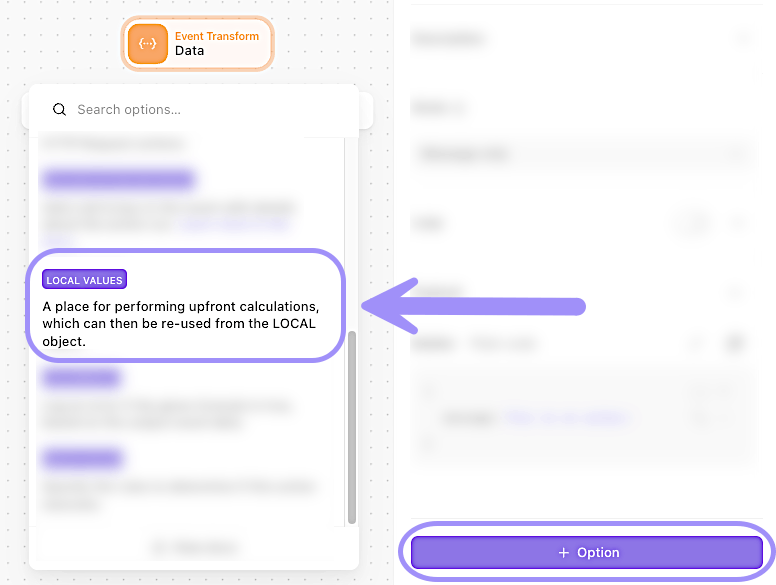
UI location to add the local values setting to an action's configuration.
Define and use local values
When you create a local value, you're essentially creating a temporary variable. You can then reference that variable anywhere in your action's payload using LOCAL.your_variable_name.
🖐️ Try this: Local values example
Example: Calculate enriched alert data
Let's say you're processing security alerts and need to calculate a risk score, determine priority, and format a message. Instead of cramming all this logic into your payload, you can use local values:
Local values:
{
  "risk_score": "alert.severity * alert.confidence / 100",
  "priority": "IF(LOCAL.risk_score >= 80, 'Critical', IF(LOCAL.risk_score >= 50, 'High', 'Medium'))",
  "formatted_message": "CONCAT('Alert ', alert.id, ' - Priority: ', LOCAL.priority, ' (Risk: ', LOCAL.risk_score, ')')"
}
Action payload:
{
  "alert_id": "alert.id",
  "priority": "LOCAL.priority",
  "message": "LOCAL.formatted_message"
}
Notice how:
risk_scoreis calculated first.priorityreferencesLOCAL.risk_score(defined earlier).formatted_messagereferencesLOCAL.priority(also defined earlier).The final payload only includes what you want in the event data.
❗️Important
Customize output vs. local values
Both features help you manage data, but they serve different purposes.
Use customize output when:
You want to simplify what gets stored as event data.
You need to transform the entire action output before it's saved.
You want downstream actions to see a cleaner data structure.
Use local values when:
You need intermediate calculations within a single action.
You want to break complex logic into readable steps.
You're building a payload that requires multiple calculated values.
You can use both together: Local values for calculations within the action, and customize output to control what the action emits.