Access the Reporting page
The Reporting page provides analytics about your tenant's build components and usage patterns. This page helps you understand how your tenant is being used and identify opportunities for optimization.
To access the Reporting page, navigate to the team dropdown in the navigation and select Reporting.
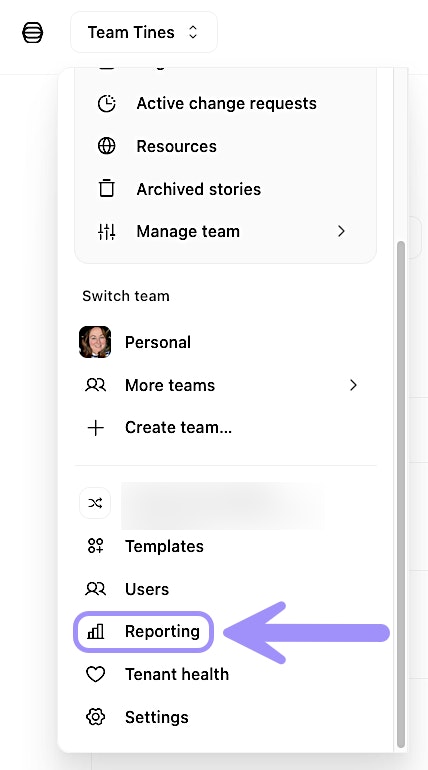
UI location to access the Reporting page.
Understand reporting metrics
The reporting page displays several types of analytics that give you insight into your tenant's usage:
Licensed flows: The number of licensed flows currently in use across your tenant. This helps you track your license consumption and plan for future needs.
Most used resources and credentials: See which resources and credentials are being used most frequently across your stories. This information can help you identify which tools are most critical to your workflows.
AI credit consumption: View AI credit usage broken down by team. This helps you understand which teams are using AI features most heavily and whether credit allocations need adjustment.
Time saved: See how much time is saved by using Tines.
✋ Try this: Navigate the Reporting page
Use report data for optimization
The reporting page helps identify opportunities to optimize your tenant configuration. Here are some common insights you might gain:
Credential consolidation: If you notice that certain credentials are used across many stories and teams, you might consider making them tenant-wide to simplify management and updates.
Resource efficiency: Identify which resources are heavily used and which might be redundant or outdated.
AI credit reallocation: If you see that some teams consistently use fewer credits than allocated while others are running low, you can adjust allocations to better match actual usage patterns.
License planning: Track your licensed flow usage over time to anticipate when you might need to purchase additional licensing.
Export report data
For deeper analysis or record-keeping, you may want to export reporting data. While the Reporting page provides a visual overview, you can access more time saved metrics programmatically via our Time saved API endpoint.