Pages are customizable web interfaces built directly inside Tines. Think of them as the “front door” to your workflow; the place where people can interact with your story logic in a clean, guided way.
Pages are powerful because they:
Collect structured input from users.
Display information from earlier steps.
Condition actions when submitted.
Support multi-step guided workflows.
Help teams build app-like experiences without writing HTML or JavaScript.
Pages do not replace actions. Instead, think of it as:
Pages collect or display.
Actions process and transform.
Events carry information between them.
How pages fit inside a story
When you place a page on the storyboard, you give users a way to enter or review information during a story run.
Here’s what happens when a page is submitted:
A user fills out fields (like name, team, priority).
They click Submit.
The page turns the form data into an event, sending it into the connected action.
Then, subsequent story elements process that data depending on your configuration (i.e., API calls, functions, validation).
This flow lets you build processes like:
Approval screens
Search → select → confirm flows
Intake → enrich → summarize flows
Dashboards with real-time results
Capture input and turn it into event data
When the page is submitted, Tines automatically converts all page inputs into a structured event. Tines turns the input data from this page:
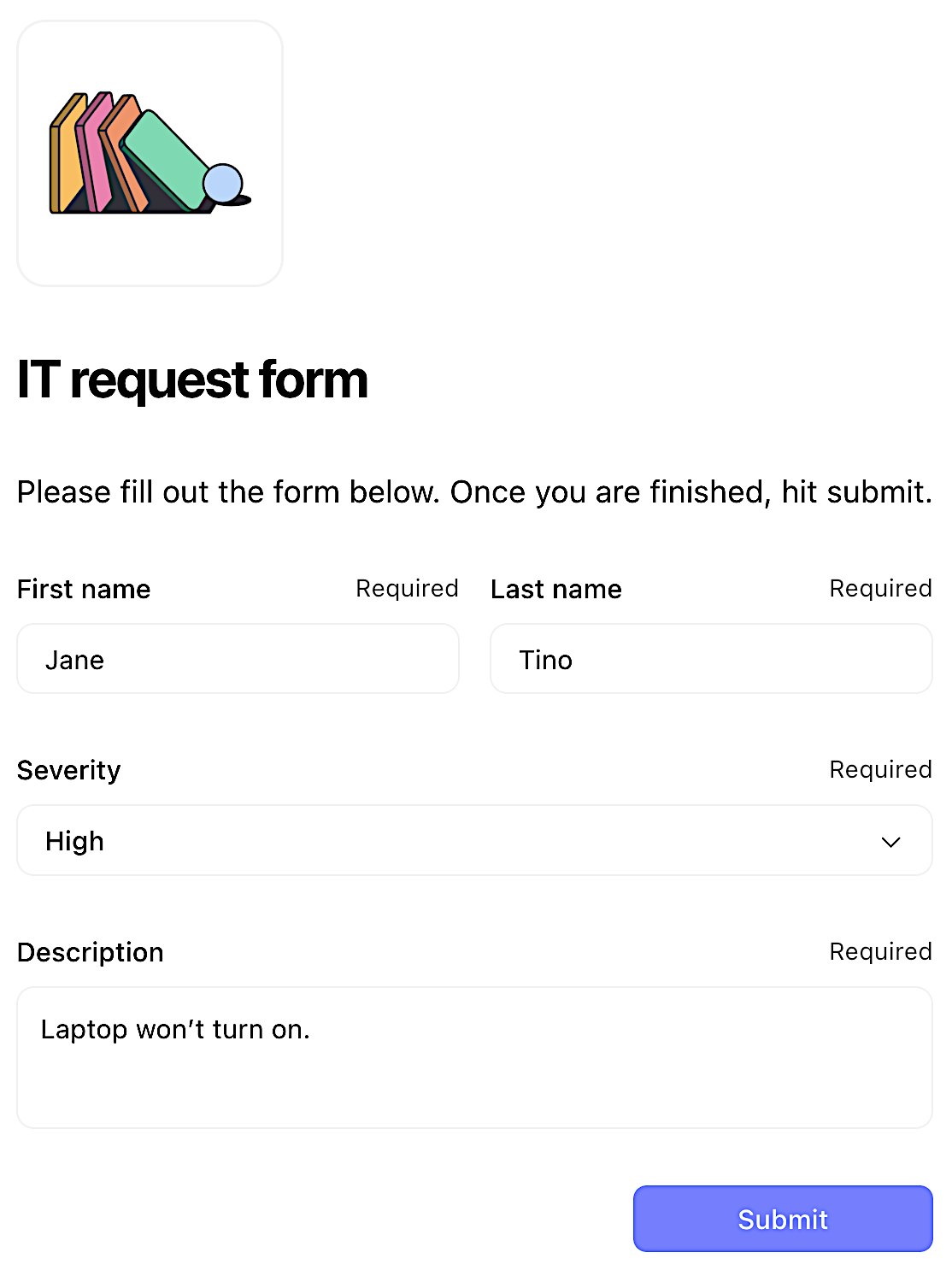
An example of a page with sample input data.
Into this event for downstream processing:
{
  "it_request_form": {
    "body": {
      "button": "Submit",
      "first_name": "Jane",
      "last_name": "Tino",
      "severity": [
        "High"
      ],
      "description": "Laptop won't turn on."
    }
}
Display dynamic data on a page
Pages aren’t just for input. They’re also for presenting results from previous actions. Similar to action configurations, page elements can utilize pills and upstream reference paths to the data you need to display in your "results" page.
Adding onto this, page elements also support formulas, allowing you to dynamically manipulate incoming data within the page at run-time.