A draft is an editable copy of your live story, a place where you can make changes, experiment with new logic, and test thoroughly without any impact on the production workflow.
To create a draft, navigate to the live version of your story and click Create new draft:
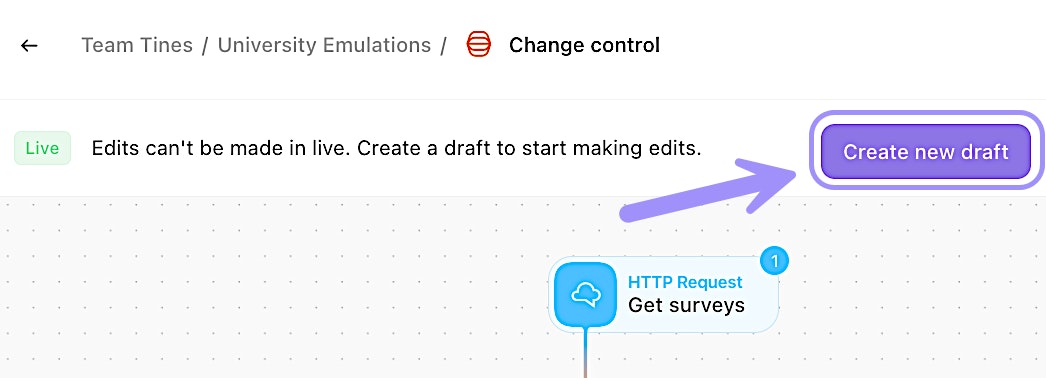
UI location to create a change control draft.
🪄Tip
🖐️ Try this: Create a change control draft
Manage drafts
While within a draft, you can take multiple actions on it via the draft options (three-dot) menu:
Duplicate draft: Duplicate the current draft.
Delete draft: Delete the current draft.
Reset draft: Reset the current draft. This resets the draft to the original version that was taken from live.
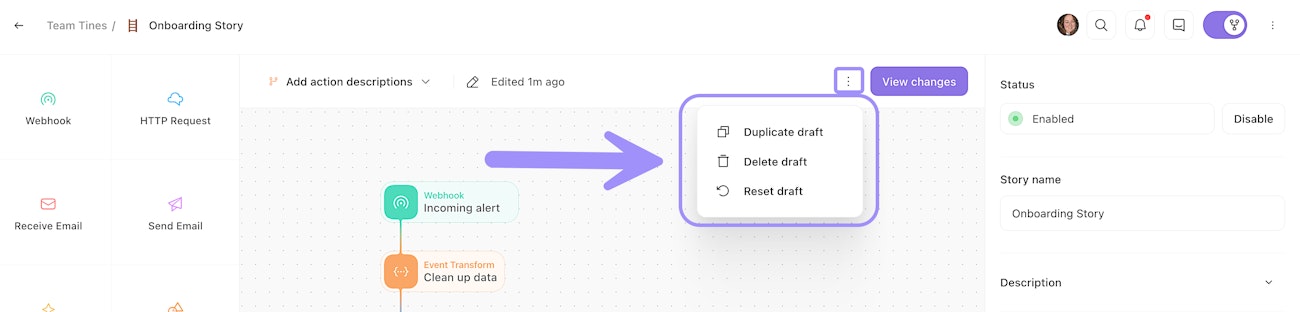
UI location to manage change control drafts, including duplicating, deleting, and resetting.