Creating well-organized stories ensures they remain valuable and maintainable over time. Here are key practices to follow:
Clear naming conventions
Story names
Use descriptive names that clearly indicate the story's purpose, like:
"Email Processing - Support Ticket Creation"
"Security Alert - Malware Investigation"
Action/Tool names
Name each action to reflect its specific purpose, like:
"Extract Customer Email" (not just "Extract") for an Event Transform action.
"Check Alert Severity" (not just "Check") for a Condition action.
Document your story
Story and action descriptions
Within the properties panel of both the story and the actions within it, utilize the Description field to document:
What the story/action does
Required inputs
Expected outputs
Dependencies
Any other information that you feel is important to document.
Notes
Use note tiles strategically to explain complex sections or document the reasoning behind certain approaches.
Story tags
Take advantage of tagging your stories with topics that make sense to your team. These tags can be used to quickly identify stories for reporting. To apply a tag to a story, navigate to the Tags setting in the story's properties panel:
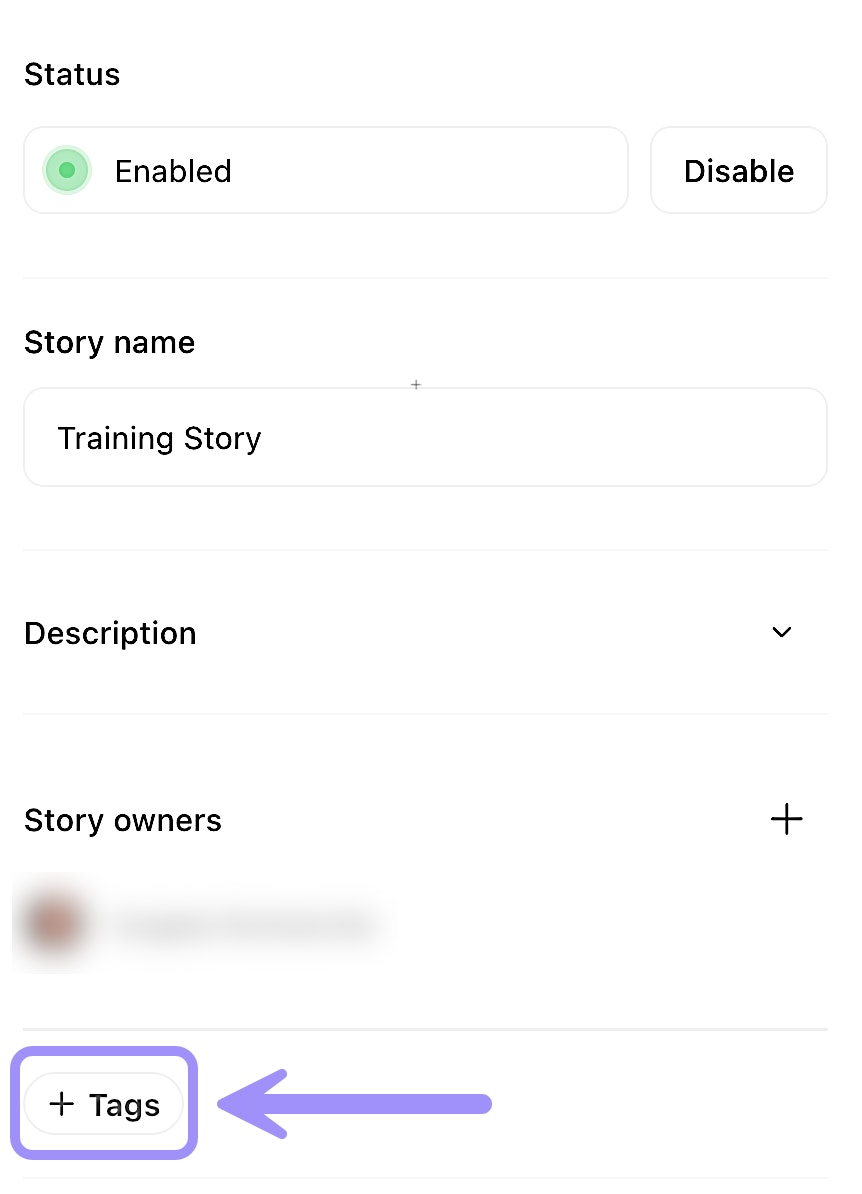
UI location to implement tags on a story.
Layout matters
Logical flow
Arrange actions to follow a top-to-bottom flow where possible. This makes your story easier to follow and understand.
Tidy and align
Both the Tidy and Align options help organize the location of your actions on the storyboard for better readability. To utilize Tidy/Align, click CTRL or CMD + a (select all) to select all of your actions (or CTRL/CMD click + drag to select an area of actions) to pull up the activity bar menu:
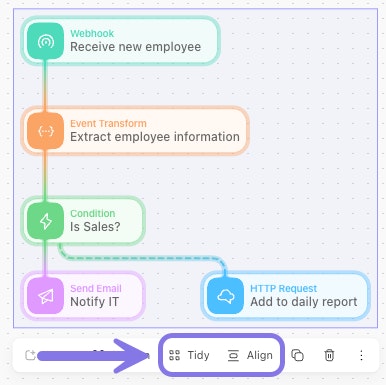
UI location of the Tidy and Align features.
Put it all together
Let's summarize the complete story design process:
Identify the use case.
Determine if the process is a good fit for automation.Visualize the workflow.
Map out the process steps before building.Plan your actions.
Choose the appropriate action types for each step.Decide on a design pattern.
Will a linear or branching approach be most effective?Implement best practices.
Use clear naming, documentation, and organization to ensure consistency and clarity.