The AI Agent action brings large language models directly into your workflows at runtime. Unlike the other AI features you've explored, it can make decisions, analyze data, interact with users, and autonomously complete multi-step tasks while your story is running.
💡Note
Within your storyboard, locate the AI Agent action in the left-hand editor panel. Simply drag it onto your storyboard to start building!
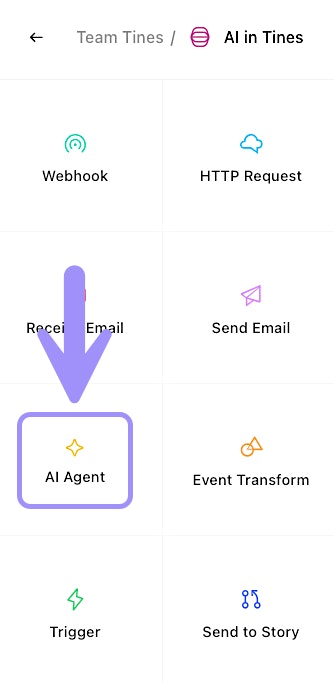
UI location of the AI Agent action.
❗️Important
Task mode vs. Chat mode
The AI Agent action supports two distinct modes of operation, and choosing the right one depends on what you're trying to accomplish. We’ll dig into each mode in later sections, but let’s take a look at a quick overview:
Task mode
Task mode is designed for behind-the-scenes automation. When a story run reaches an AI Agent action in task mode, the action executes once, processes the prompt you've configured, and emits an event with the result. You can use task mode for simple one-shot requests (like "summarize this alert") or for more complex autonomous workflows where the AI uses tools to complete multi-step tasks. For example:
📝 Change Log → Release Notes: The AI Agent action transforms a raw internal change log into customer-facing release notes, written in a user-friendly tone.
🎟️ Support Ticket Summarization: The AI Agent action summarizes long ticket threads and provides a status update with suggested next steps, reducing manual effort for support agents.
Chat mode
Chat mode creates an interactive, user-facing experience. Instead of executing once and moving on, chat mode opens a conversation between the AI and an end user. The chat continues until the AI achieves the goal you've defined in its system instructions. When the goal is met, the action completes and emits a final event containing the full conversation history. Use chat mode for scenarios like:
🛡️ Security Awareness Bot: Employees interact with an AI chatbot that quizzes them on phishing emails or educates them on safe practices through a gamified conversation.
🖥️ IT Service Request Assistant: Users chat with an AI agent to request a new laptop, software install, or Wi-Fi help. The AI Agent action gathers necessary information and routes it to the correct team.