Now that you understand system instructions, prompts, and tools, let's explore how to configure the AI Agent action in task mode. Task mode is where you'll start if you want the AI to process information and return a result without user interaction.
✋ Try this: Use task mode
Scenario: Your support team receives customer feedback responses through a form each week. You need to categorize the feedback by theme (product issues, feature requests, billing questions, etc.) and assess sentiment. The AI Agent action in task mode can analyze each response, assign categories and sentiment scores, and create a Tines case for urgent negative feedback to ensure proper tracking and follow-up.
Temperature
The temperature setting controls how creative or deterministic the AI's responses will be. The range is 0 to 1, with a default of 0.2. The lower the temperature, the more predictable and reliable the output. This typically applies to most automation use cases.
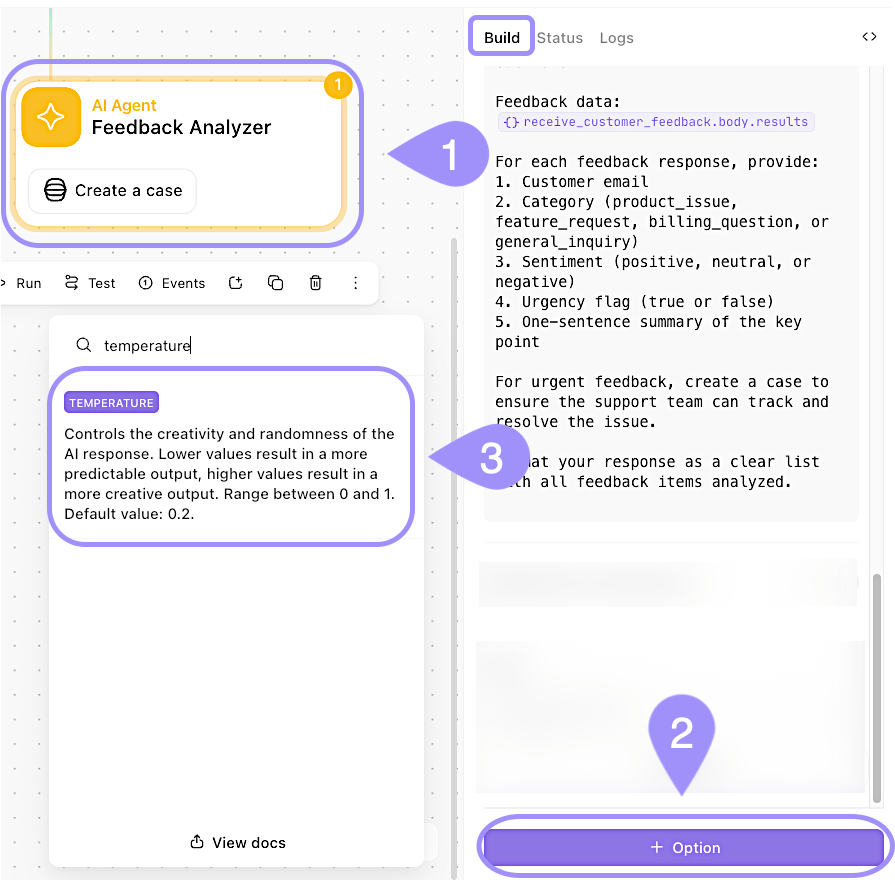
UI location to add and configure the Temperature setting for an AI Agent action.
Timeout and retries
The timeout setting determines how long Tines will wait for the AI to respond before considering the request failed. The default is 30 seconds, which is usually sufficient for most tasks.
Retries determine how many times the action will attempt to complete if it encounters an error. The default is 25 retries. When tools are attached, the AI may need multiple attempts to complete complex tasks, so this setting is important.
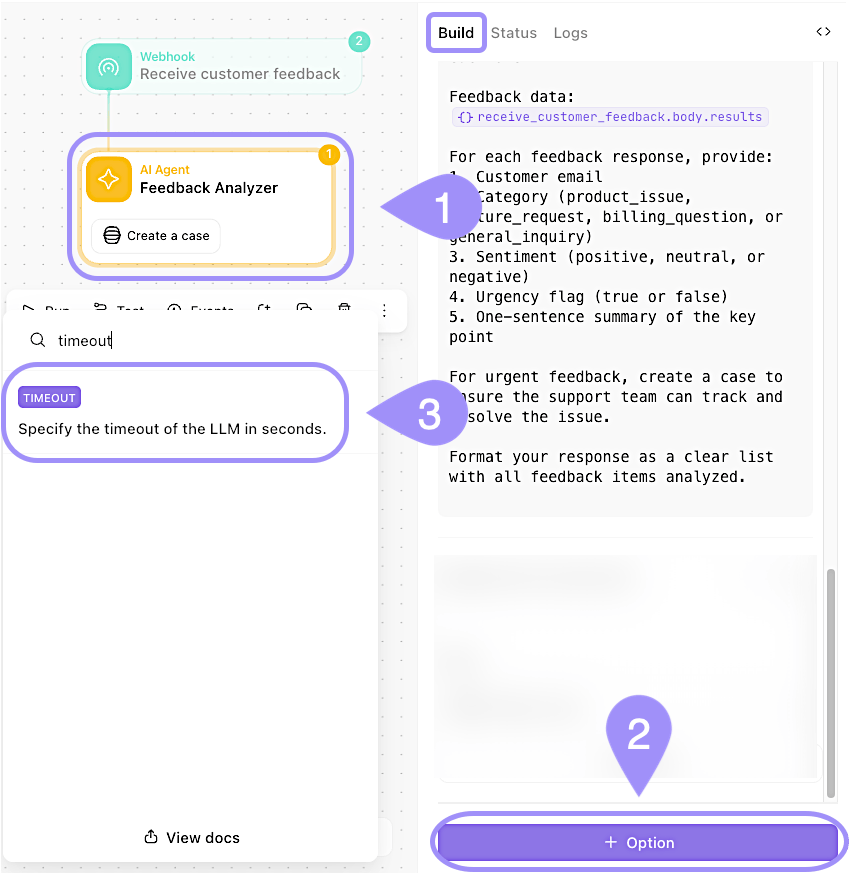
UI location to add and configure the Timeout setting for an AI Agent action.
Attach images
If your organization is using a Claude model for your Tines AI features, you can attach images to your prompts. This enables the AI to analyze screenshots, diagrams, charts, or any visual content. To attach an image, you'll need to provide its base64-encoded content. You can reference file data from earlier actions in your story within the Prompt, like so:
file_attachment_action.body.contentsYou can also attach multiple images by providing an array of base64 encoded strings.