Because AI Agent actions consume credits, it's important to monitor usage and set up alerts to prevent unexpected costs, even as a builder!
🪄Tip
View credit usage
Every time an AI Agent action runs, the emitted event includes metadata about the execution via the meta object:
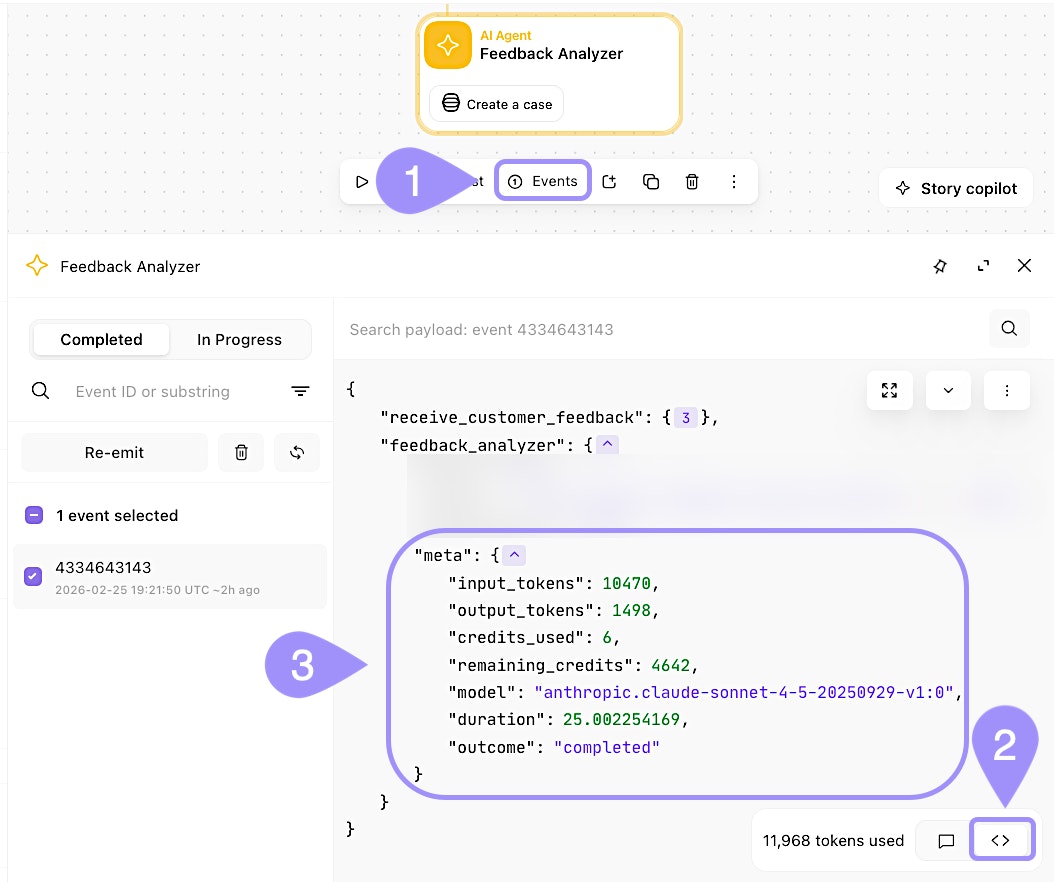
UI location to view metadata information of an AI Agent action event.
This tells you how many tokens were processed, how many credits were consumed, and how many credits remain in your team's allocation. You can also view Token usage of the AI Agent action via the Status tab of its properties panel.
Configure usage alerts
You can configure two types of alerts from the action's properties panel → Status tab:
Notify: When the action uses enough tokens to exceed a threshold for a selected period (daily, weekly, monthly, or all time), Tines will notify the story's recipients.
Disable action: When the threshold is exceeded, Tines will notify recipients and automatically disable the action to prevent further credit consumption.
These alerts help you stay on top of usage and prevent runaway costs from misconfigured or overly active agents.
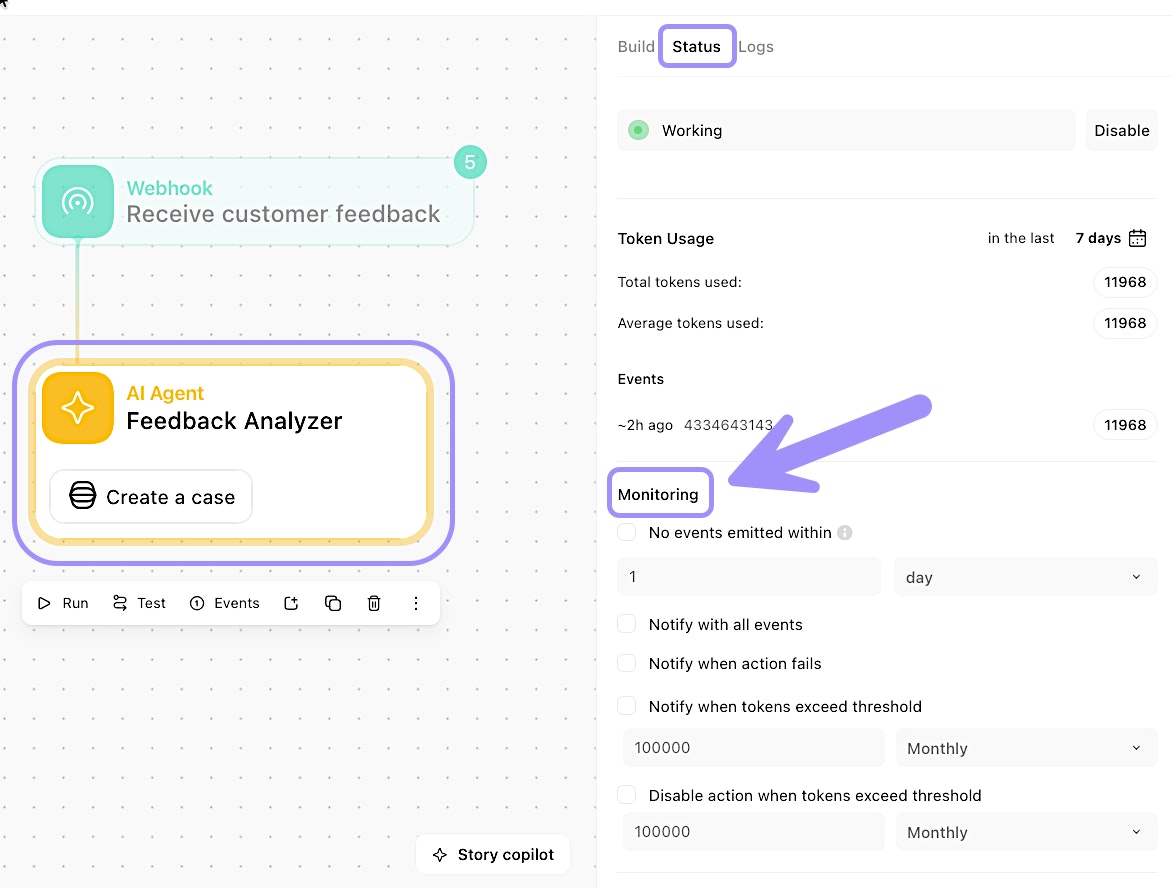
UI location to set up Monitoring settings for an AI Agent action.
Cost consciousness as a builder
Here are some strategies for keeping AI credit usage under control with the AI Agent action:
Use lower temperatures: More deterministic responses often require fewer retries.
Be specific in your guidance: Clear instructions and prompts reduce the need for back-and-forth.
Combine similar tools: Instead of attaching many individual tools, group related actions into custom tools or Send to Story workflows.
Set idle timeouts in chat mode: Prevent abandoned chats from consuming credits.
Set up usage alerts: As we’ve covered, setting up alerts for credit usage can save you from running out unexpectedly.